
Many teams mistakenly treat localization as a final translation step before launch. This narrow view ignores the strategic complexity of adapting products for diverse global markets. Product managers play a pivotal role in orchestrating localization efforts, coordinating cross-functional teams, and ensuring cultural relevance alongside technical accuracy. Without their leadership, localization projects face delays, cost overruns, and poor user reception. This article reveals how product managers impact localization success and unlock global market opportunities through smart planning and execution.
Key takeaways
Point | Details |
|---|---|
Localization is strategic adaptation | It encompasses cultural relevance, usability adjustments, and technical integration beyond simple translation. |
Product managers coordinate complexity | They manage scope, budgets, timelines, and cross-functional collaboration to deliver on-time localization. |
Effective localization drives growth | Properly localized products achieve higher market reach, faster deployment, and measurably improved user engagement. |
Early integration prevents costly delays | Embedding localization in product roadmaps from the start avoids last-minute scrambles and technical debt. |
Understanding the strategic role of product managers in localization
Product managers serve as the central hub for localization initiatives, defining project scope, allocating budgets, and setting realistic timelines. They coordinate cross-functional teams spanning development, design, marketing, and localization specialists to ensure everyone moves in sync. Without this orchestration, projects suffer from misaligned priorities, duplicated efforts, and missed deadlines.
Companies with dedicated product managers for localization projects report a 10 to 15 percent reduction in project costs and a 20 percent faster time-to-market. These gains come from proactive planning and clear accountability. Product managers who integrate localization in the product roadmap early avoid the chaos of retrofitting translations into finished products.
Key responsibilities include:
Establishing localization requirements during feature planning
Coordinating with translators, developers, and UX designers
Monitoring progress against milestones and budgets
Resolving blockers that threaten delivery schedules
Ensuring quality standards align with brand voice
Product managers also advocate for localization investments when stakeholders view it as optional. They present data showing how localized products outperform generic English versions in international markets. This advocacy secures resources and executive support.
Pro Tip: Engage localization specialists during the discovery phase, not after development wraps. Early collaboration surfaces technical constraints and cultural considerations that shape product design.
“Localization is not a post-launch activity. It’s a strategic decision that influences product architecture, user experience, and market positioning from day one.”
By embedding localization into the product development lifecycle, product managers transform it from a bottleneck into a competitive advantage. They ensure teams build products ready for global audiences rather than scrambling to adapt finished work.
Localization challenges product managers must navigate
Product managers face numerous technical and cultural obstacles when localizing products. Understanding these challenges helps them anticipate problems and implement preventive measures.
Character encoding issues create immediate usability problems. UTF-8 encoding problems cause garbled text, especially with right-to-left languages like Arabic and Hebrew. Product managers must verify that development environments, databases, and front-end systems all support proper encoding.
Font rendering failures with complex scripts like Thai, Hindi, or Amharic break layouts and make content unreadable. Product managers coordinate with designers to select fonts that support target languages and test rendering across devices and browsers.
Integration gaps between translation management systems and development workflows cause friction. When translators work in disconnected tools, product managers struggle to track progress, merge updates, and maintain version control. Establishing integrated toolchains early prevents these bottlenecks.
Dynamic content presents unique localization hurdles:
Placeholder text in notifications or error messages often lacks context for translators
Variable ordering differs across languages, breaking string concatenation logic
Pluralization rules vary dramatically, requiring conditional logic beyond simple singular and plural forms
Date, time, and number formatting must adapt to local conventions
Currency symbols and decimal separators need locale-specific handling
File format incompatibilities disrupt translation memory and glossary sharing. When developers use proprietary formats or custom markup, translators cannot leverage existing translations or maintain consistency. Product managers standardize on widely supported formats like XLIFF or JSON to enable smooth data exchange.
Pro Tip: Create a localization style guide that documents technical requirements, file formats, and workflow steps. Share this guide with all team members to align expectations and reduce errors.
Common translation challenges in localization extend beyond technical issues to cultural nuances. Product managers must balance technical feasibility with cultural appropriateness, sometimes redesigning features when direct translation fails.
| Challenge | Impact | Solution |
| — | — |
| Character encoding errors | Garbled or missing text | Enforce UTF-8 across all systems |
| Font compatibility issues | Broken layouts, unreadable content | Test fonts with target scripts early |
| Tool integration gaps | Delayed updates, version conflicts | Adopt connected translation platforms |
| Dynamic content complexity | Incorrect grammar, broken strings | Implement context-aware placeholders |
| File format incompatibility | Lost translation memory | Standardize on XLIFF or JSON |
By anticipating these challenges, product managers allocate time and resources appropriately. They prevent localization from becoming a last-minute crisis that delays product launches.
The impact of effective localization on product success and market growth
Well-executed localization delivers measurable business results that justify the investment. Product managers who demonstrate these outcomes secure ongoing support for localization initiatives.

Companies localizing their products see 20 to 30 percent sales increases and 30 percent rises in market share in new international markets. These gains stem from making products accessible and culturally relevant to local audiences. Users prefer products that feel native rather than obviously translated.
Ignoring cultural nuances causes 15 to 25 percent drops in user engagement. When products display inappropriate imagery, use awkward phrasing, or violate cultural norms, users abandon them quickly. Product managers who prioritize cultural adaptation alongside linguistic accuracy avoid these pitfalls.
Localized user experiences feel intuitive because they respect local conventions for navigation, color symbolism, and interaction patterns. This attention to detail increases user satisfaction and reduces support costs. Users spend less time confused by unfamiliar interfaces and more time accomplishing their goals.
“72 percent of consumers are more likely to buy a product with information in their own language, and 56 percent say the ability to obtain information in their own language is more important than price.”
The real impact of software localization extends beyond initial sales to long-term retention and loyalty. Users who feel understood by a product become advocates, driving organic growth through word-of-mouth recommendations.
Metric | Before Localization | After Localization | Change |
|---|---|---|---|
Monthly active users | 50,000 | 72,000 | +44% |
Conversion rate | 2.1% | 3.4% | +62% |
Customer support tickets | 1,200 | 850 | -29% |
Average session duration | 4.2 minutes | 6.8 minutes | +62% |
Beyond sales and engagement, localization provides strategic advantages:
Faster market entry by preparing for multiple regions simultaneously
Reduced support costs through clearer, culturally appropriate help content
Stronger brand perception as a company that respects diverse audiences
Competitive differentiation when rivals offer only English versions
Regulatory compliance in markets requiring local language support
Product managers who track these metrics demonstrate localization’s return on investment. They shift the conversation from viewing localization as a cost center to recognizing it as a growth driver. This perspective secures resources for continuous improvement and expansion into additional markets.
Integrating localization into the product development lifecycle
Product managers who embed localization throughout development avoid expensive retrofits and launch delays. Localization must be baked into product processes, not bolted on at the end.
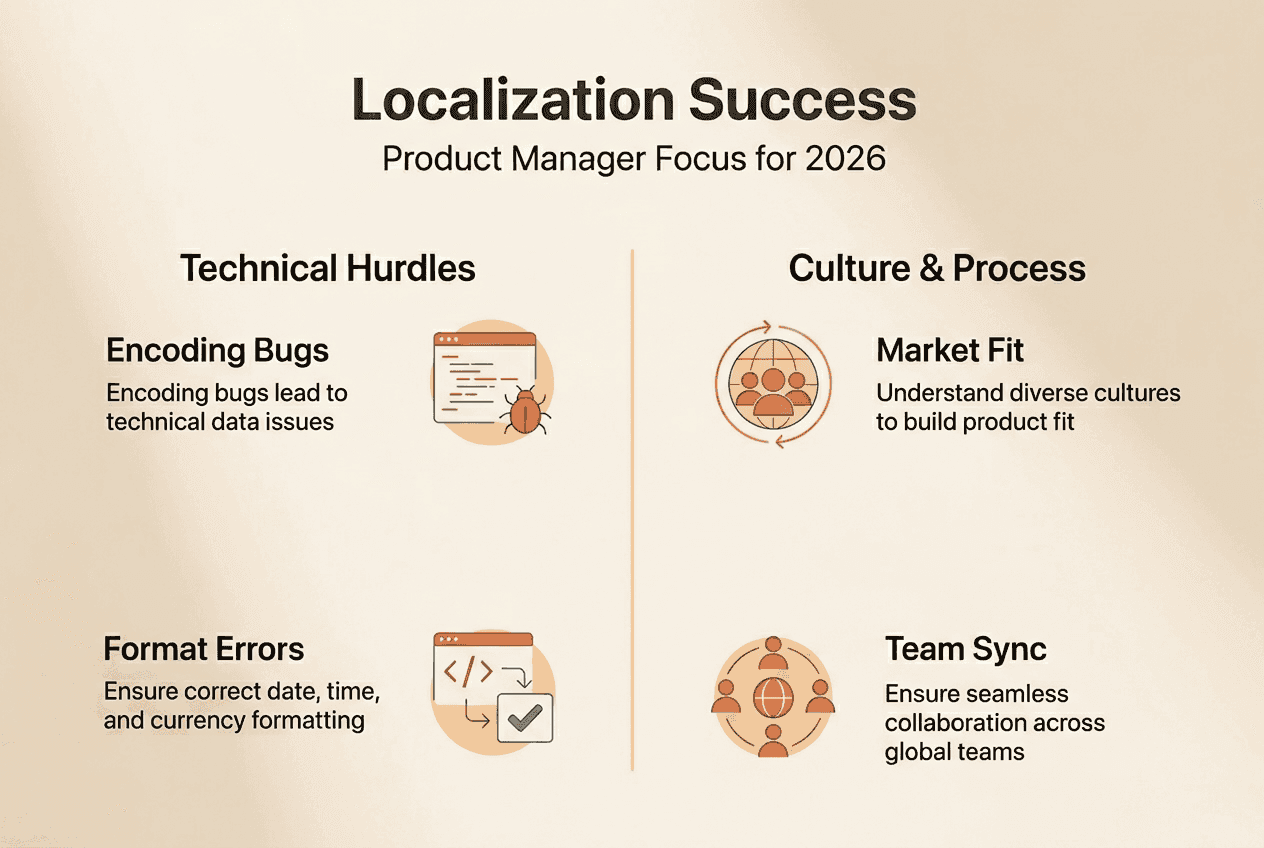
Successful design-localization integration requires cross-team collaboration from the earliest planning stages. Product managers facilitate this by including localization specialists in kickoff meetings, design reviews, and sprint planning sessions.
Five steps to embed localization effectively:
Define target markets and languages during product discovery, not after feature completion
Design UI components with expansion in mind, allowing 30 to 40 percent text growth for languages like German
Implement internationalization frameworks that separate content from code, enabling easy translation swaps
Establish continuous localization workflows where translations update alongside development sprints
Test localized versions in each sprint, catching issues early rather than during final QA
Coordinating translation workflows with product cycles prevents bottlenecks. Product managers schedule translation handoffs to align with sprint boundaries, giving translators adequate time without blocking development. They use translation management platforms that integrate with version control systems, ensuring translators always work from current source content.
Pro Tip: Use automation tools like Gleef’s CLI to extract translatable strings, push them to translators, and import completed translations without manual file manipulation. This eliminates human error and speeds turnaround.
Product managers align localization priorities with overall product goals by asking which markets offer the highest growth potential and which features need localization first. They create phased rollout plans that balance ambition with realistic resource constraints.
The keys to localization success include treating it as an ongoing practice rather than a one-time project. Product managers establish feedback loops where user data from localized markets informs future improvements. They monitor metrics like user engagement, support ticket volume, and conversion rates by language to identify optimization opportunities.
Integrating localization in the product roadmap from the start transforms it from a reactive scramble into a strategic advantage. Product managers who master this integration deliver products that feel native in every market they enter.
Explore Gleef localization tools to empower product managers
Product managers seeking to streamline localization workflows can leverage Gleef’s AI-powered solutions designed specifically for modern product teams. The Gleef Figma Plugin enables designers and product managers to manage translations directly within design files, eliminating context loss and version control headaches. Translations happen in situ, preserving visual context that helps translators deliver more accurate, culturally appropriate content.

For development teams, Gleef CLI tools automate string extraction, translation imports, and quality checks within existing CI/CD pipelines. Product managers gain visibility into translation status without switching platforms, accelerating time-to-market while maintaining quality standards. These tools support the continuous localization workflows that prevent last-minute delays and enable faster global product launches.
Frequently asked questions
What’s the difference between translation and localization?
Translation converts text from one language to another, while localization adapts products to cultural contexts, including imagery, colors, date formats, and user experience patterns. Localization ensures products feel native rather than obviously foreign.
How early should localization be included in product planning?
Include localization during discovery and design phases, before development begins. Early integration allows you to design internationalized architectures and avoid costly retrofits. Waiting until after development multiplies effort and delays launches.
What are the top technical issues that can delay localization?
Character encoding problems, font compatibility failures, and disconnected translation tools cause the most delays. Product managers prevent these by standardizing on UTF-8, testing fonts early, and adopting integrated translation platforms that sync with development workflows.
How does localization improve user experience globally?
Localization makes products feel intuitive by respecting local conventions for navigation, interaction patterns, and visual design. Users engage more deeply with products that speak their language and reflect their cultural context, leading to higher satisfaction and retention.
What common mistakes should product managers avoid in localization?
Avoiding these mistakes accelerates success: treating localization as a post-launch activity, ignoring cultural adaptation beyond translation, using disconnected tools that create version control chaos, and failing to test localized versions until final QA. Review localization key challenges solutions for detailed guidance on overcoming these obstacles.