
TL;DR:
Effective design tool integration creates shared context among designers, developers, AI, and localization teams, not just automates tasks. Proper setup involves defining scope, configuring minimal permissions, maintaining a living DESIGN.md, and limiting tool exposure to improve accuracy and collaboration. Scaling localization requires continuous coordination, monitoring, and treating integration as an ongoing conversation rather than a one-time configuration.
Most product teams treat design tool integration as a one-time technical setup. Connect the plugin, configure the handoff, done. But that framing is where pixel-perfect visions start to crumble. Design tool integration explained properly covers far more than automation. It is about creating shared context between designers, developers, AI agents, and localization systems so that everyone operates from the same source of truth. This guide unpacks the core concepts, compares modern approaches, and gives you a practical setup path tailored specifically for teams working on localization and cross-functional collaboration.
Key Takeaways
Point | Details |
|---|---|
Integration is context, not just automation | Effective design tool integration shares design reasoning and system data across your entire team, not just tasks. |
MCP servers reduce configuration friction | Teams configure cross-tool interoperability in minutes, enabling AI agents to read and write design files seamlessly. |
Limit AI tool exposure for accuracy | Keeping AI agents focused on 3 to 5 tools at a time significantly improves task execution and output quality. |
Living documentation replaces static specs | A DESIGN.md workflow keeps design context dynamic, reviewable, and accessible to developers and AI alike. |
Localization belongs inside the design tool | Translating directly in Figma eliminates handoff delays and protects brand voice across every market. |
Design tool integration explained: the real foundation
Let’s start with what integration actually means, because the definition shapes every decision you make downstream. At its most basic level, design tool integration connects two or more software systems so they share data without manual intervention. But modern integration sits on a spectrum. On one end, you have simple connectors: a plugin that exports assets or a webhook that pings Slack when a file changes. On the other end, you have full ecosystem interoperability, where AI agents, design systems, codebases, and localization platforms all operate as a unified pipeline.
The industry has shifted decisively toward that second end. The emergence of the Model Context Protocol (MCP) is one of the clearest signals. MCP servers allow AI tools to connect across platforms with minimal initial configuration, typically 10 to 20 minutes for auth setup, after which agents can read and write design files without further friction. That kind of interoperability was science fiction three years ago.
AI-native platforms have introduced another layer: organization-scoped design systems. Claude Design reads existing codebases or design files to build brand-style systems automatically, slashing the setup time that once required weeks of manual documentation. This is what “what is design integration” looks like at the frontier: not a bridge between two apps, but an AI that internalizes your design language and applies it consistently.
One more concept worth anchoring early: living design context files. A DESIGN.md file acts as a portable, always-current reference document that AI agents and developers can both consume. Unlike a static spec sheet frozen at launch, living design documentation gets reviewed in pull requests alongside code, making it a dynamic artifact the whole team maintains together.
Pro Tip: Before evaluating any integration tool, document what context your team is currently missing. Is it component state? Localization strings? Brand token updates? The gap you identify will tell you which layer of integration you actually need.
Comparing integration methods for localization teams
Not all integration approaches are built for the same workflows. Here is how the main categories stack up for product teams prioritizing localization and collaboration.
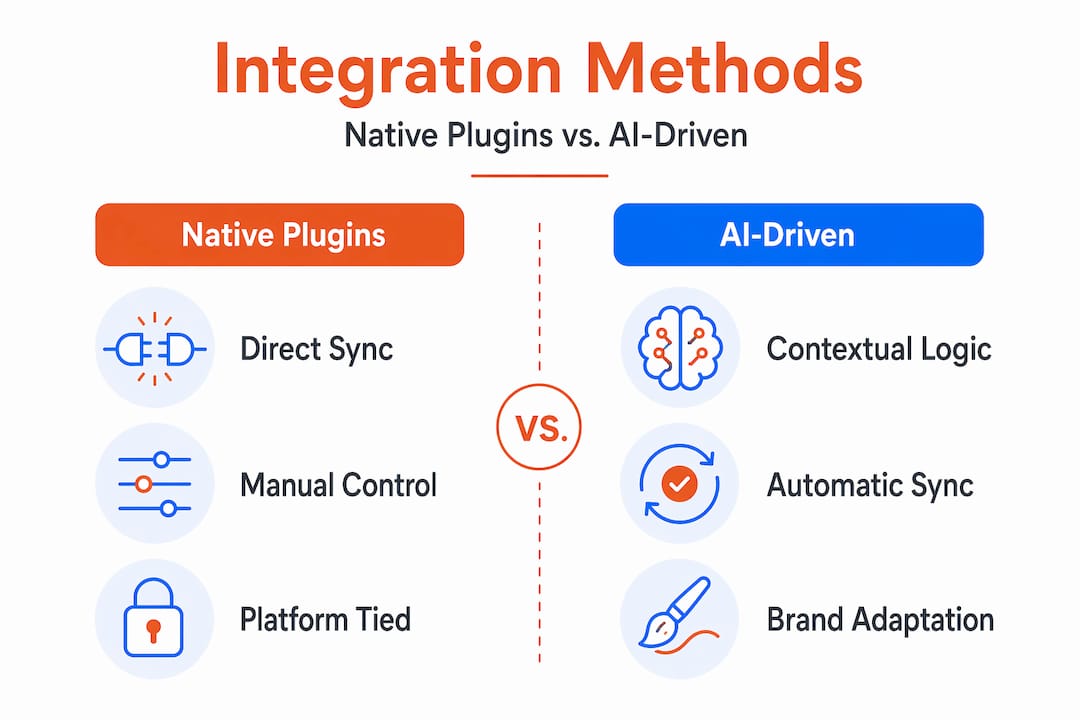
Native platform plugins like story.to.design work by reading Storybook args or Figma variant properties directly. This gives you 100% accurate component mapping and prevents the visual snapshot divergence that plagues teams who maintain design systems manually. When a developer updates a component in code, a one-click sync pushes those changes into native Figma components with full variant matrices and nested component support. The benefit for localization teams is consistency: if your design system encodes string variables correctly, those strings flow cleanly through the integration without manual re-entry.
AI-native platforms take a different approach. Instead of syncing discrete components, they apply your brand’s design system as a contextual layer on top of AI generation. The Claude Design ecosystem is the clearest current example. It does not just import your assets. It reasons about your design language and applies it to new outputs, which is a meaningful shift for teams trying to maintain brand voice at scale.
Traditional handoff tools operate at the output layer. They export specs, share prototypes, and generate code snippets. They are adequate for small teams with simple workflows but create bottlenecks the moment localization enters the picture. When a translated string changes the layout of a button, traditional handoff tools require a full re-export cycle. Automated syncing approaches skip that entirely.
Here is how these methods compare across the criteria that matter most to localization-focused product teams:
Method | Sync type | AI integration | Localization support | Multi-user collaboration |
|---|---|---|---|---|
Native plugins (story.to.design) | Code-to-design, real-time | Limited | Partial via design tokens | Moderate |
AI-native platforms (Claude Design) | Context-driven generation | Native | Strong with scoped systems | Moderate |
Traditional handoff tools | Manual export | None | Requires external tools | High |
Localization-first Figma plugins | In-context string sync | AI-assisted | Native | High |
The localization-first category, which is where tools like Gleef’s Figma localization plugin operate, is where the design tool integration benefits are most direct for global product teams. Translation happens inside the design environment rather than in a separate workflow that someone has to manage, track, and reconcile.
Setting up design tool integrations: a practical guide
Getting integration right requires more than picking the correct tool. The setup sequence matters, and most teams get it backwards by starting with configuration before they have defined the scope.
Define your design system scope first. Before touching any plugin or MCP server, document which components, tokens, and string categories will be managed through the integration. Scoped onboarding prevents the most common failure mode: an AI agent that has access to everything but understands nothing well enough to act on it.
Configure your MCP server with minimal permissions. Start with read-only access to your design files and expand permissions incrementally as your team builds confidence in the agent’s outputs. This protects production files while you validate the integration’s accuracy.
Set up your DESIGN.md file as a living reference. Include your typography rules, color tokens, component naming conventions, and localization guidelines. Treat it like a codebase README. Developers and AI agents will both use it, so write it for both audiences. See the DESIGN.md workflow for a structured approach to making this document genuinely useful rather than another forgotten spec.
Build a reference AI skill focused on design principles. According to research on AI skill organization, starting with a narrow “reference skill” anchored to your brand values is a low-risk, high-return starting point. It gives the AI a stable foundation before you expand its capabilities into generation or translation.
Limit tool exposure to 3 to 5 integrations at a time. This is one of the most counterintuitive findings in AI agent research: giving an agent too many tools degrades its reasoning. Fewer, better-scoped tools produce more accurate outputs.
Build feedback loops using chat-based review before inline edits. When you integrate AI into your design workflow, chat-based iteration (describing a change and reviewing it before it commits) is safer than inline AI editing for production files. Use inline only when the integration has proven stable across multiple review cycles.
Pro Tip: Treat your first integration sprint as a learning exercise, not a deployment. Run it in parallel with your existing workflow for two weeks before cutting over. You will catch permission gaps, token mismatches, and localization edge cases before they affect a real release.
Advanced strategies for scaling localization through integration
Once your baseline integration is running, the real leverage comes from coordinating it across your entire cross-functional team. This is where design-localization integration becomes a true force multiplier.
The single-source-of-truth principle is straightforward in theory but demanding in practice. Your DESIGN.md file, your component library, and your localization string database need to stay synchronized. The moment one falls out of step, teams start making decisions based on stale data, and that is how you end up with a French interface that breaks the layout or a Japanese string that contradicts your brand glossary.
Consider the coordination layer your integration creates:
Designers work in Figma with live localized strings, seeing exactly how translated text affects layouts before handoff
Developers receive components with accurate variants already mapped to code, reducing the back-and-forth that adds days to a sprint
Localization managers push updates to a central string repository that flows directly into design files without re-export
AI agents operate within scoped workflows, reading your DESIGN.md and localization glossaries to generate on-brand content in any language
Monitoring synced components over time is its own discipline. Set up change notifications for components that have localization dependencies. When a developer updates a button’s padding to accommodate longer German text, that change should trigger a design review, not sit silently until QA catches a broken layout. The teams that do this well treat integration monitoring like infrastructure monitoring: proactive, automated, and tied to clear ownership.
Integration maturity level | Characteristics | Localization impact |
|---|---|---|
Level 1: Manual sync | Export and import by hand | High rework, frequent delays |
Level 2: Plugin-based | Component sync via native plugins | Faster but still string-dependent |
Level 3: AI-assisted | MCP servers plus AI agents | Automated translation within design |
Level 4: Unified pipeline | Full design-dev-localization loop | Real-time, brand-safe output at scale |
Most teams reading this are operating at Level 2. The gap to Level 3 is smaller than it looks, and the localization superpowers it unlocks, translating directly inside Figma with AI assistance, remove one of the most persistent release blockers product teams face.
My take: integration is a conversation, not a configuration
I have watched teams spend months building what they called “integrated workflows” that were really just automated file transfers dressed up with AI branding. The result is always the same: the files move faster, but the decisions still happen in silos.
What I have come to believe is that integration is about enabling context and design reasoning, not replacing the designer’s judgment. The teams that get the most out of modern integrations are the ones who treat the AI as a context consumer, not a decision maker. They feed it their DESIGN.md, their glossaries, their brand principles, and then they ask it to act within those constraints. The AI does not lead; it executes within the design vision the team has articulated.
The other lesson I keep relearning: overcomplication kills integration projects faster than anything else. Every tool you add to an AI agent’s context is a potential source of confusion. I have seen teams build elaborate MCP server configurations with eight or ten connected tools, only to find that the AI’s output quality dropped dramatically compared to a leaner setup. Fewer, sharper integrations beat sprawling ones every time.
The future I am most excited about is the full localization-design loop, where a designer makes a component change in Figma, the integration automatically tests it against every target locale, flags any layout breaks, and queues the translation update for review. That is not science fiction. The pieces exist today. The challenge is coordinating them with discipline and patience, treating integration as ongoing collaboration rather than a one-time configuration event.
— Antoine
How Gleef makes design integration work for localization
If the integration architecture above sounds powerful but complex to implement, Gleef is built to give product teams the localization layer without rebuilding their entire workflow.

Gleef’s AI localization plugin for Figma lets your team translate directly inside your design environment, using semantic translation memory, brand glossaries, and in-context editing to produce native-sounding output that aligns with your voice. No export cycles. No separate translation platform to manage. No reconciling two versions of the same string. It integrates with your existing design system and localization process, so the teams already doing Level 2 integration can reach Level 3 without a complete overhaul. If you are ready to see what localizing directly in Figma looks like in practice, Gleef’s step-by-step plugin guide is the fastest path from reading to doing.
FAQ
What is design tool integration?
Design tool integration connects design platforms, development environments, localization systems, and AI agents so they share data and context automatically. Modern integration goes beyond simple file handoff to include real-time sync, AI-driven generation, and localization support within the design tool itself.
How do MCP servers help with integrating design tools?
MCP servers provide cross-tool interoperability with minimal configuration, typically 10 to 20 minutes of auth setup. After that, AI agents can read and write design files across platforms, making it significantly easier to coordinate designers, developers, and localization systems in a unified workflow.
What are the best design integration practices for localization teams?
Start with a scoped design system, limit AI tool exposure to 3 to 5 connected tools, maintain a living DESIGN.md file, and use a localization-first Figma plugin to manage translations in context. Build feedback loops before automating, and monitor synced components for localization-related layout changes.
What is the difference between native plugins and AI-native integrations?
Native plugins like story.to.design sync coded components into Figma with accurate variant mapping. AI-native platforms like Claude Design apply your brand’s design system as a contextual layer for AI generation. Both reduce manual work, but AI-native platforms are better suited to generating new on-brand content at scale.
How does design software compatibility affect localization workflows?
Poor compatibility between design tools, code repositories, and localization platforms forces teams into manual export-import cycles that slow releases and introduce errors. Choosing tools with native Figma compatibility and API-based string management eliminates those cycles and keeps translated content synchronized with live design files.