
TL;DR:
An industry glossary in localization is a curated list of approved terms with metadata that guides translation consistency. A termbase is a structured database, offering automated QA and real-time suggestions, ideal for large, ongoing projects. Proper glossary management prevents glossary drift and enhances speed, especially when integrated into translation workflows using dedicated tools.
If you’ve ever handed a translator a spreadsheet and called it a glossary, only to get inconsistent output across five languages, you already know the problem. An industry glossary explained properly is far more than a list of approved words. For product development and localization teams, understanding the difference between a flat glossary and a termbase — and knowing when each applies — can mean the difference between consistent, brand-aligned translations and a QA cycle that never ends.
Key takeaways
Point | Details |
|---|---|
Glossary vs. termbase distinction | A glossary is a flat term list; a termbase adds metadata, workflow integration, and automated QA. |
Start before translation begins | Populating your glossary before the first string is translated prevents repeated correction cycles. |
Focus on translation decision terms | Limit entries to brand names, legal terms, and ambiguous concepts to avoid glossary bloat. |
Tool integration drives consistency | CAT and TMS tools that surface approved terms inline reduce manual errors and translator guesswork. |
Treat glossaries as living resources | Regular updates at project close prevent glossary drift and protect long-term translation quality. |
What an industry glossary actually is
Most people think of a glossary as a reference section at the back of a manual. In localization, it carries far more weight than that. A translation glossary is a curated list of approved source terms paired with their target language equivalents, built in either a spreadsheet format or dedicated termbase software, and enriched with metadata that guides every translation decision.
The typical entry in a well-built glossary goes well beyond just source and target terms. You’ll find definitions, usage notes, part of speech, forbidden alternatives, locale variants, and approval dates. That metadata is what transforms a simple word list into a terminology management tool.
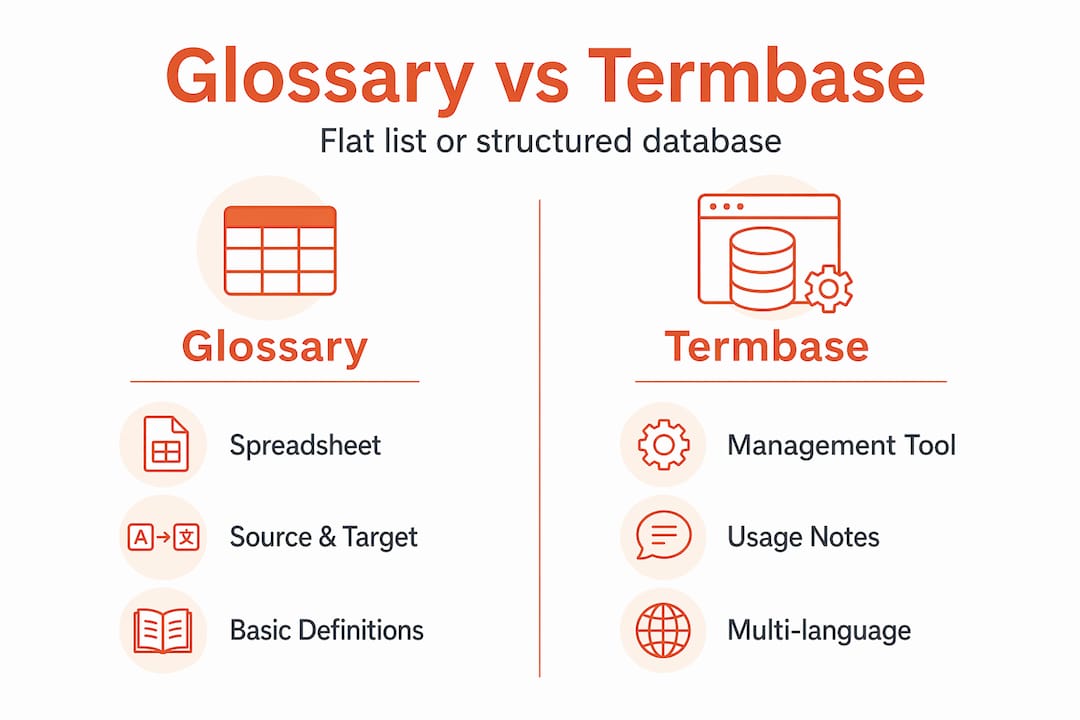
A termbase extends this concept further. Where a glossary might live in a shared Google Sheet, a termbase is a structured terminology database that integrates directly into computer-assisted translation (CAT) tools and translation management systems (TMS). The key glossary vs. termbase difference comes down to depth of metadata and integration level into translator workflows.
Here’s a side-by-side comparison of the two:
Feature | Glossary (flat) | Termbase |
|---|---|---|
Format | Spreadsheet or CSV | Terminology management software or TBX |
Metadata richness | Basic (source/target, notes) | Rich (definitions, grammar, status, forbidden terms) |
CAT/TMS integration | Manual import only | Native, real-time inline suggestions |
Multi-user collaboration | Limited | Full, with approval workflows |
Automated QA | None | Built-in term compliance checks |
Best for | Small or one-off projects | Large, ongoing, multi-language projects |
Pro Tip: If your team translates into more than three languages on a recurring basis, the overhead of maintaining a flat spreadsheet glossary will compound quickly. The investment in a proper termbase pays off before the end of your second major release cycle.
Understanding industry terms at this level of distinction matters because your tooling choices flow directly from it.
How glossaries power localization workflows
A glossary sitting in a shared drive that nobody references during translation is just a document. The real value of terminology resources comes from structuring them as approved term databases with usage rules that integrate into CAT and project management workflows. That integration is what drives consistent, accurate output at scale.
Here is how an effective glossary integrates across the localization lifecycle:
Pre-translation setup: The glossary is uploaded to your CAT tool or TMS before the first segment is translated. Translators see approved terms surfaced inline as they work, reducing uncertainty and lookup time.
Active translation phase: CAT tool integration drives adherence to approved terms and reduces manual errors. A translator working on a medical device interface never needs to guess whether “confirm” should be translated as “bestätigen” or “bestätigen Sie” because the tool tells them.
Review and QA phase: Termbases enable automated QA passes that flag any segment where an approved term was ignored or substituted. Flat glossaries require manual checks. This distinction becomes painful at scale.
Project close: Glossary entries are updated to reflect any new terms approved during the project, preventing the creep of outdated terminology into future work.
Regulated and specialized industries benefit the most from this structure. A software product shipping in healthcare or finance cannot afford ambiguous terminology. When the approved term for a UI button or a compliance notice changes, every translator on every language pair needs that update simultaneously. Only an integrated termbase delivers that kind of reach.
Pro Tip: Build a terminology QA pass into your standard review workflow as a dedicated step, separate from linguistic review. Mixing terminology checks into general LQA makes it easy to miss term violations buried in otherwise fluent segments.

The importance of glossaries in localization is not just about quality. It is about speed. When translators do not need to hunt for approved terminology or debate usage decisions, they work faster and more confidently.
Building a glossary that actually works
The most common mistake teams make is waiting until mid-project to build the glossary. Populating your glossary before translation begins and updating it regularly after project close is the single most effective way to prevent repeated correction cycles and the insidious problem of glossary drift.
Here are the steps that make glossary construction reliable rather than reactive:
Mine for translation decision terms first. Focus your entries on brand names, legal terms, product-specific vocabulary, and any term that is genuinely ambiguous across contexts. A focused glossary of 30 to 100 well-documented terms consistently outperforms a bloated list of 500 entries with no context.
Write context-specific definitions. Glossary terms are context-dependent, and a single term can carry multiple official definitions depending on the standard or document it appears in. Always link your glossary entries back to the source document that authorizes the definition. This is especially critical in regulated environments.
Include forbidden terms explicitly. A glossary entry that says “use X, not Y” is twice as useful as one that only confirms X. Forbidden terms prevent translators from reaching for a technically acceptable but brand-inconsistent alternative.
Set approval workflows before sharing. Every entry should carry an approval status and date. This prevents translators from acting on draft or deprecated terms and gives you an audit trail for client disputes.
Update at project close, without exception. Any new term decisions made during translation or review need to be captured before the project wraps. Inconsistent glossary updates cause glossary drift, where the working terminology of your team slowly diverges from the reference resource, and errors from previous projects quietly reappear in new ones.
Communicate scope and source linkage internally. Linking terminology definitions to source documents and clarifying which project contexts they apply to dramatically reduces disputes in multi-team or cross-functional environments.
Pro Tip: Assign one person as the glossary owner per project. Terminology decisions made in passing during review will never make it into the glossary unless someone is explicitly accountable for capturing them.
Choosing the right glossary tool
Your tooling decision should match the scale and longevity of your localization program. Here is a direct comparison of where each approach fits:
Scenario | Best fit | Why |
|---|---|---|
Single project, one language pair | Flat spreadsheet glossary | Low overhead, easy to share, no tooling required |
Ongoing product with 2-3 languages | Lightweight TMS with glossary import | CSV/XLIFF import covers most needs |
Large product, 5+ languages, multiple teams | Full termbase in TMS or dedicated tool | Real-time CAT suggestions, automated QA, collaboration |
Regulated industry (medical, legal, finance) | Dedicated terminology management software | Audit trails, approval workflows, standard TBX export |
File format matters more than most teams realize. CSV is fine for sharing a flat glossary with individual translators. The TBX (TermBase eXchange) format is the industry standard for termbase exchange between tools, enabling you to move terminology data between CAT tools, TMS platforms, and terminology management systems without manual rekeying.
The automation benefits of a proper termbase compound over time. Inline term suggestions reduce translator decision time per segment. Automated term compliance checks catch violations before they reach review. These efficiency gains are not theoretical. They show up in faster project turnaround and fewer revision rounds.
Applying glossaries to real localization outcomes
Knowing the theory is one thing. Translating it into day-to-day localization practice is where most teams stumble. The following practices close that gap:
Integrate your glossary or termbase at project kickoff, not after the first review cycle reveals inconsistencies. Upload your terminology resources to your TMS before any translation work begins, and confirm with translators that they can see the inline suggestions working.
Set explicit usage rules for your translators. Share not just the approved terms but the rationale behind contested decisions. A translator who understands why your product uses “workspace” instead of “project” is far less likely to deviate than one who just sees the term in a list.
Use CAT tool term recognition features actively. Most tools highlight source text segments that contain glossary terms. Make sure your translators know how to act on those highlights rather than dismissing them.
Run a dedicated terminology QA pass after linguistic review is complete. Check for term consistency across all language pairs simultaneously. Catching a terminology deviation in German is useful. Catching it across German, French, and Japanese at once is translation consistency at scale.
Reduce internal disputes by sharing context. When your glossary links to the source document that authorized each definition, there is no ambiguity about whether a term applies in a given scenario. This keeps disagreements short and grounded in evidence rather than preference.
The teams that get the most out of glossary management are the ones who treat terminology as a shared product asset, not a translator’s problem.
My take on what makes glossaries work in practice
Over years of working with localization teams, I’ve watched well-resourced projects fail on terminology while lean teams with thoughtful glossaries shipped consistently high-quality translations. The pattern is always the same. The teams that succeed treat their glossary as a living product. The ones that struggle treat it as a deliverable they checked off once.
The biggest hidden trap I’ve seen is glossary drift. It does not announce itself. You finish a project, approved terms from that project never make it into the glossary, and six months later a new translator picks up the work and makes decisions that directly contradict what was laboriously agreed upon last time. What appears as a translator error is actually a process failure.
I’ve also seen teams build glossaries with hundreds of entries that include every technical term imaginable and then wonder why translators ignore them. Usability is real. A glossary that requires a translator to scroll past forty irrelevant entries to find the one they need is a glossary that will not get used. Focus on translation decision terms and the glossary becomes the first thing a translator opens, not the last.
The other thing I’d push back on: the idea that glossaries are mainly a problem for large enterprises. In my experience, smaller product teams building for global markets often suffer more from terminology chaos, precisely because they lack the formal processes that force larger organizations to govern terminology deliberately. Understanding localization terminology from the ground up gives smaller teams the same structural advantage without the bureaucracy.
— Antoine
How Gleef handles glossary and terminology management
If you’re ready to move beyond spreadsheet glossaries and manual terminology checks, Gleef was built for exactly this kind of work.

Gleef’s platform integrates AI-powered glossaries and semantic translation memory directly into your product team’s workflow, so approved terminology surfaces where translators and UX writers actually work. The platform’s content consistency enforcement and automated localization workflows eliminate the manual QA passes that slow releases. Whether you’re managing terminology for two languages or twenty, Gleef connects your glossary to every translation decision in real time. See how it works at gleef.eu.
FAQ
What is an industry glossary in localization?
An industry glossary in localization is a curated list of approved source terms paired with target language equivalents, often enriched with definitions, usage notes, and forbidden alternatives. It ensures terminology consistency across all translated materials.
What is the difference between a glossary and a termbase?
A glossary is typically a flat list in spreadsheet format, while a termbase is a structured terminology database that integrates into CAT tools and TMS platforms with automated QA and richer metadata.
How many terms should a localization glossary contain?
A focused glossary of 30 to 100 well-documented terms is generally more effective than a large list without context, as overly large glossaries reduce usability and often get ignored by translators.
What is glossary drift and why does it matter?
Glossary drift occurs when project-close updates are skipped, causing the working terminology of a team to diverge from its reference resource over time. This leads to repeated translation errors and inconsistent quality across projects.
When should you use a termbase instead of a flat glossary?
Use a termbase when you have five or more target languages, ongoing localization cycles, or regulated content requiring audit trails. Flat glossaries work for small, one-off projects where manual term sharing is sufficient.