
TL;DR:
Despite extensive awareness efforts, over 95% of homepages still have accessibility failures in 2026, affecting billions worldwide. Implementing standards like WCAG 2.2 Level AA and EN 301 549 through early integration, manual testing, and ongoing monitoring is crucial for compliance and user trust. Building accessibility into infrastructure and workflows ensures it becomes an ongoing, shared responsibility rather than a one-time checkpoint.
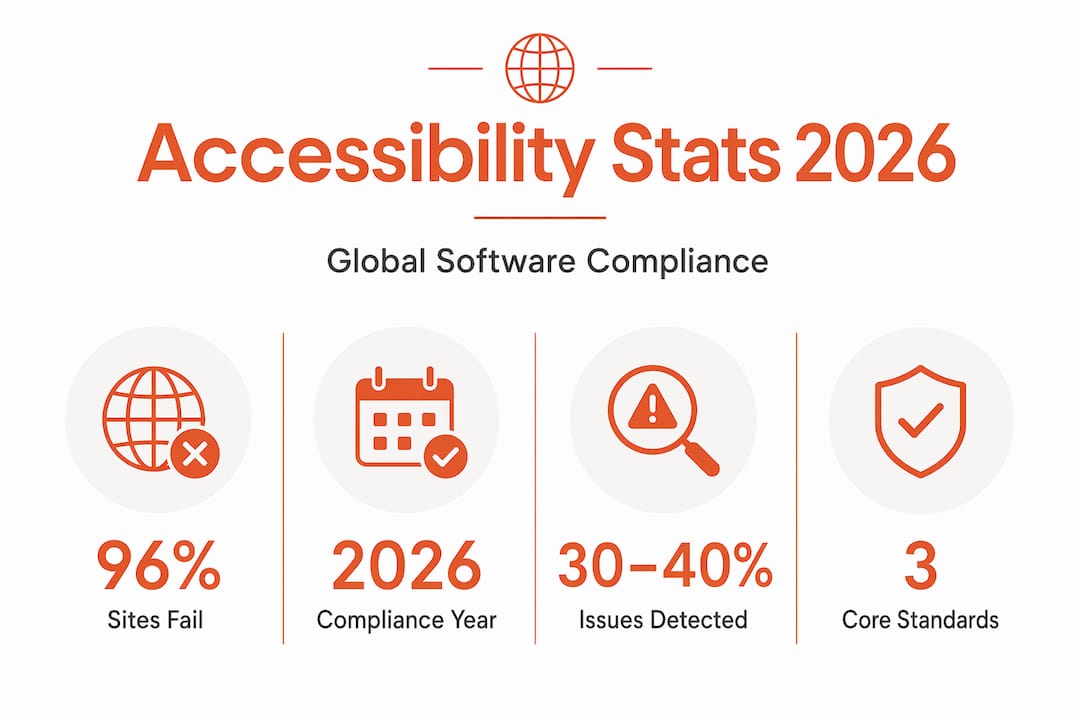
Despite record awareness efforts and a global conversation about inclusion, 95.9% of homepages still have detectable accessibility failures in 2026. For software developers and product teams, this is not a statistic to file away. Global accessibility in software directly affects over 1.3 billion people with disabilities worldwide, and that number grows when you factor in aging populations and users with temporary impairments. Legal exposure is real, user trust is at stake, and the engineering cost of retrofitting inaccessible products is brutal. This guide gives you the standards, the failure patterns, and the practical playbook to get it right.
Key Takeaways
Point | Details |
|---|---|
Failures are widespread | Nearly 96% of homepages fail basic accessibility checks, meaning most software ships with barriers already in place. |
Know the governing standards | WCAG 2.2 Level AA, EN 301 549, and WCAG2ICT are your primary reference points across web, software, and ICT products. |
Automation is not enough | Automated tools catch only 30 to 40% of accessibility issues. Manual and assistive technology testing are non-negotiable. |
Embed accessibility early | Proactively building accessibility into design systems and CI/CD pipelines prevents costly remediation debt later. |
Legal risk is growing fast | The European Accessibility Act enforces compliance from June 2025, with fines reaching up to €1,000,000 per violation. |
Global accessibility in software: the standards you need to know
Before you can fix anything, you need to know what you are being measured against. The good news: the global standard landscape, while multi-layered, is more coherent than it looks.
WCAG 2.2 Level AA is the foundational reference for web accessibility and the benchmark cited in most national legislation worldwide. It organizes requirements under four principles: Perceivable, Operable, Understandable, and Robust. Level AA is the practical compliance target because Level AAA criteria are too restrictive to apply universally. WCAG 2.2 added nine new success criteria over its predecessor, with meaningful updates around focus appearance and accessible authentication.
EN 301 549 is the European harmonized standard that extends WCAG principles beyond the web to cover software applications, hardware, documents, and telecommunications. If your product ships into the EU market, this is your compliance bible. It incorporates WCAG 2.1 Level AA requirements and adds platform-specific chapters covering desktop apps, mobile apps, and non-web documents. Crucially, EN 301 549 Chapter 11 addresses mobile app accessibility specifics like gesture alternatives and support for screen orientation changes, which WCAG alone does not cover.
WCAG2ICT is a W3C guidance document that maps WCAG principles to non-web ICT, including native desktop and mobile applications. It translates web-centric language into concepts your platform engineering team can apply to platform-specific APIs and UI components.
Here is how the three primary frameworks compare:
Standard | Scope | Legal weight | Key additions over WCAG |
|---|---|---|---|
WCAG 2.2 Level AA | Web content | Referenced by ADA, AODA, Section 508 | Focus appearance, accessible authentication |
EN 301 549 | Web, software, hardware, ICT, documents | Mandated under EU law (EAA) | Mobile gesture support, non-web software chapters |
WCAG2ICT | Non-web software and documents | Guidance only, no direct enforcement | Application of WCAG criteria to native apps |
Beyond these three, you should recognize that the US Americans with Disabilities Act (ADA), Canada’s AODA, and Section 508 for US federal agencies all point back to WCAG as the technical standard. The enforcement mechanisms differ, but the technical requirements converge. Building to WCAG 2.2 Level AA and EN 301 549 puts you in a defensible position across most major markets.
Where accessibility breaks down in real software products
You can read every standard document and still ship an inaccessible product. Here is where development teams reliably go wrong.
Missing or uninformative alt text. Images used as functional buttons without text alternatives, or alt text that literally says “image001.png,” are among the most common failures. Screen reader users either get no information or noise.
Keyboard traps. Modal dialogs and custom dropdowns that capture focus without providing a way out block keyboard-only users entirely. This is not a niche edge case. It is a blocker.
Unlabeled form inputs. Input fields associated visually with a label but missing a programmatic "for
/idrelationship oraria-label` are invisible to assistive technology. Users relying on screen readers cannot tell what a field expects.Poor color contrast. Text at contrast ratios below 4.5:1 against its background fails WCAG 1.4.3. It affects users with low vision and anyone using a display in bright conditions.
Improper heading hierarchy. Jumping from H1 to H4 for visual styling reasons destroys document structure for screen reader users who navigate by headings.
Broken focus management. Single-page applications that update content dynamically without moving focus or announcing changes leave screen reader users guessing.
The harder problem is accessibility debt. Teams discover these failures late, defer them, and they compound. Embedding accessibility early in design systems and code reviews reduces the long-term cost and actually improves development velocity. Retrofitting is always more expensive than prevention.
One more blindspot worth naming: real-world user experience goes far deeper than what automated scanners surface. A visually impaired user who cannot read a prescription label privately because the app forces them to ask someone for help is experiencing an accessibility failure that no linting tool will catch.

Pro Tip: Run a keyboard-only session on your product for 15 minutes before any major release. No mouse, no trackpad. You will find critical failures your automated scanner missed.
How to embed accessibility into your development workflow
Awareness without process is just guilt. Here is how to turn standards knowledge into shipping practice.
Build accessibility into your design system. Accessible UI components, color tokens that meet contrast requirements, and typography scales built on readable sizes should be defined once and reused everywhere. When accessibility is in the component library, every screen built from it inherits the baseline. This is the highest-leverage investment a product team can make.
Wire accessibility checks into CI/CD. Automated linting tools can run on every pull request and block merges when known violations appear. You will not catch everything this way, but you will prevent regressions and keep the baseline from degrading over time.
Use semantic HTML as your first tool. Semantic markup is the single highest-impact accessibility improvement for web interfaces. A
<button>element gives you keyboard operability, focus states, and screen reader announcement for free. A<div>with anonclickhandler gives you none of that.Schedule manual testing passes. Automated tools catch only 30 to 40% of real accessibility issues. Every sprint cycle should include manual keyboard testing and screen reader passes using the most common combinations your users rely on.
Run assistive technology user testing. Bring in testers who use screen readers, switch devices, or voice control software daily. The quality of feedback you get from a 30-minute session with an actual assistive technology user eclipses everything an automated scan produces.
Document conformance continuously. Maintain a living Accessibility Conformance Report (ACR) based on the Voluntary Product Accessibility Template (VPAT). This is not just a compliance artifact. It is a communication tool for enterprise procurement teams that now require documented conformance.
Train your team regularly. Accessibility knowledge decays when it is not reinforced. Quarterly training sessions and shared resources in your team wiki keep awareness active and prevent well-intentioned developers from accidentally re-introducing failures.
Pro Tip: Assign a rotating “accessibility champion” role in each sprint. That person’s job is to flag issues in design reviews and pull request comments, not to fix everything alone. Distributed accountability beats centralized gatekeeping.
Good localization best practices connect directly to accessibility here. Accessible interfaces must also work across languages, which means your layout and component systems need to handle text expansion, right-to-left scripts, and locale-specific input patterns without breaking.
Legal compliance across global markets
The regulatory environment is tightening. If your team has been treating accessibility as a voluntary best practice, 2025 and 2026 have changed that calculation.
Regulation | Region | Effective | Maximum penalty |
|---|---|---|---|
European Accessibility Act (EAA) | EU | June 28, 2025 | Up to €1,000,000 |
Americans with Disabilities Act (ADA) | US | Ongoing | Civil litigation costs |
Section 508 | US federal | Ongoing | Contract loss, federal action |
AODA | Canada (Ontario) | Ongoing | Up to CAD $100,000/day |
The European Accessibility Act is the sharpest new edge. It mandates that digital products sold in the EU meet EN 301 549 conformance requirements, including declarations of conformity that document scope, standards referenced, conformance status, known limitations, and contact information for accessibility queries. Enforcement is decentralized across EU member states, which means no single EU-wide penalty has been issued yet, but individual member states are actively applying their own enforcement mechanisms and competitors can initiate legal challenges.
In the US, ADA Title III lawsuits against digital products have become a well-established plaintiff strategy. Companies that cannot demonstrate a documented accessibility program face a weak defense position.
The practical implication for your team: compliance is not a point-in-time audit. It requires ongoing monitoring, documented conformance reporting, and a process for addressing newly identified issues within defined timeframes. Building that infrastructure is far cheaper than litigation or fines.
Scaling accessibility across teams and technologies
Accessibility at scale is a collaboration problem as much as a technical one. The best-engineered component library fails if your content team writes uninformative link text, your localization team introduces untranslated strings that break screen reader output, or your QA team does not know what to test.
Here are the coordination and tooling layers that make the difference at scale:
Shared accessibility tokens in your design system. Color, spacing, typography, and motion tokens defined with accessibility in mind give designers, developers, and QA a single source of truth. Tools that support design-localization integration make this traceable across languages and regions.
Cross-functional accessibility reviews. Include accessibility checkpoints in your design handoff, code review, and QA sign-off stages. Not as a final gate but as a thread running through all of them.
Localization and translation alignment. Accessible interfaces must remain accessible after translation. Text expansion in languages like German or Finnish can break fixed-width containers. Right-to-left languages like Arabic and Hebrew require layout mirroring. Your localization pipeline needs to account for these structural accessibility implications from day one. Platforms that support global software deployment at speed make this sustainable.
Continuous monitoring tools. Accessibility monitoring platforms run scheduled scans against your live product and surface regressions before users report them. Pair these with issue-tracking integrations so failures route directly into your sprint workflow.
Cross-platform accessibility testing. Your product likely runs on web, iOS, Android, and possibly desktop. Each platform has its own accessibility API and assistive technology ecosystem. Test on each. Do not assume what works in Chrome also works in VoiceOver on iOS.
Global standards provide the technical floor, but effective accessibility requires cultural and process change within the team. The teams that get this right have made accessibility a shared value, not a checklist owned by one person.
My take: awareness is not the problem
I’ve spent years watching product teams do the Global Accessibility Awareness Day post and then ship an inaccessible release two weeks later. The awareness exists. The gap is in accountability and infrastructure.
What I’ve learned is that accessibility only sticks when it lives in the same systems your team already uses every day. When it is in the component library, the CI pipeline, the design review template, and the QA checklist, it becomes invisible in the best sense. It just ships.
The accessibility debt conversation is the one I find most underappreciated. Teams see it as a backlog problem when it is actually a velocity problem. Every inaccessible component you carry is a component you cannot confidently reuse, extend, or hand to a new team member. Engineering accessibility out of your debt is not remediation. It is infrastructure work that pays forward.
My honest advice: stop treating accessibility as a launch checkpoint and start treating it as ongoing infrastructure. The teams I’ve seen do this well are not perfect. They have failures in production. But they have monitoring, they have process, and they close the loop faster than anyone else.
Accessibility is not a favor you do for a subset of your users. It is the price of admission for building software that actually works.
— Antoine
How Gleef helps teams ship accessible global products
Building for global accessibility in software means your localization pipeline has to keep pace with your accessibility standards. When translated strings break layouts, introduce untranslated content, or strip semantic structure, your accessibility work unravels at the final mile.

Gleef is built for product teams who cannot afford that gap. Its AI-powered translation platform integrates directly with Figma and your development workflow, so accessibility-critical content stays consistent, in context, and correctly structured across every language you ship. Semantic translation memory and in-context editing mean your team never loses the nuance that makes an interface accessible. If you are serious about meeting WCAG and EN 301 549 requirements across global markets, explore how Gleef works and see how teams are using it to ship faster without sacrificing quality or compliance.
FAQ
What is global accessibility in software?
Global accessibility in software means designing and building digital products that work for all users regardless of disability, language, or geography. It covers technical standards like WCAG and EN 301 549 alongside inclusive design practices across platforms.
Which accessibility standard applies to software beyond the web?
EN 301 549 is the key standard. It extends WCAG 2.1 Level AA requirements to software, mobile apps, hardware, and documents, making it the primary compliance reference for EU-regulated digital products beyond the web.
How many accessibility issues do automated tools actually catch?
Automated testing tools detect only 30 to 40% of real accessibility issues. Manual testing with keyboard navigation and assistive technology user testing are required to surface the remaining barriers.
What are the penalties for accessibility non-compliance in the EU?
The European Accessibility Act, enforced from June 28, 2025, allows fines of up to €1,000,000 for non-compliance. Enforcement varies by member state, but the legal and financial exposure is significant for any product sold in EU markets.
How does localization affect software accessibility?
Translation directly affects accessibility when text expansion breaks layouts, untranslated strings bypass screen reader labels, or right-to-left language support is missing. A localization pipeline that treats accessibility as a requirement, not an afterthought, is the only sustainable approach for globally accessible software.