
TL;DR:
SaaS translation platforms significantly accelerate localization, reducing turnaround from days to minutes.
They enable easy, scalable language expansion supporting rapid global market entry.
Centralized workflows improve collaboration, consistency, and quality across product teams.
What if your team could compress a full week of localization work into minutes? That’s not a hypothetical. SaaS translation platforms enable automation and continuous localization, integrating directly with CI/CD pipelines so product teams can ship updates globally without a single manual handoff. The old model, where translation sat in a queue waiting for vendor emails and spreadsheet reviews, simply cannot keep pace with modern release cycles. AI, automation, and cloud-native collaboration have rewritten the rules. This article breaks down exactly how SaaS translation platforms accelerate time-to-market, support language scaling, optimize team workflows, and help you weigh the real costs and compliance trade-offs.
Key Takeaways
Point | Details |
|---|---|
Rapid time-to-market | SaaS translation automates workflows, dramatically reducing localization turnaround from days to minutes. |
Scalable global coverage | Platforms allow effortless expansion to dozens of languages, eliminating infrastructure barriers. |
Cost efficiency | AI-driven translation memory and hybrid approaches deliver huge annual savings for product teams. |
Centralized collaboration | Real-time workflows unify developers, writers, and designers for consistent, high-quality localization. |
Compliance flexibility | SaaS solutions excel for most products, but on-premise or hybrid setups serve regulated or high-stakes needs. |
How SaaS translation platforms accelerate time-to-market
Speed is the most immediate win. Traditional localization pipelines are full of friction: exporting strings, emailing vendors, waiting days for drafts, reviewing manually, and re-importing. SaaS translation platforms eliminate almost every one of those steps through automation.
The numbers tell a compelling story. AI-powered translation memory delivers 30 to 90% faster time-to-market and significant annual savings through reduced vendor fragmentation and smarter reuse of previously translated content. Translation memory alone can cover up to 65% of recurring strings, meaning your team only reviews genuinely new content. That’s a massive reduction in cognitive load and calendar time.
The Asana case study is worth knowing. By adopting a SaaS localization platform, Asana cut translation turnaround from days to minutes and saved $1.4 million per year. That’s not a rounding error. It’s a structural shift in how localization costs accumulate.
Empirical benchmarks from production environments reinforce this. Smartling’s research shows 57% faster translations on average, a 70 to 80% reduction in review time, and 3 to 5 FTE savings per team. Those aren’t theoretical projections. They reflect what happens when you remove manual handoffs and replace them with automated workflows.
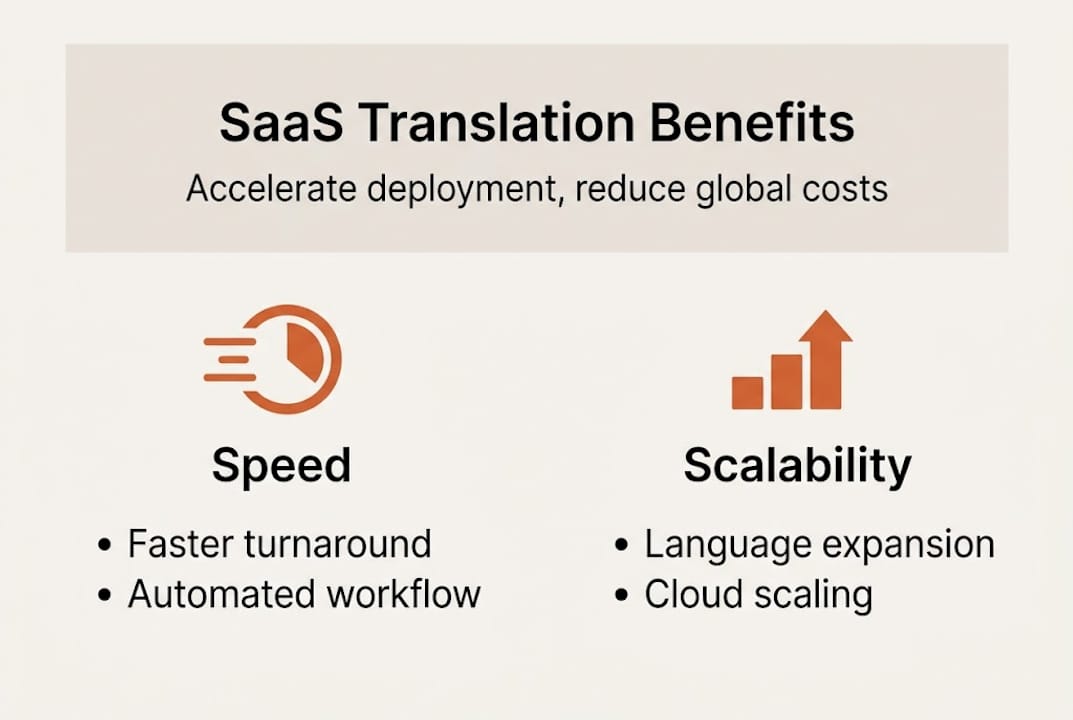
Here’s a quick comparison of what changes:
Metric | Manual workflow | SaaS platform |
|---|---|---|
Translation turnaround | 3 to 7 days | Minutes to hours |
Review time reduction | Baseline | 70 to 80% faster |
Annual cost savings | Baseline | Up to $1.4M |
FTE savings | Baseline | 3 to 5 per team |
The key mechanisms driving these gains include:
Automated string extraction directly from your codebase or design files
AI translation memory that reuses approved translations across releases
Parallel workflows where multiple languages process simultaneously
In-context editing that eliminates back-and-forth clarification cycles
For teams working on SaaS localization with AI, the compounding effect is real. Each release gets faster because the translation memory grows richer. Your AI translation quality improves as the system learns your product’s terminology.
Pro Tip: Integrate localization directly into your CI/CD pipeline. Every code commit triggers string extraction and pre-translation automatically, so by the time your engineers merge a feature branch, translations are already 60 to 70% complete. Your translation workflow guide should document this integration as a non-negotiable standard, not an afterthought.
Scalability and language expansion: Unlocking global markets
SaaS translation doesn’t just speed up your existing workflow. It changes what’s even possible at scale. Going from one language to thirty used to mean hiring regional vendors, managing separate contracts, and building custom infrastructure for each market. Today, it means clicking “add language” in a dashboard.
Elastic cloud scaling means product teams can add languages without managing infrastructure, supporting rapid market entry that would have taken months to architect on-premise. That’s a fundamental shift in how product managers think about global roadmaps.
Compare the two approaches directly:
Dimension | SaaS platform | On-premise solution |
|---|---|---|
Language addition | Self-serve, hours | Weeks of setup |
Infrastructure management | Provider-managed | Internal IT burden |
Cost model | Subscription, predictable | High upfront CapEx |
Dynamic traffic spikes | Auto-scaled | Manual provisioning |
International ARR support | Immediate | Delayed |
The practical steps to add a new language efficiently follow a clear pattern:
Audit your existing string library to identify what’s already translated and what needs net-new work.
Configure language-specific glossaries before the first translation run to lock in terminology.
Run AI pre-translation across all existing strings to generate a working baseline immediately.
Assign human review only to high-visibility UI strings, not the full string set.
Set up automated QA checks for that language’s character limits, pluralization rules, and RTL requirements if applicable.
Deploy to a staging environment for in-context review before pushing to production.
This process, which once took weeks of vendor coordination, now runs in days. For teams looking to streamline localization globally, the elastic model means you can respond to market opportunities in real time rather than planning quarters ahead.
One often-overlooked advantage: SaaS platforms handle dynamic content spikes gracefully. A product launch in a new market might generate ten times the normal translation volume in a week. Cloud infrastructure absorbs that spike automatically. On-premise systems require you to have provisioned for that peak in advance, which means either over-investing in idle capacity or scrambling during the launch. Your digital product translation guide should account for these demand curves when planning global rollouts.
Collaboration and workflow optimization for product teams
Scaling is powerful, but collaboration is where SaaS translation platforms truly earn their place in your stack. The biggest source of localization quality problems isn’t bad translation. It’s fragmented communication between developers, UX writers, and designers who never share a single source of truth.

Centralized SaaS platforms solve this by unifying teams with shared glossaries, QA tools, and structured workflows that enforce consistency across every string, every language, every release. When a UX writer updates a button label in English, the glossary propagates the change context to every translator working on that component. No more “Submit” in one language and “Confirm” in another.
The platforms that excel for product teams offer developer-friendly integrations with tools like GitHub and Figma, combined with AI plus human hybrid workflows that balance speed with nuance. Pure AI translation is fast, but it misses cultural register, brand voice, and the subtle UX copy decisions that make an interface feel native rather than translated.
Common workflow pitfalls that SaaS platforms solve:
Context loss: Translators working without seeing the actual UI make avoidable errors. In-context editing fixes this.
Inconsistent terminology: Without a shared glossary, the same product feature gets translated differently across languages and releases.
Review bottlenecks: Manual review queues slow everything down. Automated QA catches 80% of issues before human review even starts.
Version conflicts: Multiple teams editing the same strings without locking mechanisms create overwrite disasters.
“The shift from email-based vendor workflows to a centralized platform cut our review cycles by more than half. The glossary alone eliminated a category of errors we used to catch in QA.”
Pro Tip: Build your shared glossary before you translate a single string in a new language. Define your product’s core terminology, brand voice rules, and prohibited terms upfront. Teams using collaborative translation tips consistently report that glossary investment pays back tenfold in reduced rework. For cross-functional localization that spans design, product, and engineering, a shared glossary is the connective tissue. Your developer localization workflow should treat the glossary as a living document, versioned alongside your codebase.
Weighing costs, compliance, and edge cases: SaaS vs on-premise
SaaS wins on speed and total cost of ownership for most teams. But “most” isn’t “all.” There are real scenarios where on-premise or hybrid approaches make more sense, and understanding them protects you from expensive mistakes.
Data privacy and compliance requirements favor on-premise solutions for regulated industries. Healthcare, finance, and government sectors often face data sovereignty rules that prohibit sending content through third-party cloud infrastructure. If your product handles patient records, financial transactions, or classified information, SaaS translation may require additional contractual safeguards or may simply be off the table for certain content types.
For non-sensitive content, hybrid machine translation post-editing (MTPE) models cut costs and turnaround times by 30 to 50% compared to pure human translation. The model works like this: AI handles the first pass at high speed, and human editors review and refine only the segments that need it. You get near-human quality at a fraction of the cost and time.
Key considerations when choosing between SaaS and on-premise:
Data sensitivity: Does your content include PII, financial data, or regulated health information?
Compliance jurisdiction: Which data sovereignty laws apply to your markets?
Volume and velocity: High-volume, fast-moving content favors SaaS elastic scaling.
Budget model: SaaS subscriptions are predictable OpEx; on-premise requires CapEx investment upfront.
Integration requirements: SaaS platforms offer broader out-of-the-box integrations with modern dev stacks.
Control needs: On-premise gives you full control over models, data, and infrastructure.
“Avoid over-reliance on raw AI output for high-stakes UI/UX content. Hybrid MTPE balances speed and quality where it matters most.”
The surprising truth about website translation is that most teams underestimate how much content is actually low-stakes and safe for full automation. Audit your string library by risk level. You’ll likely find that 70 to 80% of strings can run through AI with light review, freeing your human reviewers to focus on the 20% that genuinely needs their expertise. Semantic translation with AI makes that distinction sharper by understanding meaning, not just matching words.
What most teams miss about SaaS translation: Practical execution
Here’s the uncomfortable truth most guides skip: the technology is the easy part. The hard part is execution.
Teams that struggle with SaaS translation adoption almost always underestimate two things. First, the up-front setup investment. Configuring glossaries, building style guides, integrating with your CI/CD pipeline, and training your team on new workflows takes real time. Skipping this phase to “move fast” creates technical debt that compounds with every release.
Second, stakeholder education. Developers, UX writers, and designers each have different mental models of what localization means. Without deliberate alignment, you get three teams pulling in different directions on the same platform.
Hybrid workflows consistently outperform pure AI for UI/UX copy. The nuance required for microcopy, error messages, and onboarding flows is genuinely difficult for AI to nail without human oversight. Build that oversight into your process from day one, not as a remediation step.
Subscription scaling also needs proactive management. As your language count grows, so does your subscription cost. Teams that streamline localization effectively audit their active languages quarterly and retire strings that no longer ship in production. That discipline keeps costs rational as you scale.
Invest early. Set up your workflows properly before you need them at speed. The teams that do this report that their localization process becomes a genuine competitive advantage, not a release blocker.
Explore SaaS translation with Gleef: Next steps for product teams
If the case for SaaS translation resonates, the next step is finding a platform built for how product teams actually work. Not how enterprise procurement teams think they work.

Gleef is designed specifically for product teams who need speed, accuracy, and seamless integration with their existing design and development workflows. From AI-powered translation memory and shared glossaries to in-context Figma editing and CI/CD pipeline integration, Gleef gives your team the tools to ship globally without slowing down. Explore the platform, start a free trial, and see how much faster your next international release can move.
Frequently asked questions
What is the main benefit of SaaS translation platforms for product teams?
SaaS translation automates localization workflows, eliminating manual handoffs and enabling product teams to ship global updates significantly faster with less effort.
How much can product teams save by switching to SaaS translation?
Teams typically see 30 to 90% faster time-to-market and up to $1.4 million in annual savings, based on real-world industry case studies like Asana’s localization transformation.
Are there compliance concerns with SaaS translation solutions?
SaaS suits most non-sensitive content well, but regulated industries handling PII or financial data may need on-premise or hybrid solutions to meet data sovereignty and privacy requirements.
Can SaaS translation platforms handle rapid scaling to new languages?
Elastic cloud scaling lets teams add multiple languages in days without managing infrastructure, making rapid market entry realistic for any product team regardless of size.
How do SaaS platforms improve collaboration during localization?
They centralize workflows with shared glossaries and QA tools, enabling developers, UX writers, and designers to collaborate in real time and maintain consistent terminology across every language.