
Product teams lose weeks to localization delays, not because translation is slow, but because terminology confusion creates bottlenecks. When developers, UX writers, and product managers speak different localization languages, projects stall. Misunderstanding terms like string externalization or continuous localization leads to rework, missed deadlines, and frustrated stakeholders. This guide clarifies essential localization terminology and workflows, giving your team the shared vocabulary needed to accelerate releases and eliminate communication gaps that slow global product launches.
Key Takeaways
Point | Details |
|---|---|
Terminology alignment | Clear shared localization terminology speeds up decisions and reduces rework across developers writers and product managers. |
Externalize strings | Externalizing all user facing text before translation unlocks independent translator work and prevents code bottlenecks. |
ICU format usage | Implement ICU message format for plurals and gender to ensure correct grammar across languages. |
Avoid string concatenation | Do not concatenate text fragments because languages differ in order and gender rules causing broken translations. |
Choose method by release cadence | Pick a localization approach based on product release frequency to minimize delays and misalignment. |
Understanding core localization terms and mechanics
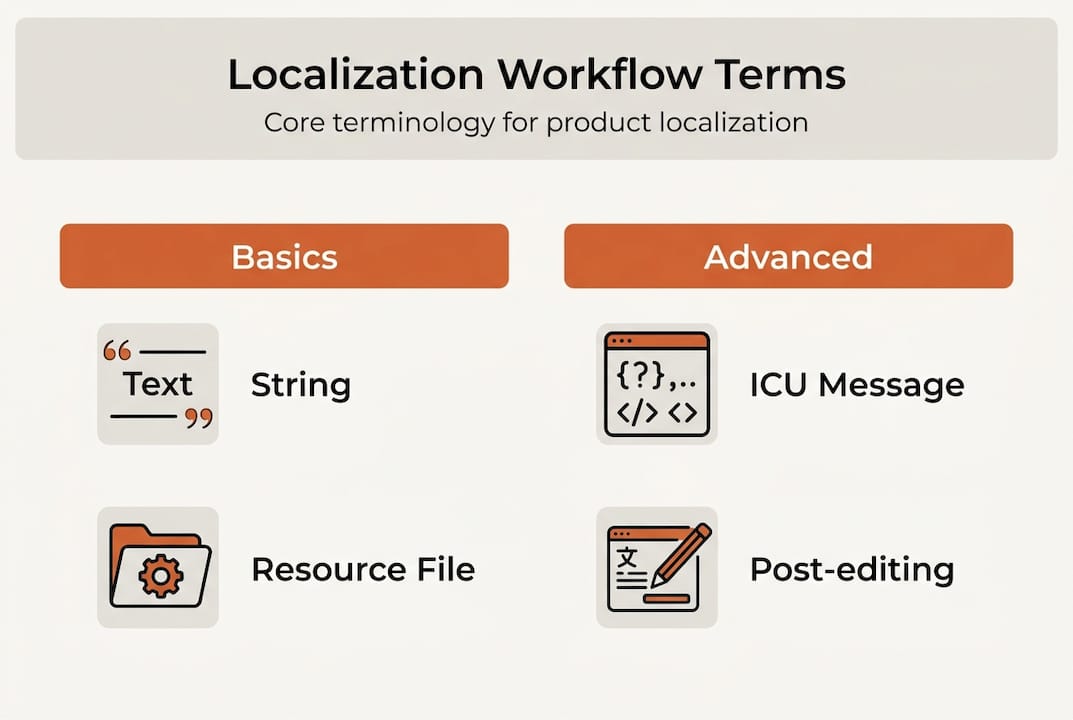
String externalization forms the foundation of scalable localization. This practice separates user-facing text from source code, storing strings in resource files that translators can access without touching your codebase. When text lives inside code, developers become translation bottlenecks. Externalized strings let translators work independently while developers focus on features.
String concatenation creates localization nightmares. Combining separate string fragments like “You have” + count + “messages” assumes English grammar rules apply universally. In languages with different word orders or gender agreements, concatenated strings produce broken translations. Japanese might need the count at the sentence end, while German requires different article forms based on quantity. Your translators cannot fix these issues without code changes.
The ICU message format standardizes how strings handle plurals, gender, and variable insertion across languages. Instead of concatenation, ICU syntax defines rules within a single string: “{count, plural, one {# message} other {# messages}}”. This approach gives translators control over grammar while maintaining code simplicity. Languages with complex plural rules like Arabic or Polish require this flexibility.

Proper string mechanics prevent expensive rework cycles. When developers hard-code text or concatenate strings, localization teams discover problems only after translation begins. Fixing these issues requires developer time, retranslation costs, and schedule delays. Understanding why traditional localization tools are failing helps teams recognize these patterns early.
Key mechanics to master:
Externalize all user-facing strings into resource files before translation starts
Use placeholders for variables instead of concatenating string fragments
Implement ICU message format for any strings containing plurals or gender references
Document string context for translators to understand usage and tone
Establish naming conventions for string keys across your codebase
Pro Tip: Create a string externalization checklist for code reviews. Catching hard-coded text before merge prevents localization debt from accumulating in your product.
Localization methodologies: waterfall, agile, and continuous explained
Waterfall localization treats translation as a final production step. Development completes, features freeze, then translation begins. This sequential approach worked when software shipped on physical media with long release cycles. Today, waterfall creates localization delays that block launches and frustrate global customers waiting months for localized versions.
The waterfall methodology offers predictability but sacrifices speed. Translators receive complete, stable content without mid-project changes. Quality can be high because context is fully available. However, discovering internationalization bugs after development finishes requires expensive code fixes and retranslation. Products launch in English first, creating a tiered user experience where non-English markets feel like second-class customers.
Agile localization integrates translation into development sprints. As features reach completion within each sprint, strings move to translation immediately. This parallel workflow reduces the gap between English and localized releases from months to weeks. Translators become sprint team members, providing feedback on internationalization issues before features ship. The approach requires coordination but prevents the massive translation backlog waterfall creates.
Challenges emerge when sprint velocity outpaces translation capacity. Incomplete features generate string changes that require retranslation. Without proper tooling, tracking which strings changed between sprints becomes manual overhead. Teams need clear processes for string freezes and translation handoffs within sprint timelines. Understanding design localization integration helps align design and translation workflows.
Continuous localization automates translation within CI/CD pipelines. New or changed strings trigger automatic translation as code commits. This methodology enables simultaneous release across all languages, eliminating the localized version lag entirely. Continuous localization requires significant tooling investment and process maturity. Teams must implement automated quality checks, have translation memory systems, and establish clear approval workflows for AI-generated translations.
Methodology | Translation Timing | Release Speed | Best For |
|---|---|---|---|
Waterfall | After development completes | Slowest, months delay | Annual releases, stable products |
Agile | Within development sprints | Moderate, weeks delay | Regular sprint-based releases |
Continuous | Automated with code commits | Fastest, simultaneous release | Frequent deployments, SaaS products |
Choosing the right methodology depends on your release frequency and team structure. Products deploying weekly or daily need continuous localization to avoid becoming English-only by default. Teams with monthly releases can succeed with agile localization. Only products with infrequent, planned releases should consider waterfall approaches. Learning how to master cross-functional localization helps teams transition between methodologies effectively.
Pro Tip: Start with agile localization before jumping to continuous workflows. Build translation processes and team coordination in sprints, then automate once workflows stabilize.
The role of AI and post-editing in modern localization processes
AI translation engines have transformed localization economics. Neural machine translation delivers quality approaching human translators for many language pairs and content types. Product teams can now translate thousands of strings in minutes rather than weeks. This speed enables continuous localization workflows that were previously cost-prohibitive. However, AI accelerates translation but requires human post-editing for quality and cultural appropriateness.
Machine translation excels at straightforward, factual content but struggles with nuance. Marketing copy, error messages requiring empathy, and culturally specific references need human review. AI might translate idioms literally, miss brand voice consistency, or choose technically correct words that feel unnatural to native speakers. The gap between grammatically correct and naturally fluent remains where human expertise adds value.
Post-editing workflows balance AI speed with human quality control. Light post-editing fixes obvious errors and ensures readability. Full post-editing treats machine output as a first draft, refining tone, style, and cultural fit to match human translation quality. Teams must decide which content types warrant which level of review based on user impact and brand risk.
Understanding why AI is transforming localization helps teams set realistic expectations. AI reduces the cost and time for initial translation dramatically. This efficiency lets teams localize into more languages or update translations more frequently. The time savings shift translator work from repetitive translation toward quality refinement and cultural adaptation, higher-value activities that improve user experience.
Key considerations for AI-powered localization:
Use AI for initial translation of UI strings, documentation, and support content
Require human post-editing for marketing copy, legal text, and customer-facing communications
Implement translation memory to ensure consistency across AI and human translations
Establish quality metrics to measure when AI output meets your standards without editing
Train AI models on your product terminology and brand voice for better baseline quality
“The real power of AI in localization is not replacing human translators, but freeing them from repetitive work to focus on the creative and cultural aspects that machines cannot master.”
Teams exploring AI localization strategy benefits discover that the technology works best as an augmentation tool. Translators become editors and cultural consultants rather than word-by-word converters. This shift requires new skills and workflows but ultimately produces better localized products faster than either humans or AI working alone.
Pro Tip: Create a style guide specifically for post-editors that defines when to accept AI suggestions versus when to rewrite completely. This guidance ensures consistent quality across your localization team.
Applying industry terminology to optimize your product localization
Standardizing terminology across product teams eliminates the communication gaps that cause localization delays. When developers call them “strings,” designers say “copy,” and product managers reference “content,” teams waste time clarifying what needs translation. Adopting shared vocabulary from localization industry standards creates a common language that speeds decisions and reduces errors.
Start by documenting your localization workflow using industry-standard terms. Define whether you use waterfall, agile, or continuous localization methodologies. Specify which tools handle string externalization, translation memory, and quality assurance. When everyone understands the workflow stages and terminology, handoffs become smoother and bottlenecks easier to identify.
Create a localization glossary defining key terms your team uses regularly, including string externalization, ICU message format, translation memory, and post-editing
Map your current workflow to industry methodologies to identify whether you operate in waterfall, agile, or continuous mode
Align your release schedule with the appropriate localization methodology, choosing continuous for frequent deployments or agile for sprint-based releases
Integrate localization checkpoints into your development process, reviewing string externalization during code reviews and internationalization during design reviews
Establish clear roles and responsibilities using industry terminology so developers, translators, and product managers understand their localization duties
Document best practices for string creation, including context requirements, character limits, and placeholder usage
Share glossaries and style guides with all stakeholders to ensure consistent terminology and brand voice across languages
Integrating localization early in development catches internationalization issues before they become expensive fixes. When designers create mockups, check that layouts accommodate text expansion for languages like German. When developers write features, ensure strings are externalized and use proper formatting for plurals. These upstream checks prevent downstream localization crises.
Leveraging AI tools accelerates your workflow but requires human oversight for quality. Implement AI translation for initial drafts of UI strings and documentation. Route marketing content and user-facing communications through human post-editing. This tiered approach balances speed and quality based on content visibility and brand impact. Teams can learn more about multilingual SaaS localization to refine these strategies.
Pro Tip: Run a terminology audit across your product, design, and development teams. Identify where different departments use different terms for the same concepts, then standardize on industry-accepted vocabulary.
Explore Gleef’s localization solutions to accelerate your workflow
Transforming localization terminology into practical workflow improvements requires tools that integrate seamlessly with your development process. Gleef offers AI-powered localization solutions designed specifically for product teams working in fast-paced development environments. Our platform bridges the gap between design, development, and translation, enabling the continuous localization workflows discussed throughout this guide.

The Gleef Figma Plugin brings translation directly into your design workflow, letting UX writers and designers manage localization without leaving their primary tools. Preview how translations affect layouts in real time, catching text expansion issues before development begins. Our semantic translation memory ensures consistency across your product while AI-powered suggestions accelerate initial translation.
For development teams, the Gleef CLI automates string externalization and synchronization within your CI/CD pipeline. Integrate localization into your continuous deployment workflow, enabling simultaneous releases across all supported languages. Reduce the manual overhead of tracking changed strings and coordinating with translators through automated workflows that fit your existing development process.
FAQ
What is string externalization in localization?
String externalization separates user-facing text from source code into dedicated resource files that translators can access independently. This practice prevents hard-coded text from creating localization bottlenecks and enables translators to work without requiring developer involvement. Externalized strings also make it easier to implement proper formatting for plurals, gender, and variable insertion using standards like ICU message format.
How does continuous localization improve product release speed?
Continuous localization integrates translation directly into the CI/CD pipeline, automatically processing new or changed strings as developers commit code. This automation eliminates the translation backlog that delays localized releases, enabling products to launch simultaneously across all supported languages. Teams avoid the weeks or months of lag between English and localized versions that frustrate global users.
Why is human post-editing necessary when using AI for localization?
AI translation engines excel at speed and consistency but lack cultural awareness and brand voice sensitivity. Human post-editors ensure translations sound natural to native speakers, maintain appropriate tone for context, and align with brand guidelines. This review catches subtle errors like idioms translated literally or word choices that are technically correct but feel awkward, preserving the user experience quality across languages.
What is the difference between agile and continuous localization?
Agile localization integrates translation into development sprints, with strings moving to translation as features complete within each sprint cycle. Continuous localization automates translation within the CI/CD pipeline, processing strings immediately as code commits without waiting for sprint boundaries. Agile reduces lag from months to weeks, while continuous enables simultaneous release across all languages.
How do I choose the right localization methodology for my product?
Match your localization methodology to your release frequency and team structure. Products deploying daily or weekly need continuous localization to avoid English-only releases becoming the default. Teams with bi-weekly or monthly sprint cycles succeed with agile localization integrated into sprint planning. Reserve waterfall localization only for products with infrequent, planned releases where translation timing is less critical to user experience.