
Expanding digital products into global markets without effective UX localization risks alienating users and losing competitive advantage. Product teams face mounting pressure to deliver experiences that feel native to each market, not just translated. This guide provides practical, expert-backed best practices for UX localization that product managers, designers, developers, and UX writers can implement immediately. You’ll learn how to prepare your team and product, execute localization strategically, and verify quality to ensure your global users receive experiences that resonate culturally and functionally.
Key takeaways
Point | Details |
|---|---|
Research local markets first | Understanding cultural preferences and technology adoption patterns informs smarter localization decisions and prevents costly mistakes. |
Prepare tools and teams early | Aligning design systems, selecting localization tools, and defining cross-functional workflows before execution saves time and ensures consistency. |
Execute with structured workflows | Following step-by-step localization processes balances automation with human quality checks for optimal UX adaptation. |
Verify through user testing | Real user feedback and analytics validate localization effectiveness and reveal improvement opportunities. |
Leverage AI-powered platforms | Modern localization tools streamline workflows and integrate directly into design and development environments. |
Understanding your local markets: research and preparation
Successful UX localization begins long before any translation work starts. Conducting thorough market research to understand cultural preferences, technology adoption, and competitor strategies forms the foundation of every effective localization initiative. Without this groundwork, product teams risk making assumptions that lead to culturally tone-deaf experiences or features that miss the mark entirely.
Cultural preferences shape how users interact with digital products in ways that extend far beyond language. Color symbolism varies dramatically across regions, navigation patterns differ based on reading directions, and even acceptable imagery changes by market. Japanese users expect detailed product information and minimal white space, while Scandinavian audiences prefer clean, minimalist interfaces. Understanding these nuances prevents awkward missteps and builds trust with local users.
Technology adoption patterns directly impact which UX features you should prioritize in each market. Mobile-first markets in Southeast Asia require optimized mobile experiences with lightweight assets, while desktop-heavy markets in Western Europe may need more robust web applications. Payment method preferences, internet speed considerations, and device capabilities all influence how you adapt your product’s UX for maximum effectiveness.

Competitor analysis reveals what localization strategies already resonate in your target markets. Study how successful localization by product managers in your industry have adapted their products. Which features do they emphasize? How have they modified their information architecture? What cultural adaptations appear consistently across successful competitors? These insights help you differentiate while meeting established user expectations.
Gather market insights through multiple channels:
Conduct user interviews with native speakers in target markets
Analyze local competitor products and user reviews
Review market research reports on technology trends and consumer behavior
Consult with in-market stakeholders or advisory board members
Monitor social media conversations about products in your category
Engage cross-functional teams early in this research phase. Designers need cultural context for visual decisions, developers must understand technical constraints in target markets, and UX writers require linguistic nuances to craft appropriate copy. When everyone shares the same market knowledge foundation, localization decisions become faster and more aligned with localization best practices 2026.
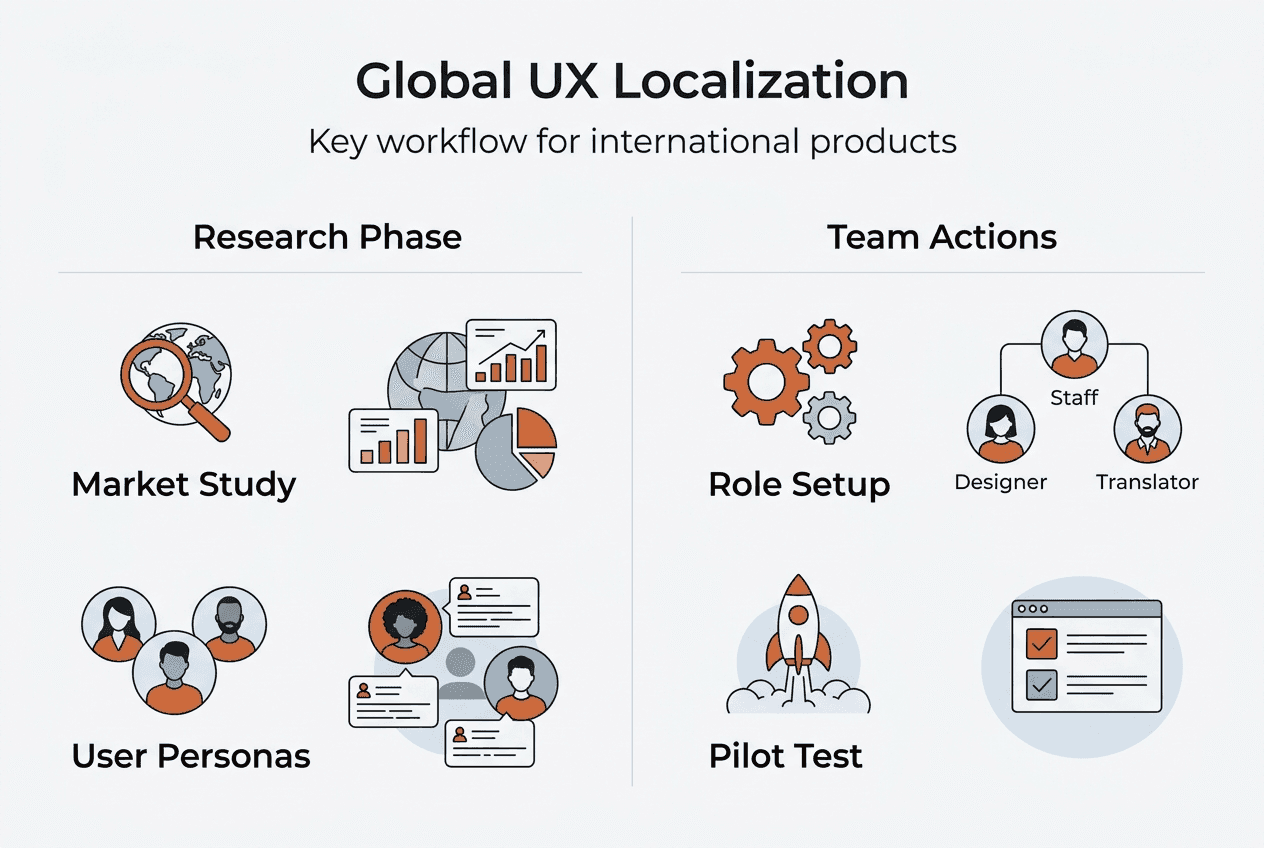
Pro Tip: Create market-specific user personas during research that capture not just demographics but cultural values, technology habits, and interaction preferences. These personas guide every localization decision throughout your project.
Preparing your product and team for effective localization
Once you understand your target markets, preparing your product architecture and team workflows becomes the critical next step. Effective preparation aligns tools and teams to enhance localization outcomes and efficiency. This phase determines whether your localization process will be smooth and scalable or fraught with technical debt and communication breakdowns.
Selecting localization-ready design and development tools sets the stage for efficient workflows. Design systems built in tools like Figma with component-based architectures make it easier to swap text strings and adapt layouts for different languages. Development frameworks that support internationalization from the start, like React with i18n libraries, prevent costly refactoring later. Evaluate whether your current tech stack can handle variable string lengths, right-to-left languages, and dynamic content insertion without breaking layouts.
Building flexible UI components accommodates the natural expansion and contraction of translated text. German translations often run 30% longer than English, while Chinese can be 20% shorter. Your buttons, navigation menus, and form fields need to handle these variations gracefully. AI localization for designers helps identify potential layout issues before they reach production, but your underlying design system must support flexibility from the start.
Defining cross-functional team roles prevents confusion during execution. Who reviews translations for accuracy? Who approves cultural adaptations? Who handles technical implementation? Clear ownership and approval workflows keep localization projects moving without bottlenecks. Product managers typically coordinate timelines and priorities, UX writers oversee linguistic quality, designers ensure visual consistency, and developers implement technical changes.
Evaluating translation vs localization differences helps you select appropriate methods for different content types. Machine translation works well for user-generated content or internal documentation, while human translation better serves marketing copy and legal text. Hybrid approaches combining AI speed with human quality checks often deliver the best balance for product interfaces.
| Localization Method | Best For | Speed | Cost | Quality |
| — | — | — | — | |
| Machine translation | High-volume, low-risk content | Very fast | Low | Moderate |
| Human translation | Marketing, legal, brand-critical | Slow | High | Very high |
| AI with human review | Product UI, help content | Fast | Moderate | High |
| Community translation | User forums, support articles | Variable | Very low | Variable |
Establish glossaries and style guides before translation begins. These resources ensure consistency across all localized content and prevent translators from making conflicting terminology choices. Include brand-specific terms, product names that shouldn’t be translated, preferred tone and voice guidelines, and examples of good localization in your product category.
Pro Tip: Run a small pilot localization project in one market before scaling to multiple regions. This test reveals workflow gaps, tool limitations, and team coordination issues you can fix before committing to broader rollouts.
Executing UX localization: implementation best practices
With preparation complete, executing localization requires following structured localization steps that ensure consistency across markets while maintaining UX quality. A systematic approach prevents the chaos that often accompanies multi-market launches and keeps your team aligned throughout implementation.
Follow this step-by-step localization workflow:
Extract all user-facing strings from your product into localization files
Provide translators with context screenshots and usage notes for each string
Translate content using your chosen method while maintaining glossary consistency
Review translations for accuracy, cultural appropriateness, and brand alignment
Implement translated strings back into your product environment
Test UI layouts across all supported languages to catch overflow and formatting issues
Conduct functional testing to ensure features work correctly in each locale
Perform linguistic QA with native speakers to validate natural language flow
Balancing automated translation with human quality checks optimizes both speed and accuracy. Use AI-powered translation for initial drafts, then route content through human reviewers based on visibility and business impact. Homepage copy and onboarding flows warrant more human attention than settings screens or error messages. This tiered approach lets you scale localization without sacrificing quality where it matters most.
Localization Approach | Implementation Effort | Maintenance Cost | Cultural Accuracy | Time to Market |
|---|---|---|---|---|
Full human translation | High | High | Excellent | Slow |
AI with spot checking | Moderate | Moderate | Good | Fast |
Machine translation only | Low | Low | Fair | Very fast |
Hybrid (AI + human for key content) | Moderate | Moderate | Very good | Fast |
Managing regional UX elements extends beyond text translation to include date formats, currencies, measurement units, and culturally appropriate imagery. Americans expect MM/DD/YYYY dates while Europeans use DD/MM/YYYY. Currency symbols and decimal separators vary by locale. Images featuring people should reflect the ethnic diversity of your target market. These details seem small individually but collectively determine whether users perceive your product as truly localized or merely translated.
Integrate personalization in localization by adapting not just language but feature emphasis based on market preferences. Highlight payment methods popular in each region, surface content types that resonate locally, and adjust default settings to match regional norms. This level of adaptation transforms a generic translated product into a genuinely local experience.
Avoid modern localization tool pitfalls by choosing platforms that integrate directly into your existing workflows rather than requiring separate translation management systems. Context switching between tools slows teams down and increases error rates. Look for solutions that let designers and developers work within their familiar environments while accessing localization capabilities.
Pro Tip: Build localization into your continuous integration and deployment pipelines so new features automatically flow through translation workflows before release. This prevents the common problem of shipping English-only features that create incomplete experiences in localized markets.
Validating and verifying localized user experiences
Executing localization is only half the battle. Verification with real users and data-driven metrics is essential to ensure localization success and continuous improvement. Without proper validation, you risk shipping experiences that technically work but fail to resonate with local users or, worse, contain errors that damage your brand reputation.
User testing techniques for localized features should mirror your standard UX research methods but with native speakers from target markets. Conduct usability tests where participants complete key tasks in their localized product version. Watch for hesitation, confusion, or unexpected behavior that might indicate translation issues or cultural misalignment. Remote testing tools make it feasible to gather feedback from users worldwide without extensive travel budgets.
Leveraging analytics tracks localization effectiveness through quantitative metrics that reveal how well your localized product performs. Compare conversion rates, task completion rates, time on task, and feature adoption across locales. Significant variance between markets often indicates localization quality issues rather than inherent market differences. Set up locale-specific funnels to identify exactly where users in each market encounter friction.
Establish feedback channels for continuous UX improvement that capture ongoing user input after launch. In-app feedback widgets, localized support channels, and social media monitoring help you catch issues quickly. Users often report translation errors, cultural missteps, or confusing adaptations directly if you make it easy for them to do so. Treat this feedback as valuable free QA that helps you refine your localization over time.
Validation Tool | Primary Use | Key Metrics | Implementation Complexity |
|---|---|---|---|
Usability testing | Qualitative feedback on UX flow | Task success, user satisfaction | Moderate |
Analytics platforms | Quantitative performance tracking | Conversion rates, engagement metrics | Low |
A/B testing | Compare localization variations | Click-through rates, completion rates | Moderate |
Linguistic QA tools | Catch translation errors | Error count, consistency score | Low |
User feedback surveys | Direct user input | NPS, satisfaction ratings | Low |
Common localization mistakes caught during verification include truncated text that breaks layouts, culturally inappropriate imagery or color choices, inconsistent terminology across the product, broken functionality due to locale-specific bugs, and translated content that sounds robotic or unnatural. Catching these issues before they impact large user populations protects your brand and prevents costly emergency fixes.
Integrate localization in product roadmap planning so validation becomes a standard phase rather than an afterthought. Allocate time and resources for proper testing in each locale before declaring a market launch complete. This discipline prevents the rush to ship from compromising localization quality.
Monitor localization trends recap to stay current with evolving best practices and user expectations. What worked in localization two years ago may feel outdated today as user sophistication grows and technology capabilities advance. Continuous learning keeps your localization strategy competitive.
Optimize your UX localization with Gleef’s AI tools
Implementing these UX localization best practices becomes significantly easier with purpose-built tools designed for modern product teams. Gleef’s AI-powered localization platform streamlines the entire workflow from design to deployment, helping you scale global experiences without scaling headcount proportionally.
The Gleef Figma plugin lets designers manage translations directly within their design files, eliminating context switching and ensuring visual consistency across locales. See how translated text affects your layouts in real time, catch overflow issues before development, and collaborate with translators without leaving your design environment.

Developers benefit from Gleef CLI localization tool that automates string extraction, translation workflows, and implementation back into codebases. Integrate localization into your CI/CD pipelines so every commit triggers appropriate translation updates. This automation prevents the manual coordination that typically bottlenecks localization projects.
Product managers can orchestrate entire localization initiatives through Gleef Studio platform, which provides visibility into translation status, quality metrics, and team workflows across all markets. Track progress, manage glossaries, and coordinate releases without juggling multiple tools or spreadsheets. The platform’s AI ensures consistency and quality while human oversight maintains brand voice and cultural appropriateness.
What is the difference between translation and localization in UX?
Translation converts text from one language to another word for word, focusing purely on linguistic accuracy. Localization adapts the entire user experience for cultural relevance, including visual design, functionality, content structure, and interaction patterns. While translation handles the words, localization ensures the complete experience feels native to each market. Learn more about translation vs localization differences and why both matter for global products.
How early should localization be integrated into the product development lifecycle?
Best practice is integrating localization from initial product planning stages, not as an afterthought before launch. Early integration allows you to build internationalization into your architecture, design flexible components that accommodate multiple languages, and avoid costly refactoring later. Planning localization in product roadmap discussions ensures you allocate appropriate time and resources for quality localization rather than rushing to meet market deadlines.
What tools can help improve UX localization efficiency?
Modern AI-driven plugins and developer tools streamline localization workflows and improve accuracy significantly. The Gleef Figma plugin enables designers to manage translations in context, while Gleef CLI localization tool automates developer workflows. These integrated tools eliminate the context switching and manual coordination that slow traditional localization processes. Choose platforms that work within your existing design and development environments rather than requiring separate translation management systems.
How do you measure localization success?
Measure localization success through both quantitative metrics and qualitative feedback. Track conversion rates, engagement metrics, task completion rates, and feature adoption across locales to identify performance gaps. Complement analytics with user testing, feedback surveys, and support ticket analysis to understand why metrics vary. Successful localization shows comparable or better performance in localized markets relative to your primary market, indicating users find the experience equally intuitive and valuable.
What are common UX localization mistakes to avoid?
Common mistakes include translating without cultural context, ignoring text expansion in layouts, maintaining English-centric navigation structures, using inappropriate imagery or colors for target cultures, and inconsistent terminology across the product. Other pitfalls involve skipping native speaker review, neglecting right-to-left language support, and treating localization as a one-time project rather than ongoing maintenance. Avoiding these mistakes requires structured workflows, proper tooling, and commitment to quality verification with real users from target markets.