
TL;DR:
Manual localization workflows can’t scale with rapid release cycles, causing delays and inconsistencies.
Automation streamlines processes, reduces cycle times, and improves translation consistency and quality.
Successful automation requires strategic planning, cross-team collaboration, and specific tools tailored to workflow needs.
Every time your team ships a new product feature, the clock starts ticking on localization. Strings need extracting, translators need briefing, reviews need scheduling, and somehow all of it needs to land before the release window closes. For fast-moving tech teams targeting multiple markets, that sequence is a release blocker waiting to happen. Manual localization workflows were built for a slower era, one where product cycles stretched over months and language coverage meant two or three markets. Today, you’re shipping to dozens of locales on two-week sprints, and the cracks in traditional approaches are impossible to ignore. Automation isn’t a buzzword here. It’s the architecture that keeps global deployment on schedule.
Key Takeaways
Point | Details |
|---|---|
Manual processes limit growth | Traditional localization methods cannot support the speed or scale required by tech companies today. |
Automation streamlines workflows | Automated tools reduce errors and accelerate translation cycles for global product launches. |
Business value is immediate | Teams see faster releases, lower localization costs, and improved quality from day one of automation. |
Select tools strategically | Choosing the right automation solution is essential for maximizing efficiency and future-proofing processes. |
The bottleneck: Why manual localization fails modern teams
If you’ve ever watched a release date slip because translated strings weren’t ready, you already understand the core problem. Manual localization challenges are structural, not just operational. The process depends on human handoffs at every stage, and each handoff introduces delay, miscommunication, or version mismatch.
Here’s what typically breaks down in a manual workflow:
String extraction relies on developers manually pulling content from code, which means any update to the source can create orphaned or outdated strings in translation files.
Translator briefing and routing often happens through email or spreadsheets, creating version control nightmares when multiple languages are in flight simultaneously.
Quality review is done by a separate reviewer who may not have context about the product, leading to inconsistent terminology across releases.
Reinsertion of translated content requires another round of developer involvement, adding hours or days to the cycle.
The compounding effect is brutal. A single missed handoff can push a localized release by a week. Multiply that across six languages and four quarterly releases, and you’re looking at a localization bottleneck that quietly undermines your entire global go-to-market plan.
“Manual localization can’t keep pace with rapid software release cycles.”
The quality problem is just as serious as the speed problem. When translators work without centralized glossaries or translation memory, the same UI element gets translated differently across versions. Your “Submit” button becomes “Envoyer” in one release and “Soumettre” in the next. Users notice. Brand trust erodes.
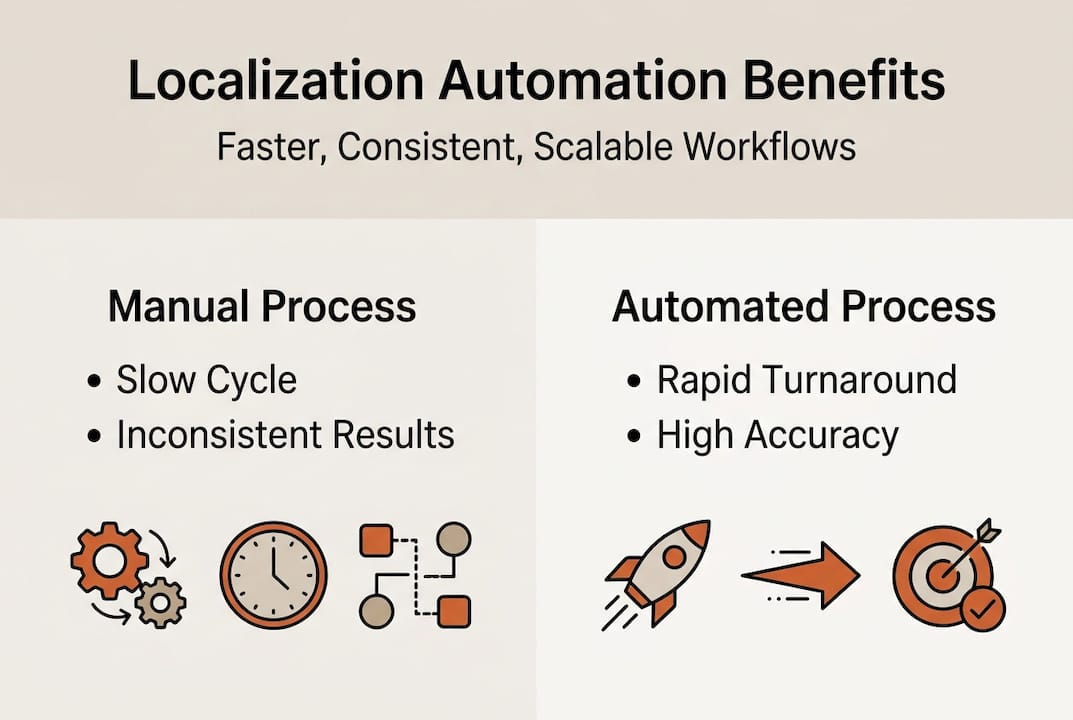
For a concrete picture of what this looks like in practice, manual vs automated localization results show that teams relying on manual processes consistently underperform on both speed and consistency metrics. The evidence is clear: manual workflows don’t scale, and patching them with more headcount only delays the inevitable.
How automation transforms localization workflows
Automation doesn’t just speed up the existing process. It rewires it. Streamlining workflows through automation means eliminating the fragile handoffs that slow everything down and replacing them with triggered, rules-based actions that run in the background while your team focuses on higher-value work.
Here’s how a modern automated localization workflow runs end to end:
String extraction is triggered automatically when code is committed, pulling new or updated content directly into the localization platform without developer intervention.
Routing assigns strings to the correct language queue based on predefined rules, priority levels, and translator availability, no email chains required.
AI translation generates a first-pass translation using context-aware models trained on your glossary and translation memory, so output already reflects your brand voice.
Automated quality checks flag issues like missing variables, character limit violations, or terminology inconsistencies before any human reviewer sees the file.
Human review focuses only on flagged items or high-stakes content, dramatically reducing review time.
Reinsertion pushes approved translations back into the codebase or design file automatically, closing the loop without manual file management.
Phase | Manual cycle time | Automated cycle time |
|---|---|---|
String extraction | 2 to 4 hours | Under 5 minutes |
Routing and assignment | 1 to 2 days | Immediate |
First-pass translation | 3 to 5 days | Under 1 hour |
Quality review | 1 to 2 days | 2 to 4 hours |
Reinsertion | 4 to 8 hours | Under 10 minutes |
The total cycle shrinks from over a week to under a day for most content types. That’s not incremental improvement. That’s a fundamentally different operating model.

Pro Tip: Don’t try to automate everything at once. Start with the two or three phases that create the most friction in your current workflow, typically review routing and version management, and build from there. AI in localization works best when it’s introduced incrementally, giving your team time to adapt and validate results before scaling.
For teams also managing automated creative generation across markets, the same automation principles apply: rules-based routing, AI-assisted first drafts, and human review focused on exceptions rather than the full volume.
Key benefits: Scale, accuracy, and faster global shipping
The business case for automation is straightforward once you see the numbers. Automation enables faster release cycles and reduces localization costs in ways that compound over time. The more content you push through an automated pipeline, the more your translation memory grows, and the cheaper and faster each subsequent release becomes.
Here’s what your team can realistically expect after implementing automation:
Faster time to market: Localization no longer sits on the critical path for global releases. Teams report cutting localization cycle times by 60 to 80 percent after full automation.
Higher consistency: Centralized glossaries and semantic translation memory mean the same term is always translated the same way, across every language and every release.
Fewer rework loops: Automated quality checks catch errors before they reach human reviewers, reducing rework by a significant margin.
Lower cost per word: As translation memory fills up, repeated strings are reused rather than retranslated, driving down cost at scale.
Team focus shift: Localization managers move from firefighting to strategy, spending time on terminology governance and market-specific quality rather than chasing files.
The accuracy gains deserve special attention. Transforming localization with AI isn’t just about speed. It’s about building a system where quality is enforced structurally, not dependent on individual reviewer diligence. When your QA rules are coded into the platform, they run on every string, every time, without fatigue.
Pro Tip: Set up automated QA rules for your top five error categories first, things like missing placeholders, truncated strings, and off-glossary terminology. Solving those five categories alone typically eliminates the majority of manual rework loops in most localization pipelines.
Teams that have made this shift report that AI-driven localization benefits extend beyond the localization team itself. Developers spend less time on string management. Designers stop receiving late-stage feedback about text overflow. Product managers hit their international release targets without scrambling. The whole organization feels the impact. For context on how these gains play out in industry ad localization, the pattern is consistent: automation raises the floor on quality while accelerating delivery.
Choosing the right automation solutions for your team
Selecting the right tool is crucial for successful automation and scaling localization across teams. The market is full of options, and not all of them are built for the speed and integration requirements of modern product teams.
Use this comparison to orient your evaluation:
Criteria | What to look for | Red flags |
|---|---|---|
Integration | Native connectors for your stack (Figma, GitHub, CI/CD) | Requires manual file exports |
Scalability | Handles volume spikes without performance drops | Per-word pricing that punishes growth |
Translation memory | Semantic matching, not just exact string matching | No memory or glossary features |
QA automation | Configurable rules for your content types | Only basic spell-check |
Cross-team support | Roles for PMs, designers, developers, and translators | Single-user or translator-only interface |
Once you’ve shortlisted two or three tools, follow these steps to vet them properly:
Map your current workflow in detail before any demo. Know your exact bottlenecks and hand them to vendors as test cases.
Run a pilot on real content. Don’t evaluate on sample strings. Use a recent release’s actual content to see how the tool performs under real conditions.
Test cross-functional access. Have a designer, a developer, and a PM each try the tool independently. If any role hits a wall, that’s a signal.
Measure translation memory hit rate after the pilot. A strong tool should show meaningful reuse rates even on a small content sample.
Evaluate support quality. Enterprise localization tools often require configuration support. Slow or unhelpful support is a dealbreaker at scale.
Cross-functional collaboration isn’t optional during tool adoption. Cross-functional localization AI works best when every stakeholder has a role in the platform, not just the localization team. Designers need in-context editing. Developers need CLI access. PMs need visibility into status and quality metrics. Content consistency tools that serve all these roles simultaneously are the ones that actually get adopted and used long-term. For teams also evaluating automation in creative generation, the same cross-functional criteria apply.
Our perspective: Automation is a strategy, not a shortcut
Here’s the uncomfortable truth most vendors won’t tell you: automation fails when teams treat it as a plug-and-play fix. We’ve seen organizations invest in sophisticated localization platforms and still miss release dates, because the tool was layered on top of a broken process rather than used to redesign it.
The teams that get the most from automation are the ones that start with alignment, not software. They define what “good” looks like for each language and content type before they configure a single rule. They assign clear ownership across product, design, and engineering. And they treat the first three months as a learning phase, not a full rollout.
The beyond the hype reality of AI in localization is that the technology is genuinely powerful, but it amplifies whatever process it’s connected to. A clear, well-governed workflow becomes faster and more consistent. A fragmented, ownership-unclear workflow becomes a faster mess. Automation must be intentional to avoid fragmenting workflows and causing more complexity. Treat it as a strategic investment in your global operating model, and it pays back many times over.
Next steps: Bring automation to your localization in 2026
If the patterns in this article sound familiar, you’re not alone. Most product teams hit the same wall when manual localization stops scaling. The good news is that the path forward is clearer than ever.

Gleef is built specifically for tech teams that need localization to move at product speed. The Gleef CLI for AI localization lets developers trigger translations directly from the terminal, eliminating the back-and-forth that slows down every release cycle. The full AI localization platform brings together translation memory, automated QA, in-context editing, and cross-functional collaboration in one place. Whether you’re starting your automation journey or optimizing an existing pipeline, Gleef gives your team the tools to ship globally without the usual friction.
Frequently asked questions
What are the biggest risks of not automating localization?
Manual localization increases project delays, errors, and costs, making it difficult for tech teams to scale globally. As release cycles accelerate, manual processes become the single biggest bottleneck between your product and international markets.
Can automation really improve localization quality?
Yes. Automation enforces consistency through centralized glossaries and translation memory, and automated QA catches errors before they reach reviewers, reducing rework and improving accuracy across every language.
How do I start selecting an automation tool?
Begin by mapping your biggest bottlenecks, then evaluate solutions based on integration depth, scalability, and cross-team usability. The right tool should serve every role in your workflow, not just your localization team.
Will automation replace human translators?
Automation handles repetitive, high-volume tasks, but human translators remain essential for nuance, cultural context, and final quality assurance. The goal is to focus human effort on the decisions that actually require it, not to eliminate it.