
Most product teams treat localization as a final step, a quick translation pass before shipping. That mindset is expensive. It creates bottlenecks, breaks release schedules, and produces translations that feel robotic rather than native. The real opportunity sits in API-driven localization, where automation, real-time data exchange, and AI-powered translation work together to transform how your team ships globally. This article breaks down exactly how APIs upgrade your localization workflow, what features matter most, and how to integrate them without the usual headaches.
Key Takeaways
Point | Details |
|---|---|
APIs automate localization | APIs reduce manual translation, error rates, and accelerate workflow across teams. |
Collaboration gets easier | API-driven localization fosters seamless teamwork between designers, developers, and translators. |
AI boosts translation quality | Modern APIs use AI to improve translation accuracy and context-awareness. |
Integration needs best practices | Successful API implementation depends on following integration steps and avoiding common pitfalls. |
Gleef offers proven solutions | Gleef plugins and CLI help product teams take localization automation to the next level. |
What is API-driven localization?
An API, or Application Programming Interface, is a set of rules that lets two software systems talk to each other automatically. In localization, that means your product’s content, strings, UI labels, and copy can flow directly between your codebase, design tools, and translation platforms without anyone manually copying and pasting files.
Traditional localization tools often lead to collaboration bottlenecks because every handoff is a manual step. Someone exports a file, emails it to a translator, waits, then imports it back. That loop is slow and error-prone. APIs break that loop entirely.
Here is what API-driven localization actually does for your team:
Automates content extraction from your codebase or design files
Routes strings directly to translation platforms in real time
Syncs translated content back into your product automatically
Triggers updates whenever source content changes, keeping all languages in sync
Reduces human error by eliminating manual file transfers
To understand the gap, compare the two approaches side by side:
Dimension | Traditional workflow | API-driven workflow |
|---|---|---|
Content handoff | Manual file export/import | Automated, real-time sync |
Update speed | Days to weeks | Minutes to hours |
Error risk | High (manual steps) | Low (automated pipeline) |
Team collaboration | Sequential, siloed | Parallel, connected |
Scalability | Limited by headcount | Scales with your product |
Think of a shipping API overview as an analogy. Just as a shipping API automates order routing between warehouses and carriers, a localization API automates content routing between your product and translation engines. The result is faster delivery with fewer mistakes. Addressing localization key challenges starts with replacing manual handoffs with intelligent, automated pipelines.
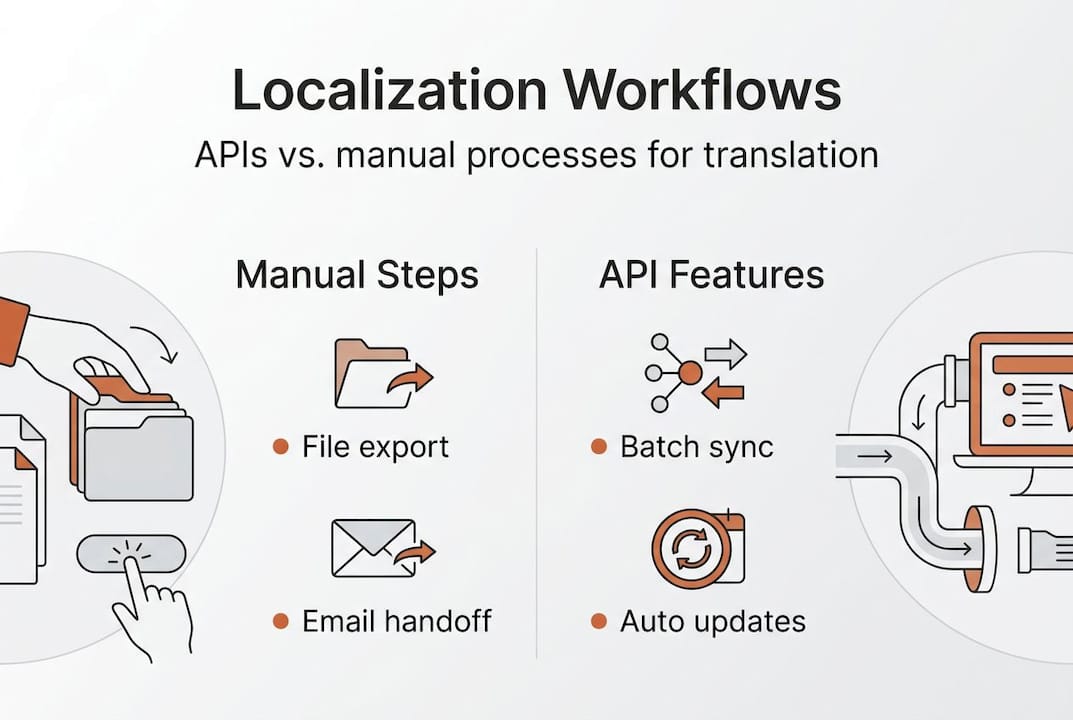
The workflow: How APIs streamline localization for product teams
Knowing what APIs do is one thing. Seeing how they fit into your actual workflow is where the real clarity comes from. Here is a practical step-by-step breakdown of how API-driven localization works in a modern product team:
Content is created or updated. A developer pushes new UI strings, or a UX writer updates copy in Figma.
The API detects the change. A webhook or scheduled trigger fires automatically, capturing the new or modified content.
Strings are sent to the translation platform. The API packages the content and routes it to your translation engine, whether AI-powered, human, or a hybrid.
Translation happens. APIs allow automatic translation of localization keys, meaning AI can process entire batches instantly while flagging complex strings for human review.
Translated content syncs back. The API pushes finished translations directly into your product’s language files, ready for QA or immediate deployment.
Teams review in context. Developers, designers, and translators can all see live previews without switching platforms.
The biggest shift APIs create is not speed. It is parallelism. Your developers can keep building while translators work simultaneously, instead of waiting for one team to finish before the other starts.
This parallel workflow is where collaboration transforms. Following developer localization best practices means setting up API triggers early in your sprint cycle, not as an afterthought. Teams that streamline localization for global product teams consistently report fewer release delays and higher translation consistency.
Pro Tip: Integrate your localization API at the start of a new feature build, not at the end. Configuring triggers and translation rules upfront means your strings are ready to ship the moment your feature is.
Key features and advantages of localization APIs
Not all localization APIs are created equal. The features that genuinely move the needle for product teams go well beyond basic string transfer. Here is what to look for and why it matters:
Automation and batch processing. Instead of translating one string at a time, APIs process entire content batches in a single call. This alone can cut your manual translation workload by up to 60%, freeing your team to focus on quality review rather than repetitive tasks.

Real-time synchronization. When your source content changes, the API propagates updates across every target language automatically. No more stale translations sitting in production.
AI-powered translation with context. AI-driven APIs boost translation quality and speed by analyzing surrounding content, not just isolated strings. This produces translations that sound native rather than mechanical.
Here is a snapshot of how key API features map to real team benefits:
Feature | Team benefit |
|---|---|
Batch processing | Faster turnaround on large content volumes |
Webhook triggers | Instant updates when source content changes |
AI translation engine | Higher quality, context-aware output |
Translation memory | Consistent terminology across all languages |
Error logging | Faster debugging and fewer broken builds |
Beyond the table, AI localization insights show that teams using AI-powered APIs also benefit from glossary enforcement, meaning your brand terms stay consistent across every market. UX localization best practices reinforce that context-aware translation is especially critical for UI elements, where a single mistranslated button label can confuse an entire user base.
Some teams also pair APIs with translation automation tools to handle edge cases in specialized content. The key insight is that APIs do not replace human judgment. They amplify it by handling the repetitive, error-prone work so your team can focus on nuance and quality.
Integrating localization APIs: Best practices and pitfalls
Features only matter if integration goes smoothly. Many teams stumble not because APIs are hard, but because they skip foundational steps. Here is a proven integration path:
Choose the right API for your stack. Evaluate APIs based on your existing tools, whether that is Figma, GitHub, or a custom CMS. Compatibility reduces friction from day one.
Document your string structure. Before connecting anything, map out your localization keys, namespaces, and content hierarchy. Poorly structured strings create chaos downstream.
Configure translation rules upfront. Set glossaries, tone guidelines, and exclusion rules before your first API call. This ensures optimizing your localization API strategy from the start, not as a retrofit.
Test with a small content batch. Run a limited pilot before scaling. Check output quality, error handling, and sync accuracy before opening the floodgates.
Scale gradually. Once the pilot validates your setup, expand to full content volumes and additional languages.
Common pitfalls to avoid:
Ignoring error handling. APIs fail. Build retry logic and alerting into your pipeline so broken translations do not silently reach production.
Skipping translator input. Translators know which strings need human review. Involve them during API configuration, not after.
Treating all strings equally. Marketing copy, legal disclaimers, and UI labels each need different handling rules. Segment your content types.
Pro Tip: Collaborate with your translators during the API configuration phase. They will flag which content categories need human review rules built in, saving you costly rework later.
Following developer localization strategies and understanding the real impact of software localization will help your team build a pipeline that scales without breaking.
Why product teams should rethink localization with APIs
Here is the uncomfortable truth most localization guides skip: the biggest barrier to API adoption is not technical. It is cultural. Product teams default to hybrid approaches, part manual, part automated, because change feels risky. But hybrid approaches are often the worst of both worlds. They carry the cost of manual processes while adding the complexity of API maintenance, without delivering the full speed or quality benefits of a fully automated pipeline.
The teams winning at global product development are not just using APIs as a convenience layer. They treat localization as a core engineering discipline, integrated into CI/CD pipelines, sprint planning, and design systems from day one. APIs are critical for scalable localization, and the data backs this up consistently.
The real game changers are collaboration and rapid iteration. When developers, designers, and translators share a live, API-connected workspace, feedback loops shrink from weeks to hours. That speed compounds over time. Teams that understand why traditional tools are failing are the ones moving fastest in global markets right now. The question is not whether to adopt API-driven localization. It is how quickly you can make it your default.
Take your localization to the next level with Gleef
If you are ready to move beyond manual workflows and build a localization pipeline that actually scales, Gleef is built exactly for that. Gleef’s localization platform connects your entire product team through an AI-powered API that automates translation, enforces consistency, and syncs content in real time.

For designers, the Figma plugin for localization lets you manage translations directly inside your design environment. For developers, the CLI for developer localization integrates localization commands straight into your existing workflow. No platform switching, no broken handoffs, just faster, higher-quality global releases. Start building your API-driven localization stack with Gleef today.
Frequently asked questions
How does API-driven localization differ from manual translation?
APIs automate translation of localization keys and enable real-time content sync, eliminating the manual file exports and imports that slow traditional workflows and introduce errors.
What are the biggest risks when integrating localization APIs?
The most common risks are insufficient documentation, weak error handling, and excluding translators from the configuration phase. Optimizing your API strategy from the start prevents costly rework and broken pipelines.
Can AI localization APIs improve translation quality?
AI-driven APIs boost quality by analyzing content in context rather than translating isolated strings, producing output that sounds natural and aligns with your brand voice at scale.
Are localization APIs suitable for small product teams?
Absolutely. Scalable localization through APIs helps small teams punch above their weight by automating repetitive work, freeing everyone to focus on quality and strategic decisions rather than manual file management.