
TL;DR:
Proper UI localization enhances usability, user retention, and global adoption of products.
Effective workflows involve early preparation, context sharing, automated tools, and thorough testing.
Treat localization as a strategic, ongoing product discipline to prevent long-term technical and cultural debt.
Your product is ready. The engineering team shipped on time, the design is polished, and leadership is excited about the global launch. Then it happens: a key button label is mistranslated in German, a date format breaks the checkout flow in Japan, and your French users see truncated text that hides a critical call to action. Suddenly, a promising launch stalls. This scenario plays out more often than most product teams expect. Proper localization improves usability and adoption across technology products, yet UI localization is still treated as a last-minute task. This guide gives you a clear, actionable path to build a localization workflow that actually works.
Key Takeaways
Point | Details |
|---|---|
Prep assets early | Having all UI strings and tools ready before starting saves time and prevents rework. |
Follow stepwise workflow | Structured localization steps ensure accuracy and smooth product launches. |
Test in all languages | Thorough UI checks in each locale are essential to deliver seamless user experiences. |
Leverage automation | Modern tools and AI plugins can streamline repetitive tasks and reduce manual errors. |
Treat localization as strategy | Investing in UI localization from the start drives global adoption and long-term success. |
Understanding UI localization and why it matters
Let’s start with a distinction that trips up a lot of teams. Translation converts words from one language to another. UI localization goes further. It adapts your entire user interface, including layout, formatting, imagery, and tone, so that it feels native to the target market. A translated product speaks the language. A localized product speaks the culture.
A few terms worth knowing before you go deeper:
Locale: A combination of language and region settings (for example, en-US for American English, fr-FR for French in France). The same language can have very different locale rules.
String extraction: The process of pulling all user-facing text out of your codebase or design files so it can be translated independently. Think of it as separating content from code.
Pseudo-localization: A testing technique where placeholder characters replace your original strings to simulate how translated text will look. It reveals layout breaks before real translations arrive.
Why does this matter for your product roadmap? Because the limitations of traditional localization tools are well documented, and teams that ignore them pay the price in delayed releases and poor user experiences. Products that feel foreign or confusing in a new market rarely recover their reputation there.
The business case is equally strong. Audience growth with multilingual content is measurable and significant. More importantly, the connection between personalization and localization is becoming a core driver of user retention in global markets.
Here is what poor UI localization actually costs you:
Users abandon products that feel awkward or confusing in their language
Support tickets spike when labels, error messages, or instructions are unclear
Brand trust erodes when tone or cultural references miss the mark
Re-engineering localization after launch costs far more than building it in from the start
“Localization is not a feature you add. It is a quality standard you maintain.”
Product managers, UX designers, and developers each own a piece of the localization puzzle. When those roles collaborate from day one, the result is a UI that feels bulletproof in every market you enter.
Preparing for UI localization: What you need before you begin
Getting localization right starts long before the first string is translated. Teams that skip the preparation phase spend weeks untangling avoidable problems. Here is what you need in place before you begin.
Essential assets checklist:
Resource files (JSON, XLIFF, or PO files containing all UI strings)
String tables with context notes for each translatable element
Design files with flexible layouts that accommodate text expansion
A test build that mirrors production as closely as possible
A style guide covering tone, terminology, and brand voice per locale
UI localization best practices consistently point to one truth: teams that prepare structured resource files early move through translation and QA dramatically faster.

Key tools overview:
Tool category | Purpose | Example use |
|---|---|---|
Translation management system | Centralizes strings, memory, and glossaries | Manage all locales in one workspace |
Figma plugin | In-context translation inside design files | Translate UI without leaving Figma |
QA and testing tools | Verify layout, overflow, and formatting | Catch broken UI before release |
Pseudo-localization tool | Simulate translated text length and characters | Identify layout breaks early |
Roles and responsibilities:
Product manager: Owns the localization roadmap and prioritizes target locales
UX designer: Ensures layouts flex for text expansion and RTL (right-to-left) languages
Developer: Implements string extraction and integrates translation files
QA engineer: Validates UI in every target language before release
Understanding the real impact of software localization helps every role see why their contribution matters. When one piece is missing, the whole workflow slows down.
Pro Tip: Set up pseudo-localization in your test environment before translations begin. It takes a few hours to configure and can save days of rework by exposing truncation, overflow, and font issues early.
Step-by-step: How to localize your UI workflow
With your assets and tools in place, here is how to move through the localization process without losing momentum.
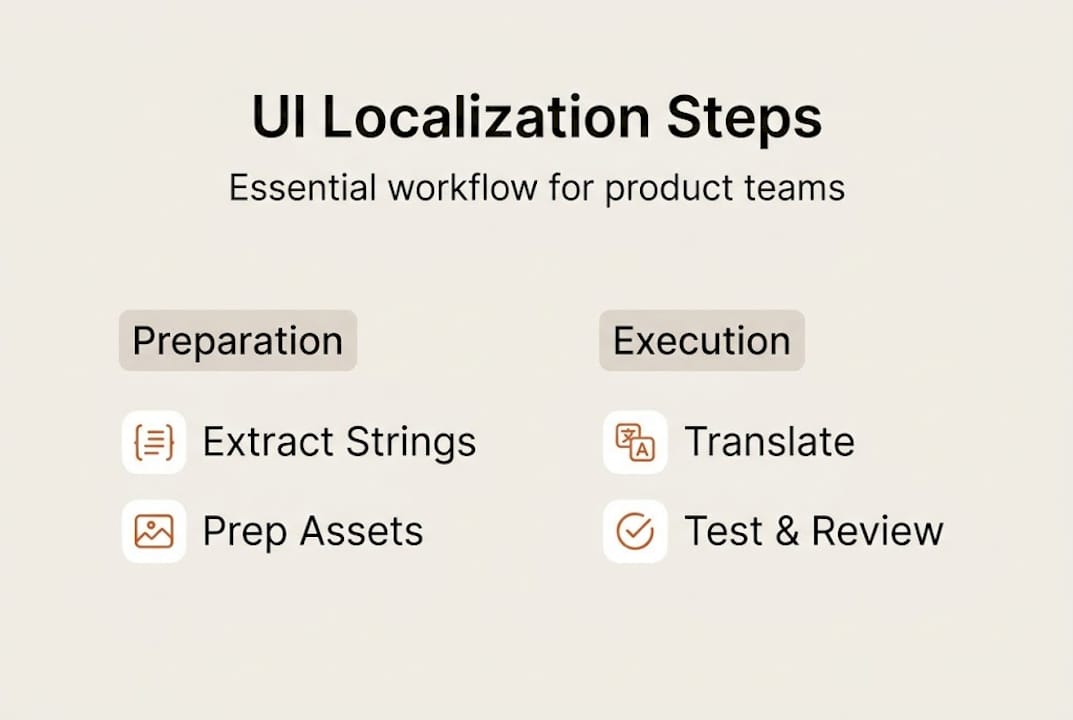
Prepare your content. Audit every user-facing string in your product. Remove hardcoded text from your codebase. Write source strings in clear, simple language that translates well across cultures. Avoid idioms and culturally specific references in your source copy.
Extract UI strings. Use your chosen resource file format (JSON, XLIFF, or PO) to extract all strings into a centralized file. Tag each string with context notes so translators understand where and how it appears in the UI.
Contextualize for linguists. Share screenshots, design mockups, or a live staging link alongside the string files. Context is the single biggest factor in translation quality. A button that says “Book” means something very different in a travel app versus a publishing platform.
Translate and localize. This is where using AI for localization gives modern teams a real edge. AI-powered translation with semantic memory and glossary enforcement produces consistent, brand-aligned output at speed. Human review layers on top for nuance and cultural accuracy.
Integrate and test. Push translated strings back into your build. Run automated checks for missing keys, encoding errors, and broken variables. Then do a full visual pass of every screen in each locale.
QA with native speakers. Automated checks catch structure problems. Native speakers catch meaning problems. Even a short round of native speaker review before launch dramatically reduces post-release issues.
Iterate as needed. Localization is not a one-time event. As your product evolves, new strings need to flow through the same process. Build continuous localization into your release cycle.
Manual vs. AI-powered localization:
Factor | Manual workflow | AI-powered workflow |
|---|---|---|
Speed | Slow, bottlenecked by human availability | Fast, with near-instant first drafts |
Consistency | Variable across translators | Enforced via glossary and memory |
Cost at scale | High, grows linearly | Lower, scales efficiently |
Context handling | Strong with experienced translators | Improving rapidly with in-context AI |
Pro Tip: Automate source-to-target string sync using your translation management system’s API. When developers push new source strings, translators get notified instantly. This eliminates the manual handoff that stalls most localization workflow challenges.
Testing, reviewing, and iterating your localized UI
Translation done. Strings integrated. Now comes the part that separates good localization from great localization: thorough testing before your users ever see the product.
Essential testing steps:
Language toggling: Switch between all supported locales in your test build and walk through every user flow. Look for broken layouts, missing strings, and formatting errors.
Layout overflow checks: German and Finnish strings can run 30 to 40 percent longer than English. Check every button, label, and tooltip for truncation.
Pseudo-localization review: Run your pseudo-localized build one final time to confirm no new strings were added without going through the localization pipeline.
In-context QA: Have testers use the product as a real user would, not just scan individual strings. This catches flow-level issues that string-level review misses.
Top pitfalls to avoid:
Truncated text that hides key actions or instructions
Culture-specific references that confuse or offend users in other markets
Date and number formats that do not match local conventions (MM/DD/YYYY versus DD/MM/YYYY, for example)
Hardcoded strings that were missed during extraction
Placeholder text left untranslated in edge-case UI states
Collecting native speaker feedback does not have to be expensive. A structured review session with two or three native speakers per locale, using a simple feedback form, surfaces the issues that automated tools cannot. Fix bugs in batches and re-test before each release.
The beyond basic translation impacts of localization extend well past language: products that feel native drive higher engagement, lower churn, and stronger word-of-mouth in new markets.
The payoff is real. Teams that invest in structured common localization challenges resolution before launch consistently report fewer support escalations and faster user adoption in new regions. Testing is not overhead. It is protection for every dollar you spent on translation.
Perspective: Why great UI localization is a strategic product investment
Here is an uncomfortable truth most product roadmaps ignore: localization debt compounds just like technical debt. Every release cycle where you treat localization as a final checkbox adds hidden cost. Strings pile up, context is lost, and the gap between your source product and your localized versions widens. By the time leadership asks why the European launch underperformed, the root cause is months old.
The teams that win in global markets treat localization as a first-class product discipline, not a translation task. They design flexible layouts from day one. They write source copy with translatability in mind. They build localization into their CI/CD pipeline so it moves at the same speed as engineering.
The real impact of software localization on user retention and market growth is significant, but only when localization is embedded in the product strategy from the start. Following product strategy best practices means treating your global users with the same care you give your primary market. That mindset shift is what separates products that scale globally from those that struggle to cross borders.
Start faster with advanced UI localization tools
Building an efficient localization workflow is achievable, but the right tooling makes the difference between a process that scales and one that creates constant bottlenecks. Modern teams no longer need to juggle spreadsheets, email chains, and disconnected file exports.

Gleef’s Figma plugin for UI localization lets your designers and UX writers manage translations directly inside Figma, without switching platforms or losing design context. AI-powered translation memory, glossary enforcement, and in-context editing keep your brand voice consistent across every locale. If you are ready to move faster and ship localized products with confidence, explore what Gleef localization solutions can do for your team today.
Frequently asked questions
What’s the first step in UI localization?
Begin by extracting all user-facing strings from your UI and preparing them in a structured resource file format. UX localization best practices recommend adding context notes to each string so translators understand exactly where and how each element appears.
How can teams test the quality of a localized UI?
Use pseudo-localization, native speaker QA, and visual layout checks to ensure your UI works seamlessly in every language. Proper localization testing catches layout breaks, cultural mismatches, and formatting errors before they reach real users.
What tools are best for automating UI localization?
Localization management platforms, Figma plugins, and AI-based translation solutions streamline UI localization workflows significantly. AI-powered cross-functional localization tools are especially effective at maintaining consistency and speed across large string volumes.
Is localization just about translation?
No. Localization also involves adapting layouts, date and number formats, cultural references, and content context for local users. The real impact of software localization goes well beyond language conversion and directly affects usability and user trust.