
TL;DR:
Localization should be integrated early in the design process to prevent costly rework.
Using design tokens, pseudo-localization, and continuous workflows streamlines global-ready software shipping.
Proactive collaboration with linguists and adopting automation tools vastly improve localization success.
A product team spends months perfecting a new feature, only to watch the launch stall because German UI strings overflow every button and the Arabic layout mirrors incorrectly. Users in those markets leave one-star reviews. The fix takes three more weeks. Sound familiar? Localization missteps like these are not random bad luck; they are predictable, preventable failures that stem from treating translation as an afterthought. This guide gives you the prerequisites, the step-by-step workflow, the common pitfalls, and the verification methods your team needs to ship global-ready software without the rework spiral.
Key Takeaways
Point | Details |
|---|---|
Continuous process is key | Integrating localization early and continuously cuts down on costly rework. |
Work with real-world constraints | Test for text expansion, RTL, and character limits in design systems upfront. |
Collaborative tools matter | Figma tokens, pseudo-localization, and AI plugins enable scalable workflows. |
Measure and improve | Use KPIs and user feedback to iterate your localization processes efficiently. |
Understand localization workflow challenges
Most product teams discover localization problems at the worst possible moment: during final QA or, worse, after launch. The root cause is almost always structural. Teams build in one language, then bolt translation on at the end. That approach worked when software shipped annually. It is a liability in agile environments where releases happen every two weeks.
The technical edge cases alone are brutal. Text expansion of up to 30-35% affects layouts built for English, and RTL layouts impact over a billion users across Arabic, Hebrew, and Persian markets. German text can expand by 30% or more; Arabic can expand by 20 to 30% depending on script. CJK scripts (Chinese, Japanese, Korean) require heavier font weights and tighter line-height control. These are not edge cases you can patch post-launch cheaply.
Traditional waterfall workflows delay local launches by weeks or months and accumulate costly rework that compounds with every release cycle. Continuous localization, by contrast, integrates translation directly into the design and development pipeline.
Common workflow blockers your team is probably hitting right now:
Late content changes that invalidate already-translated strings
Hardcoded text baked into UI components instead of externalized string files
No linguistic involvement until after design handoff
Missing support for designing for MENA and RTL layout patterns
Inconsistent use of design tokens across locales
No pseudo-localization testing before dev handoff
Factor | Waterfall localization | Continuous localization |
|---|---|---|
Speed to market | Weeks to months added | Days added at most |
Rework volume | High, compounds per release | Low, caught early |
Cost per locale | Escalates with complexity | Predictable and contained |
Team collaboration | Sequential, siloed | Parallel, integrated |
If you want to streamline localization across your product organization, the first move is retiring the waterfall mindset entirely. Check out this design-localization integration guide to see how leading teams are making the shift.
Prepare your design system for localization
Understanding the problem is half the battle. Now let’s look at how you can set your team and systems up for localization success before a single line of code ships.
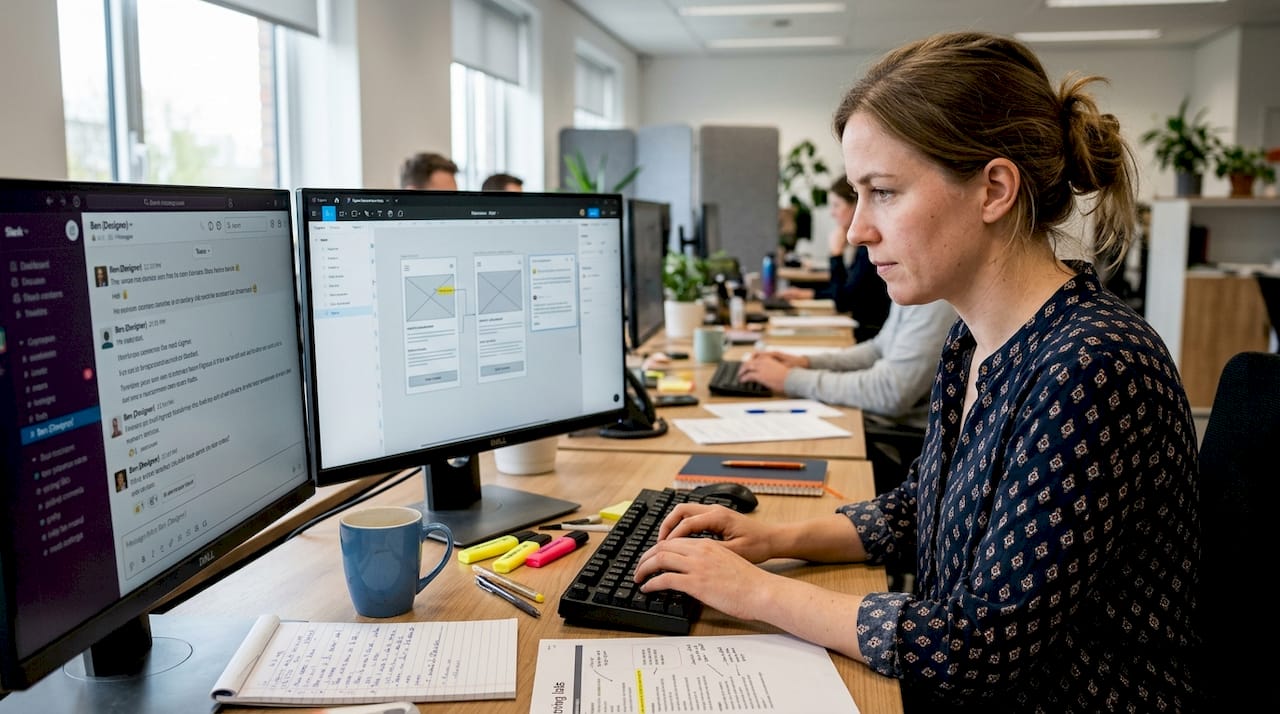
Involving linguists and UX writers in the design phase dramatically reduces rework. That is not a soft recommendation; it is a structural fix. When a linguist reviews a UI component early, they flag text that will not translate cleanly. When a UX writer knows the character limits upfront, they write strings that survive expansion.
Figma variables and design tokens enable flexible locale overrides and density switching, making it possible to preview how a layout behaves in German or Japanese without leaving your design tool. Semantic refactoring of your component library, replacing hardcoded labels with token-driven strings, is the foundation everything else rests on.
Prerequisites checklist before you localize a single screen:
Design tokens defined for spacing, typography, and color per locale
Figma variables set up for locale-specific overrides
All UI text externalized into string resource files
Logical CSS properties used (start/end instead of left/right) for i18n compatibility
Layout components tested for 30% text expansion tolerance
RTL mirror logic documented in your design system
Tool or asset | Role | Owner |
|---|---|---|
Figma variables | Locale override and density switching | Designer |
String resource files | Externalized, translatable UI copy | UX writer / Dev |
Pseudo-localization plugin | Early layout and encoding bug detection | Designer / QA |
Glossary and TM | Terminology consistency across locales | Linguist / PM |
Logical CSS framework | RTL and LTR layout compatibility | Engineer |
For deeper guidance on building a localization-ready foundation, explore UX localization best practices and localization best practices that leading product teams apply in 2026.
Pro Tip: Run pseudo-localization in Figma before any dev handoff. Replace your English strings with accented, elongated dummy text. If your layout breaks, fix it in Figma. Fixing it in code costs five times more.
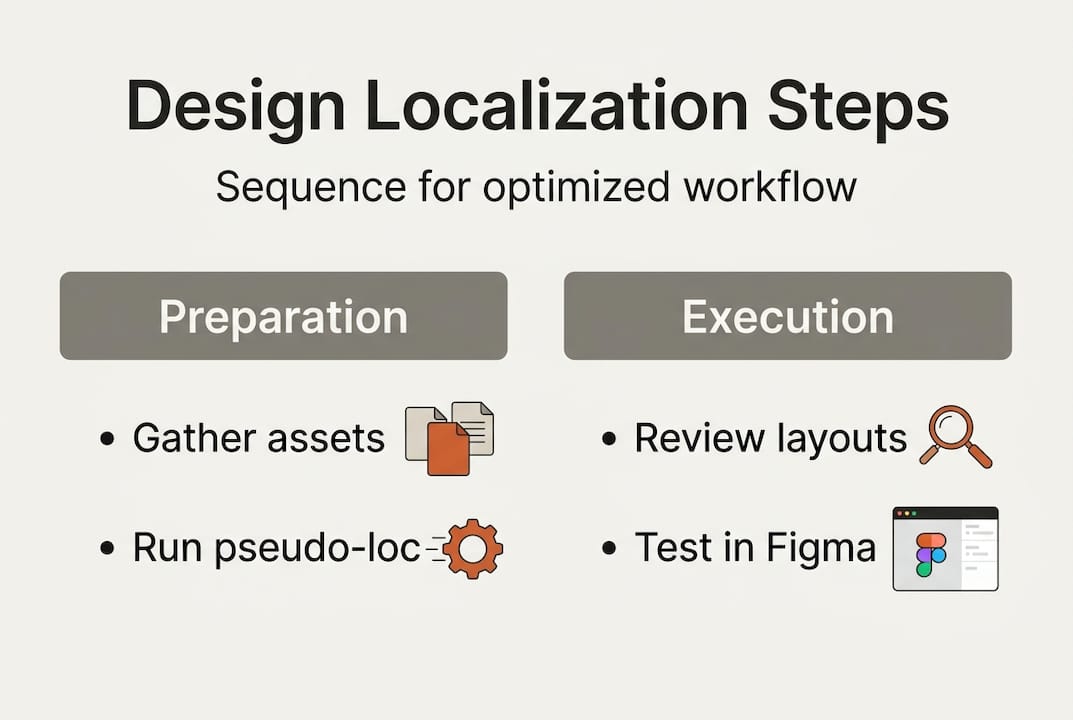
Step-by-step design localization workflow
With your design system ready, let’s walk through a practical, repeatable workflow to ensure localization is efficient, proactive, and failsafe.
Continuous localization aligns translation and design with agile product development, shrinking turnaround from weeks to days. Here is how to execute it:
Involve all stakeholders early. Designers, linguists, UX writers, and engineers align on scope, character limits, and locale requirements before the first wireframe is finalized.
Use design tokens and variables. Every text element, spacing value, and layout rule should be driven by tokens that can be overridden per locale without touching the base component.
Run pseudo-localization. Pseudo-localization catches layout bugs before launch by simulating expanded, accented strings in your actual UI. Do this at every major design milestone, not just before release.
Integrate continuous localization tools. Use plugins and APIs that push new strings to your translation management system automatically when designs are updated. Eliminate the manual export-import loop.
QA with multilingual testers. Native speakers in each target locale review the product in context, not just the translated strings in a spreadsheet. This catches tone, layout, and cultural issues that automated tools miss.
Ship all locales simultaneously. Staggered locale launches create support debt and fragment your user feedback. Build your release process so every locale goes live together.
“Translation debt is the silent killer of scalable UX.”
Pro Tip: When mirroring layouts for RTL languages, mirror the text direction and flow, not every visual element universally. Icons with directional meaning (arrows, progress indicators) need mirroring; decorative icons usually do not. Always verify with a native speaker before shipping.
For a broader view of how to embed this into your planning cycle, see how to approach localization workflow optimization and where localization in the product roadmap fits at each stage.
Troubleshooting and avoiding common localization pitfalls
Even great workflows face snags. Here is how to handle the most common pain points before they escalate.
Mixing RTL and LTR, mismanaging character limits, or failing to account for CJK font weights lead directly to production bugs. Knowing the symptoms helps you diagnose fast.
Frequent bugs and their root causes:
Untranslated UI strings: Hardcoded text in components, not externalized
Broken layouts: No expansion tolerance built into containers
Misaligned images: Directional images not flagged for locale-specific variants
Truncated strings: Character limits not communicated to translators
Encoding artifacts: Missing UTF-8 support in legacy components
RTL direction errors: CSS using left/right instead of logical properties
Approach | Cost | Speed | UX impact |
|---|---|---|---|
Post-hoc fixes | High, compounding | Slow, reactive | Negative, users see bugs |
Proactive design | Low, front-loaded | Fast, parallel | Positive, seamless experience |
To diagnose issues systematically, run a locale-switching review at each sprint demo. Load the product in your three highest-priority locales and scan for layout breaks, missing translations, and direction errors before the ticket closes.
Pro Tip: Set up a locale-switching shortcut in your design review environment. Switching between English, German, and Arabic in real time during a design review catches alignment and direction mistakes that static screenshots never reveal.
The integration guide for localization covers how to structure your QA process so these checks become automatic, not heroic.
Measuring workflow success and continuous improvement
Finally, let’s ensure your localization workflow does not just work. Let’s make it thrive and adapt with each release.
Continuous localization enables rapid release and refinement, responding to real user feedback within days. But that only works if you are measuring the right things.
KPI | What it measures | Target |
|---|---|---|
Localization defect rate | Bugs per locale per release | Below 2% |
Time to market per locale | Days from feature freeze to locale launch | Under 5 days |
Translation rework rate | Strings requiring re-translation after review | Below 10% |
User satisfaction by locale | CSAT or NPS scores segmented by region | Parity with primary locale |
Here is how to build a review and iteration cycle that actually improves over time:
Define success metrics upfront. Agree on KPIs with your PM, engineering lead, and localization manager before the first sprint begins.
Collect feedback from regional users. In-app feedback tools, localized support tickets, and regional user interviews surface issues that automated testing misses.
Adjust workflows based on findings. If German consistently shows truncation bugs, update your expansion tolerance standards. If Arabic CSAT lags, bring in a native UX reviewer earlier.
The role of AI in localization is accelerating these cycles significantly. AI-powered translation memory and glossary enforcement cut first-pass translation time, freeing your team to focus on review and cultural adaptation. Pair that with cross-functional localization practices and your iteration speed compounds release over release.
Why i18n-first and continuous localization is the real unlock
After all the steps, here is what actually separates teams that ship globally with confidence from those that scramble every release cycle.
Translation debt accumulates exactly like technical debt. Every screen designed without locale flexibility, every string hardcoded, every layout built only for English adds to a balance that eventually comes due. And it always comes due at the worst time, right before a major launch.
The teams that break this cycle share a specific mindset shift:
Design is global by default, not adapted after the fact
Continuous QA is standard, not a heroic last-minute effort
Localization is a product requirement, not a post-launch service
Involving linguists early and aligning design, development, and localization in a single workflow transforms UX outcomes. That is not aspirational; it is what the data shows.
The hard-won lesson: AI and continuous localization tools only succeed in environments where process and people are tightly aligned. A great plugin in a broken workflow just automates the chaos faster. Fix the process first, then let technology accelerate it. As we say internally: “Localization done at design is localization not done twice.” Explore how AI in localization is moving beyond hype and into real workflow transformation for product teams.
Streamline localization in Figma with Gleef
Ready to optimize your team’s design localization workflow for maximum impact? Here is how Gleef can help.
The Gleef Figma plugin brings continuous, in-context localization directly into your design environment. You manage translations where the design lives, eliminating the export-import loop that kills momentum. AI-powered translation memory, semantic glossaries, and real-time string management mean your team spends less time on rework and more time shipping.

Gleef integrates with your existing agile workflow, so designers, UX writers, and engineers collaborate on localization without switching platforms. The result is faster releases, fewer defects, and brand-consistent experiences across every locale. Try the Gleef platform in your next design sprint and see how much rework you can eliminate from day one.
Frequently asked questions
What is the biggest challenge in design localization workflow?
The biggest challenge is managing dynamic content changes, text expansion, and RTL compatibility without costly rework. Edge cases like expansion and RTL impact over a billion users globally, making proactive design essential.
How early should localization be considered in the design process?
Localization should be integrated at the very start, with linguists and UX writers involved during the design phase. Early linguist involvement cuts rework significantly and prevents costly fixes later in the cycle.
Which tools or features are essential for design localization?
Key tools include Figma design tokens, pseudo-localization testing, and AI localization plugins for workflow automation. Figma variables and tokens drive flexible locale support without breaking your base component library.
What is pseudo-localization and why is it used?
Pseudo-localization simulates how text will appear in other languages to catch layout or encoding issues before releasing to users. Pseudo-localization catches layout bugs before launch, saving significant time and cost compared to fixing them in production.
How does continuous localization benefit product teams?
Continuous localization reduces time to market and enables localization updates in parallel with agile development cycles. Continuous localization shrinks turnaround from weeks to days, keeping global releases aligned with your core product cadence.