
TL;DR:
Most product teams mistakenly treat translation memory and glossaries as interchangeable, risking inconsistencies and rework.
Translation memory stores previous translated segments to improve speed and consistency, while glossaries define precise terminology for accuracy and brand protection.
Using both tools together enhances localization quality, efficiency, and brand consistency across global markets.
Most product teams treat translation memory and glossaries as interchangeable, assuming both just “help with translation.” That misunderstanding quietly sabotages localization workflows, creates brand inconsistencies across markets, and adds unnecessary rework to every release cycle. The reality is that these two tools operate at completely different levels of your localization stack, and knowing precisely when and how to use each one is the difference between a scalable global product and a patchwork of regional inconsistencies that your QA team dreads reviewing.
Key Takeaways
Point | Details |
|---|---|
Translation memory stores segments | It helps teams reuse prior translations and speeds up localization while checking for consistency. |
Glossary ensures terminology control | Glossaries keep brand, industry, and technical terms consistent across languages and releases. |
Choosing tools depends on workflow | Assess content type, volume, and regulatory needs before deciding which solution to implement. |
Combining tools maximizes results | Using both translation memory and glossary leads to streamlined processes and fewer errors. |
Continuous management is key | Regular QA and updates are crucial for maintaining accuracy and reducing localization costs. |
What is translation memory?
Translation memory ™ is a database that stores previously translated segments of text paired with their source language equivalents. Every time you translate a sentence, paragraph, or UI string, the system saves that source/target pair. When similar or identical content appears again, the TM surfaces the prior translation automatically, allowing translators and AI systems to reuse, adapt, or confirm it.
Here is how it works in practice. Your product UI contains the phrase “Save your changes.” You translate it to French. Three months later, during a new feature release, the same phrase appears in a different screen context. The TM flags a 100% match, and the translation is applied instantly, without any manual intervention. If a slightly different variant appears, such as “Save your recent changes,” the TM offers a fuzzy match (a close but not exact match), giving translators a strong starting point rather than a blank slate.
The impact on software teams is significant. Translation memory enhances quality and consistency in the translation of software and digital products, meaning fewer human errors, lower translation costs over time, and a more coherent user experience across every screen and locale. According to translation technology trends, TM tools offer substantial advantages in technical translation workflows, particularly when products iterate quickly and content updates are frequent.
Key advantages of translation memory:
Speed: Repeated and near-repeated segments get handled automatically, cutting translation time on updates dramatically.
Cost reduction: Fewer segments require full manual translation, which lowers per-word costs in vendor workflows.
Quality assurance: Consistent phrasing across screens builds user trust and reduces cognitive friction in global markets.
Change management: When terminology shifts company-wide, bulk updates to the TM propagate corrections at scale.
Version control: TM systems log translation history, so you can trace when a segment was translated and by whom.
Translation memory shines brightest in high-volume, iterative environments where content is updated regularly. Think SaaS dashboards, mobile app strings, and enterprise software where 30 to 50 percent of text repeats or carries over between versions.
Pro Tip: Audit your TM regularly, at least quarterly for active products. An outdated TM filled with legacy phrasing can push incorrect translations into new features just as confidently as accurate ones. Clean TM data is the foundation of trustworthy automated localization.
What is a glossary?
A glossary is a controlled vocabulary reference list that defines how specific terms should be translated, regardless of context. Unlike translation memory, which stores full segments, a glossary operates at the term level. It tells every translator, human or AI, exactly which word to use when they encounter a defined source term.

Think of a glossary as your brand’s translation constitution. It answers questions like: Should “dashboard” be translated or left in English? Should the product feature called “Insights” always appear with a capital I? Is the preferred translation of “settings” the formal or informal variant in Portuguese? Without a glossary, these decisions get made by individual translators in the moment, creating inconsistency that accumulates across every locale.
Glossary creation and maintenance is critical for consistency in translated materials. The risk of skipping it is real: technical terms get translated differently by different vendors, brand names get localized when they should not be, and regulatory language gets paraphrased in ways that could create compliance issues. Good industry terminology workflows treat the glossary as a living document, updated collaboratively by product managers, legal teams, UX writers, and localization specialists.
Core functions a glossary serves:
Brand protection: Product names, feature labels, and taglines stay consistent across all markets.
Technical accuracy: Domain-specific terms, like API, authentication, or encryption, are handled with precision rather than guesswork.
Regulatory compliance: Legal and compliance language follows approved translations, reducing liability risk in regulated industries.
Faster QA cycles: Reviewers can check glossary adherence systematically rather than making judgment calls term by term.
Onboarding efficiency: New translators and vendors get up to speed faster when approved terminology is documented clearly.
Modern platforms support AI-assisted glossary management, where the system can suggest new terms based on translation patterns and flag deviations from glossary rules in real time. This takes a lot of the manual maintenance burden off your team while keeping terminology airtight.
Pro Tip: Build your glossary before you begin translating a new product or major feature. Retrofitting terminology control after translations are live is painful and expensive. Establish your must-translate, do-not-translate, and preferred-equivalent lists early, and your whole workflow becomes dramatically cleaner.
Translation memory vs glossary: key differences and practical impact
Understanding each component individually, it is crucial to see how they contrast and complement each other in real-world workflows. These two tools are not competitors. They are different instruments in the same orchestra, and the best localization teams use both with intention.
Feature | Translation memory | Glossary |
|---|---|---|
Operates at | Segment/sentence level | Term/word level |
Primary purpose | Reuse prior translations | Enforce terminology standards |
Content stored | Full source/target segment pairs | Defined term pairs with usage rules |
Best for | Repeated or updated content | Brand, technical, and legal terms |
Update frequency | Grows continuously with each translation | Updated when terminology policy changes |
QA role | Consistency across versions | Accuracy and brand compliance |
Risk if neglected | Inconsistent sentence-level phrasing | Wrong or variable term usage |
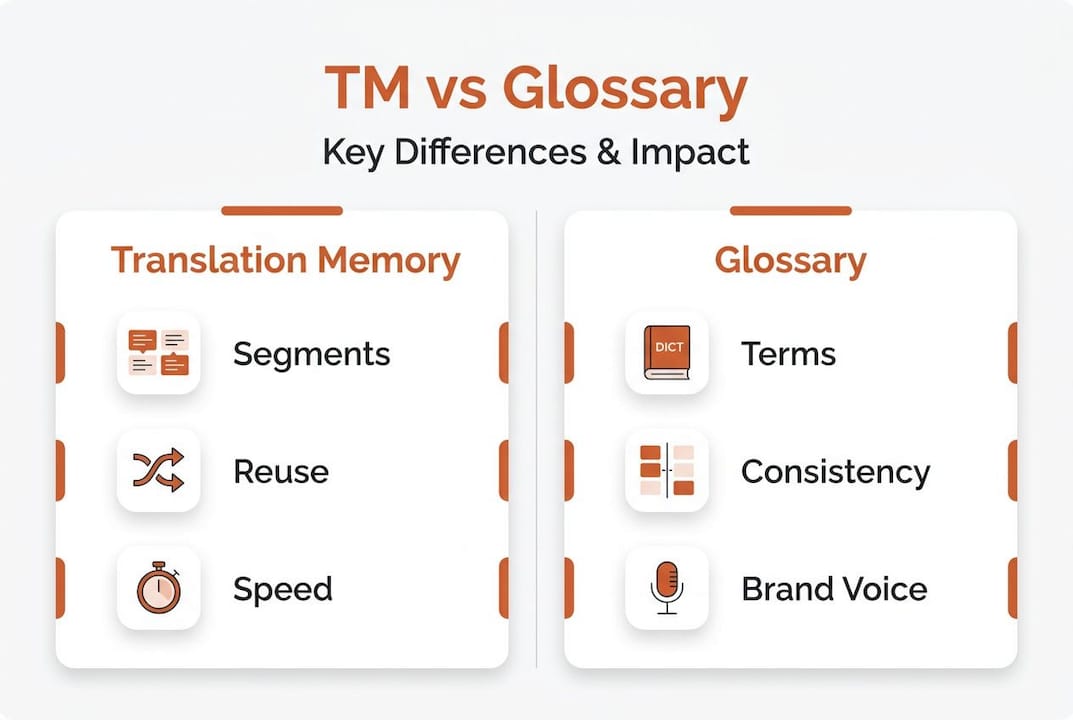
In practical terms, translation quality strategies consistently show that TM tools optimize workflows and improve translation quality, but only when backed by solid terminology management. A TM without a glossary will faithfully reuse a translation even if that translation used the wrong term in the first place. The glossary is the quality gate; the TM is the efficiency engine.
Here is a numbered list of scenarios where each tool takes the lead:
Launching a new locale from scratch: Prioritize glossary setup first. You have no prior translations to reuse, but you absolutely need terminology rules in place before translators start working.
Releasing a major product update with 40% new strings: TM handles the familiar content automatically, while the glossary ensures new strings use approved terminology.
Rebranding or renaming a product feature: Update both. The glossary enforces the new name going forward; the TM needs to be reviewed for legacy segments that carry the old name.
Bringing a new translation vendor onboard: Provide both assets immediately. The TM cuts their ramp-up time; the glossary prevents terminology drift before it starts.
Post-launch QA review: Run automated checks against the glossary for term compliance, and use TM reports to identify segments that deviated from approved matches.
“Teams that leverage both translation memory and glossary management achieve faster localization cycles and significantly fewer terminology-related QA issues across global releases.”
Using terminology management alongside TM is not a luxury for enterprise teams. It is table stakes for any product shipping to more than two locales simultaneously.
Choosing the right solution: questions and workflow considerations
Having assessed the distinctions and interactions, product teams can now approach the selection and integration process strategically. The right question is rarely “TM or glossary?” It is almost always “How do we implement both in a way that fits our team’s workflow and content volume?”
Here are the key questions to ask before building or expanding your localization infrastructure:
What is our content volume? High-volume products with frequent releases benefit most dramatically from TM. If you are pushing weekly updates to a SaaS platform across eight locales, TM is non-negotiable.
How many brand-critical or regulated terms do we have? If your product operates in finance, healthcare, or legal tech, a glossary is not optional. Terminology errors in these verticals carry real risk.
How large is our translation team? Larger teams with multiple vendors need glossaries urgently to prevent divergent terminology. A single in-house translator can compensate informally; a network of vendors cannot.
Are we rebuilding from legacy translations? Older TM databases may carry outdated phrasing. Audit before you inherit. A corrupted TM is worse than no TM because it scales errors automatically.
What does our QA process look like? If your QA is mostly manual and eyeball-based, a glossary gives reviewers a concrete checklist. If you want automated QA, you need both tools integrated into your pipeline.
Are we expanding to new markets this year? Entering a new locale is the perfect moment to invest in both tools simultaneously, rather than trying to retrofit them later.
Translation process optimization research shows that TM tools offer substantial advantages in technical translation workflows, with some teams reporting near-complete elimination of costs for repeated content. When you combine that with a well-maintained glossary, you create a localization flywheel: every translation you complete improves the next one, and every terminology decision compounds into stronger brand consistency.
Pro Tip: Map your workflow before you configure your tools. Identify where translation happens (design tools, code repos, CMS), who reviews it (PMs, UX writers, legal), and where inconsistencies typically get caught (QA, user feedback, post-launch reviews). Then build your TM and glossary integration around those real touchpoints. Check out collaborative workflow tips for practical guidance on aligning your team around shared translation assets.
Efficiency benchmarks to aim for:
Workflow state | Typical result without TM/glossary | With both TM and glossary |
|---|---|---|
Repeated segment translation | Retranslated every time (100% cost) | Near-zero cost for exact matches |
Terminology consistency rate | 60-75% across vendors | 90%+ with enforced glossary rules |
QA cycle time per locale | 3 to 5 days average | 1 to 2 days with automated checks |
Onboarding time for new vendors | 1 to 2 weeks | 2 to 3 days with shared assets |
The numbers make a compelling case. But the strategic value goes beyond cost savings. A product that speaks consistently across 12 locales builds user trust in ways that subtly inconsistent translations can never achieve.
Why most teams get localization wrong (and how to fix it)
The conventional wisdom in most product organizations sounds something like this: “Pick the tool that solves your biggest pain point right now, master it, and add complexity later.” It sounds pragmatic. In practice, it is how teams end up with a bloated TM full of wrong-term translations or a meticulously maintained glossary with no mechanism to enforce it at scale.
We have seen this pattern repeatedly. A team invests heavily in a TM early because repetition-based cost savings are easy to measure and justify. The TM grows large and powerful. Then a brand refresh happens, a key term changes, and suddenly the TM becomes the enemy, faithfully propagating the old terminology into every new release. The glossary, which would have made this update trivial to manage, was never built.
The other version is equally common. Teams create an exhaustive glossary, often at the start of a major localization effort, but then treat it as a static document. No one updates it when new features ship. Translators follow it when they remember to check it. Translation challenges examples illustrate how quickly terminology drift compounds when the glossary is disconnected from the live translation workflow.
The real lesson is this: the best localization teams do not choose between TM and glossary. They build a system where both inform each other continuously. Glossary rules shape what gets saved into the TM. TM patterns surface new terms that need glossary entries. AI-powered platforms make this bidirectional relationship almost effortless to maintain.
If you are building your localization stack from scratch, start with the glossary. Define your must-not-translate terms, your preferred equivalents for brand-critical vocabulary, and your tone rules. Then activate TM on top of that foundation. Every segment you translate will be grounded in correct terminology from day one, and your TM will grow as a reliable asset rather than a liability.
If you are inheriting an existing setup, audit your TM against your current glossary before trusting any of its matches. A one-time reconciliation project is far less painful than the ongoing QA cost of a misaligned system.
Optimize your localization workflow with Gleef
If this article has made one thing clear, it is that managing translation memory and glossaries well requires the right platform, not just the right intentions.

Gleef is built specifically for product teams who need both tools working together in real time, integrated directly into the environments where your team already works. With Gleef’s semantic translation memory and AI-powered glossary management, you can enforce terminology rules automatically, review translations in context inside Figma, and deploy updates across locales without breaking your release schedule. The Gleef localization platform gives PMs, UX writers, designers, and developers a single source of truth for every translation decision. If your team works in Figma, the AI localization Figma plugin lets you manage translations in situ, so no context gets lost between design and deployment. Faster releases, stronger brand voice, bulletproof consistency.
Frequently asked questions
Can translation memory and glossary be used together?
Yes. Using both tools together creates a complete localization system where glossary creation and maintenance ensures term-level accuracy while TM handles segment-level reuse and efficiency.
How does translation memory improve localization speed?
TM automatically reuses previously approved translations for matching segments, so translation memory enhances quality and consistency while dramatically reducing the manual effort required for each update cycle.
When should a glossary be prioritized over translation memory?
A glossary should come first when entering a new market or launching a new product, since glossary creation and maintenance establishes the terminology foundation that makes every subsequent translation more accurate and consistent.
What are common mistakes teams make with translation memory?
The most frequent mistake is failing to audit and update the TM after product changes, which causes translation quality to degrade as outdated approved translations get automatically applied to new content.
How do translation memory and glossary affect localization costs?
Both tools significantly reduce rework costs, but translation process optimization research shows TM delivers the most direct cost reduction on high-volume repeated content, while glossaries reduce the expensive QA cycles caused by terminology errors.
Recommended
Glossary Management for Localization: Boost Consistency & Cut Costs - Gleef
Translation quality standards: boost localization success - Gleef
Translation accuracy for teams: a guide to effective localization - Gleef
Translation vs. Localization: How to Speak Your Audience’s Language - Gleef
Unlock global job opportunities: why translating your CV matters