
TL;DR:
Collaborative translation is essential for consistent, high-quality global product deployment.
Clear roles and structured workflows prevent missed tasks and reduce revision cycles.
Combining the right tools, feedback processes, and continuous optimization ensures scalable, effective localization.
Scaling a digital product across languages sounds straightforward until your designer, developer, and linguist are all working from different versions of the same file. Distributed product teams face a real coordination problem: translation tasks fall through the cracks, reviewers duplicate work, and release dates slip because nobody owns the final call. Collaborative translation is not just a nice-to-have process improvement. It is the structural backbone that separates teams shipping polished, globally-ready products from those stuck in endless revision loops. This article walks you through five actionable strategies to tighten your localization workflow, from role definition and tool selection to QA processes and scaling for distributed teams.
Key Takeaways
Point | Details |
|---|---|
Set clear roles | Defining responsibilities prevents miscommunication and streamlines translation workflows. |
Choose integrated tools | Selecting collaboration platforms enables real-time edits and centralized management. |
Emphasize feedback and QA | Continuous review improves translation quality and user experience. |
Commit to ongoing optimization | A culture of iteration drives higher global product impact. |
Adapt strategy as teams scale | Tailoring workflows to team size and spread ensures sustainable global success. |
Define clear roles and workflows for translation teams
Every localization breakdown we have seen traces back to the same root cause: nobody knew who owned what. When a product manager assumes the developer will handle linguistic review, and the developer assumes the UX writer already approved the copy, you get a cascade of missed tasks and last-minute scrambles. Distributed teams need structured workflow to avoid miscommunication and redundancy, and that structure starts with role definition.
A well-functioning collaborative translation team typically includes four key roles:
Project manager: Owns timelines, coordinates handoffs, and tracks progress across markets.
Linguistic reviewer: Validates translation quality, cultural fit, and brand voice consistency.
Content owner: Usually a UX writer or product manager who approves source copy before translation begins.
Tech lead: Manages file formats, integration configurations, and deployment pipelines.
Once roles are clear, map your workflow. Sequential workflows move tasks in a straight line: source copy approved, then translated, then reviewed, then deployed. Parallel workflows allow translation and review to happen simultaneously across multiple languages, which dramatically cuts cycle time. Most scaling teams benefit from parallel workflows, but they require tighter coordination to avoid version conflicts.
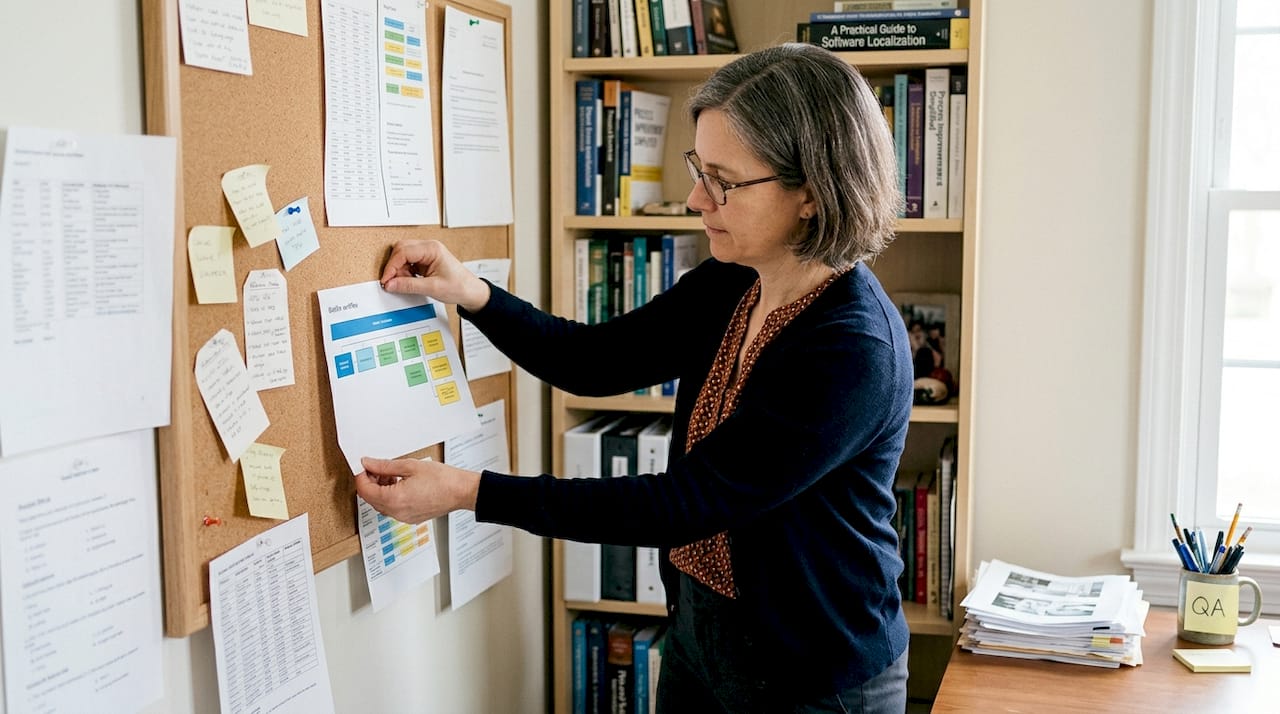
Common pitfalls include role overlap (two people reviewing the same string independently) and missed handoffs (a translated file sitting in someone’s inbox while the release waits). Both are preventable with one simple tool.
Pro Tip: Build a RACI matrix (Responsible, Accountable, Consulted, Informed) for every stage of your localization workflow. It takes an hour to create and saves days of confusion across every sprint.
With roles locked in and workflows mapped, your team has the foundation it needs. Now the question becomes: which tools will hold that structure together?
Leverage the right collaboration tools and platforms
Once roles and workflows are defined, next comes selecting the right tools for seamless collaboration. The market offers three main categories: CAT tools (computer-assisted translation software), design-integrated plugins, and cloud translation platforms. Each serves a different part of the workflow, and the best setups usually combine more than one.
Modern translation platforms integrate smoothly with design and development workflows, which means your translators and designers no longer need to work in separate silos. A Figma plugin, for example, lets linguists translate strings directly within the design environment, preserving layout context and eliminating the painful export-and-reimport cycle.
When evaluating tools, prioritize these criteria:
Real-time editing: Multiple team members should be able to work simultaneously without overwriting each other.
Version control: Every change should be logged with a timestamp and author, so you can roll back errors instantly.
API support: Your translation platform should connect to your CI/CD pipeline, so localized content deploys automatically.
Integration depth: The tool should connect natively to your design, project management, and development environments.
Here is a quick comparison to help you choose the right approach for your team:
Feature | Cloud platform | Design plugin | CLI tool |
|---|---|---|---|
Real-time collaboration | ✓ | ✓ | Limited |
In-context editing | Limited | ✓ | ✗ |
API/CI-CD integration | ✓ | Limited | ✓ |
Best for | Large teams | Design-led teams | Dev-heavy teams |
Version control | ✓ | ✓ | ✓ |
For guidance on managing multilingual content across complex product environments, combining a cloud platform with a design plugin gives you the widest coverage. The cloud layer handles scale and automation; the plugin layer preserves context and quality.
Implement real-time feedback and QA processes
Having the right tools ensures smooth collaboration; now it is critical to establish rigorous feedback and QA processes. Without them, even the best-equipped team ships strings that feel awkward, miss cultural nuance, or break the UI entirely.
Real-time feedback improves linguistic accuracy and cultural context, which directly shapes how users perceive your product in each market. A clunky translation does not just confuse users. It signals that your brand did not care enough to get it right.
Here is a four-step process for embedding feedback loops that actually work:
Assign dedicated reviewers per language. Native speakers catch errors that even fluent non-native reviewers miss. Assign one primary and one backup reviewer for each target locale.
Schedule structured feedback cycles. Build review windows into your sprint calendar, not as afterthoughts but as fixed gates before any string goes live.
Document every change with context. When a reviewer edits a translation, they should note why. This builds institutional knowledge and prevents the same mistake from recurring.
Define acceptance criteria upfront. Before translation begins, agree on what “good” looks like: tone, formality level, handling of brand terms, and character limits for UI strings.
“Quality assurance in localization is not a final checkpoint. It is a continuous conversation between linguists, designers, and product owners that runs parallel to development.”
For teams exploring the software localization impact on user retention and product perception, the data is clear: QA is not overhead. It is competitive advantage built string by string.
Foster a culture of shared ownership and ongoing optimization
After setting up feedback and QA, it is crucial to instill a mindset of shared ownership and continuous improvement. Translation is not a task you complete once per release. It is a living layer of your product that needs the same iterative attention you give to features and performance.
Continuous collaboration and iterative improvement drive better global deployment outcomes, and teams that treat localization as an ongoing process consistently outperform those who treat it as a one-time sprint. In fact, automation for translation research shows that SaaS teams integrating continuous localization into their release cycles see measurably faster time-to-market in new regions.
Track these metrics to know whether your culture of ownership is actually taking hold:
Translation consistency rate: How often does the same source term get translated the same way across your product?
Review cycle time: How long does it take from string submission to approval?
Error recurrence rate: Are the same types of mistakes appearing sprint after sprint?
Localization coverage: What percentage of your product is fully localized versus partially done?
Practices that build shared responsibility across your team include:
Holding monthly localization retrospectives where all stakeholders review metrics together.
Including translation status in your standard sprint review, not as a separate meeting.
Recognizing and rewarding contributors who catch errors early or improve glossary entries.
Using a shared glossary and style guide so every team member speaks the same language, literally.
For deeper strategies on streamlining localization across product cycles, the shift from project-based to product-based thinking is the single biggest lever available to most teams.
Adapt your strategy for distributed and scaling teams
As teams grow and become more distributed, strategy adaptation becomes essential for success. What works for a five-person startup shipping one language pair breaks down fast when you are coordinating twenty translators across eight time zones.
Collaborative translation strategies evolve with scale and geography, and teams that fail to adapt their approach as they grow often find themselves with inconsistent translations, duplicated effort, and frustrated linguists. Meanwhile, traditional localization challenges like manual file transfers and email-based review cycles become completely unworkable at enterprise scale.
Here is how strategy should shift across growth stages:
Team type | Key challenge | Recommended approach |
|---|---|---|
Startup (1-10 people) | Limited resources, fast iteration | One cloud platform, shared glossary, async reviews |
Mid-market (10-100 people) | Role clarity, growing language count | RACI matrix, design plugin, structured QA cycles |
Enterprise (100+ people) | Cross-timezone coordination, brand consistency | API-first automation, regional leads, global style guide |
For cross-timezone collaboration, asynchronous review cycles work better than real-time meetings. Use your platform’s commenting and approval features so reviewers in Tokyo and Toronto can work on the same strings without scheduling conflicts. Research on automation scaling SaaS confirms that automation at the infrastructure level frees human reviewers to focus on nuance rather than mechanics.
Pro Tip: Build your global style guide and glossary before you need them, not after your first quality crisis. Define how you handle brand names, product terms, tone of voice, and locale-specific formatting rules. This single document becomes the source of truth for every translator and reviewer on your team.
Our perspective: Collaborative translation is a product team’s best asset
Here is the uncomfortable truth most localization guides skip: siloed translation is not just inefficient. It actively destroys the user experience you worked so hard to build. When your developer exports strings without context, your translator guesses at intent, and your reviewer approves without seeing the UI, you get technically correct translations that feel completely wrong to native users.
We believe collaborative translation is a genuine competitive differentiator, not just a workflow improvement. Teams that build shared ownership into their localization process ship faster, make fewer errors, and build stronger brand trust in every market they enter. The hard-won lesson from working with product teams across industries is this: automation accelerates the work, but it does not replace the judgment that comes from a linguist, a designer, and a product manager looking at the same string together.
Do not let anyone convince you that AI alone solves localization. The beyond translation impact on user perception is deeply human. Machines handle volume. Teams handle meaning.
Gleef: Streamline collaborative translation with integrated solutions
Ready to put these strategies into action? Gleef is built specifically for product teams who refuse to let translation slow them down.

With the Figma localization plugin, your designers and linguists work in the same environment, eliminating the context-loss that kills translation quality. The CLI and API integrations connect localization directly to your development pipeline, so strings move from approved to deployed without manual intervention. Semantic translation memory, built-in glossaries, and in-context editing mean your team spends less time fixing errors and more time shipping. Explore Gleef’s localization solutions and see how teams are cutting review cycles and accelerating global releases.
Frequently asked questions
How do collaborative translation tools improve workflow efficiency?
Modern translation platforms centralize processes and provide real-time editing, reducing redundant work and keeping every stakeholder aligned without constant status meetings.
What should teams prioritize when setting up collaborative translation?
Start with role clarity and structured workflow design, then layer in integrated tools, QA gates, and a shared glossary to build a process that scales without breaking.
How can global product teams manage challenges from distributed translators?
Unified platforms with async review features, a global style guide, and regular feedback cycles keep distributed translation strategies accurate and consistent across time zones.
Are automation tools replacing collaborative translation teams?
Automation handles volume and repetitive tasks efficiently, but iterative team collaboration remains essential for cultural nuance, brand voice, and context-sensitive decisions that machines consistently get wrong.