
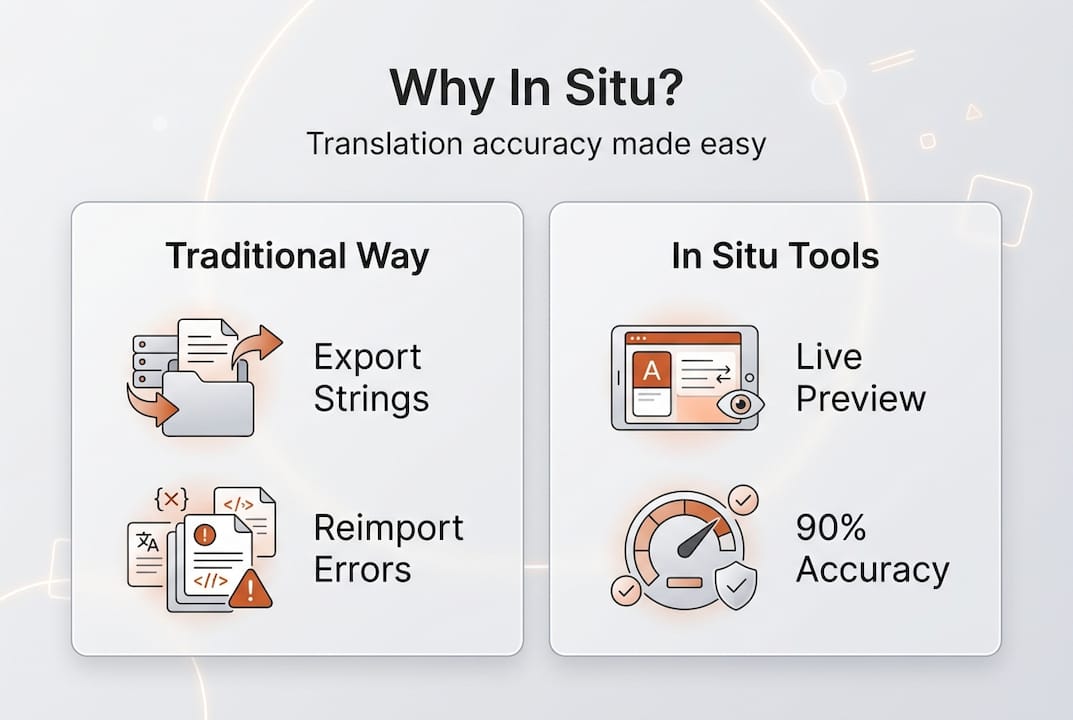
Out-of-context translation is one of the most expensive habits in software localization. When your team exports strings to static files, sends them off for translation, and reimports them weeks later, you are essentially flying blind. Layout breaks, tone mismatches, and terminology errors pile up quietly until they explode at launch. Context-aware translation delivers up to 90% acceptance rates and far fewer LQA issues, making in situ management one of the highest-leverage shifts a product team can make. This guide covers the mechanics, the measurable benefits, a direct comparison with traditional workflows, and the practical steps to get your team started.
Key Takeaways
Point | Details |
|---|---|
In context means fewer errors | Managing translations in situ catches layout and tone issues as they happen. |
Workflow speed and accuracy | Live previews and integrated tools accelerate QA and reduce ambiguities for teams. |
Best for product teams | In situ translation is most valuable for product, design, and localization roles working together on digital products. |
Choose integrated solutions | Adopt platforms that connect with your team’s design and development stack for easiest rollout. |
What does in situ translation management mean?
Now that we recognize the cost of working out of context, let’s clarify what in situ translation management actually means and why it’s different.
In situ translation management means translating content directly within the product’s live interface rather than exporting strings to static spreadsheets or disconnected files. Instead of guessing how a translated phrase will look inside a button or a modal, your translators and reviewers see the real thing. That shift sounds simple, but it changes everything about how errors get caught and fixed.
Traditional workflows treat translation as a handoff. Strings leave the product, travel through email or a generic TMS, and return as text that may or may not fit the UI. In situ tools collapse that gap entirely.
Here is what a modern in situ system typically includes:
Live preview rendering so translators see text inside actual UI components
Figma screenshot integration that links design frames directly to translation strings
Automatic screenshot text linking to match visual context with editable content
Real-time editing that surfaces layout breaks, tone mismatches, and terminology errors before they reach code
These key mechanics address the three most common localization pain points upfront: text that overflows its container, phrasing that sounds robotic in the target language, and brand terms that get mistranslated because the translator had no visual reference.
“Seeing the product is not a luxury for translators. It is the minimum viable context for producing accurate, native-sounding copy.”
If you want to understand the full power of localizing directly in Figma, or you need a walkthrough of the Figma plugin workflow, both resources will sharpen your understanding of how these mechanics work in practice.
How in situ translation tools boost workflow efficiency
With a clear definition in place, we can explore the actual impact these tools bring to product managers and localization teams.
Speed is the first win. When translators catch a layout break in real time, the fix takes seconds. When that same break surfaces during post-launch LQA, the fix requires a developer, a release cycle, and a frustrated user base. In situ tools move the discovery point as early as possible.
Accuracy improves because context eliminates ambiguity. A string like “Save” means something different on a settings page than on a payment confirmation screen. Translators working inside the live interface know exactly which meaning applies.

Collaboration becomes centralized. Product managers, UX writers, and localization leads can comment, approve, and iterate inside one environment instead of chasing feedback across email threads and spreadsheets.
Here is a numbered breakdown of how efficiency compounds across a typical release cycle:
Strings are translated in context during the design or development phase, not after.
Layout issues are flagged immediately by the live preview, eliminating a full QA round.
Terminology is enforced by glossaries embedded in the tool, so brand voice stays consistent.
Approvals happen in the same platform, cutting review cycles from days to hours.
Post-launch fixes drop sharply because problems were solved before the build was frozen.
The numbers back this up. 90%+ AI acceptance rates are achievable when structured context is provided, which directly reduces the volume of review fixes and LQA issues your team has to manage.
Pro Tip: When you first introduce in situ tools, run a parallel sprint where one feature is localized the old way and another uses the new workflow. The difference in rework hours will make the business case for you.
For a deeper look at how to streamline localization for teams at scale, or to revisit translation workflow basics before rolling out new tooling, both guides are worth bookmarking.
Comparing in situ vs. traditional translation management
Understanding workflow improvements leads us to a direct comparison, so you can see exactly where in situ shines.
Dimension | Traditional workflow | In situ workflow |
|---|---|---|
Process steps | Export, translate, reimport, QA | Translate inside live UI, approve |
Review accuracy | Low, context is missing | High, full visual context available |
Collaboration | Fragmented across tools | Centralized in one platform |
Error detection | Late-stage LQA | Real-time during translation |
Launch timeline | Delayed by rework cycles | Accelerated by early error catching |
Legacy methods create bottlenecks because every handoff is a potential failure point. A string exported without a screenshot is a string waiting to be mistranslated. A review cycle that happens after code freeze is a review cycle that costs twice as much to act on.
In situ tools excel specifically for software and digital products because the interface is the context. There is no substitute for seeing your translated copy inside the actual component it will live in.
Software teams benefit from fewer release blockers caused by text overflow or broken layouts.
Design teams can validate localized designs without leaving their tools.
Localization managers gain a single source of truth for all language assets.
Live previews and automatic detection prevent issues that typically emerge in late-stage localization QA, which is exactly where traditional workflows are most vulnerable.
For a broader look at translation challenges that teams commonly face, or to understand the real impact of localization on product success, both resources add useful perspective. Teams building multilingual themes can also reference this multilingual theme guide for additional technical context.
Key mechanics of effective in situ translation
Having weighed both approaches, let’s break down which features actually make in situ management so effective in daily workflows.
Three mechanics do the heaviest lifting:
Live update preview renders translated strings inside the actual UI in real time. Translators see overflow, truncation, and alignment issues the moment they type, not three weeks later during QA.
Screenshot linking connects design frames or production screenshots to specific translation strings. This gives every translator a visual anchor, eliminating the guesswork that causes tone and terminology errors.
Real-time collaborative editing allows product managers and localization leads to review, comment, and approve without leaving the platform. No more version-control nightmares or lost feedback threads.
Live preview, screenshot integrations, and real-time editing address layout, tone, and terminology issues proactively, which is why teams that adopt these mechanics report dramatically shorter review cycles.
Onboarding your team to these tools does not have to be painful. Start with a single language pair and one product area. Let the team experience the live preview firsthand before rolling out to the full localization suite.
Pro Tip: Pair your in situ tool with a well-maintained glossary from day one. Glossaries enforce brand terminology automatically, so translators never have to guess whether your product name should be translated or kept as-is.
The Figma plugin step-by-step guide is a practical starting point for teams new to in-context editing. For a broader view of how to optimize your localization workflow in 2026, that resource covers tooling, process design, and team structure in detail.
Best practices for successful in situ implementation
To make these mechanics work in your favor, follow these proven steps and best practices for implementation.
Shifting to in situ is not just a tool swap. It is a workflow redesign. Teams that treat it as a simple software install often miss the full benefit. The ones that succeed treat it as a process change supported by the right tooling.
Here is what separates successful implementations from stalled ones:
Choose tools with native live preview. If your platform requires a separate step to render context, you are still working semi-blind. True in situ means the preview is always on.
Train both development and localization contributors together. Siloed training creates siloed workflows. When developers understand why translators need context, they build better string structures. When localization teams understand the dev pipeline, they flag issues at the right moment.
Set explicit QA standards for in-context reviews. Define what a passing review looks like: text fits the container, tone matches the brand voice guide, terminology aligns with the glossary. Without clear standards, reviews become subjective and slow.
Build a feedback loop into every sprint. After each localized release, collect data on post-launch fixes. Use that data to refine your in-context review process. Continuous iteration is what turns a good implementation into a bulletproof one.
Integrate your translation memory from the start. Semantic translation memory means consistent strings get reused automatically, cutting translation volume and cost over time.
Teams using structured in-context workflows report improved review rates and significantly fewer LQA issues, which compounds into faster release cycles and lower localization costs over time.
For a complete implementation roadmap, the digital product translation guide covers everything from tool selection to team structure and QA standards in one place.
Accelerate your localization with Gleef’s in situ tools
If you’re ready to experience fewer translation errors and faster launches, Gleef makes in situ management effortless for product teams of every size.

Gleef’s platform is built around context-first translation. The Gleef Figma plugin lets your team translate directly inside design files, with live previews and screenshot linking built in from the start. No exports, no reimports, no guessing. For teams that need CLI-level control, Gleef Studio brings the same in-context power to your development pipeline. Semantic translation memory, AI-powered suggestions, and glossary enforcement work together to keep your brand voice consistent across every language and every release. The result is a localization workflow that accelerates your product launches instead of blocking them.
Frequently asked questions
How does in situ translation prevent layout issues?
Live previews catch layout issues upfront by letting translators see real content inside actual product interfaces, so text overflow and misaligned UI elements are fixed before they ever reach a developer.
What software roles benefit most from in situ translation tools?
Product managers, designers, developers, and localization teams all gain greater accuracy and faster review cycles. Preview-based workflows help every role catch issues in early stages rather than scrambling after a release.
Is in situ translation management compatible with design tools like Figma?
Yes. Modern solutions integrate directly with Figma to deliver real-time editing and preview capabilities. Figma screenshot integration is a core mechanic of effective in situ tools, connecting design frames to translation strings automatically.
Does in situ translation slow down development?
No. It actually speeds up releases by eliminating rework cycles. Real-time editing and early error catching shorten overall timelines by resolving issues during translation rather than after code freeze.