
TL;DR:
In-context editing allows real-time translation adjustments directly within live UI layouts, enhancing accuracy and efficiency. It requires a supported TMS API, inline components, a controlled edit mode, and secure messaging architecture for successful implementation. Propagating accepted edits as shared, versioned assets ensures consistency and reduces repeated terminology debates across localization projects.
The in-context editing process is defined as editing translatable content directly within its live application layout, giving editors immediate visual feedback on how every change looks in production. For product teams and localization professionals, this approach replaces the guesswork of spreadsheet-based translation with a real-time loop where you see the result the moment you type it. The industry term for this practice is in-context localization editing, and it sits at the intersection of translation management, front-end architecture, and UX writing. Done right, it cuts review cycles, reduces back-and-forth between developers and translators, and produces native-sounding copy that actually fits the UI it lives in.
What tools and technical prerequisites does the in-context editing process require?
Building a working in-context editing process starts with the right architecture. You need four core components before a single translator touches the interface.
Translation management system with inline editing support. Your TMS must expose API endpoints for both fetching and updating translations. The standard pattern uses a GET endpoint to load translation keys on page render and a PUT endpoint to write changes back to the data store when an editor saves. Without writable API access, in-context editing becomes read-only and loses most of its value.
Front-end components for state and display. Two components do the heavy lifting:
TranslationProvider manages global translation state, loads the active locale on mount, and exposes a context object that child components consume.
EditableText renders the translated string normally in production but switches to an editable input on click in edit mode, handling keyboard shortcuts, blur events, and visual styling.
Supporting UI controls. A language switcher lets editors toggle between locales without reloading the page. An edit mode toggle, typically restricted to development or staging environments, gates the inline editing capability so it never surfaces to end users in production. Both controls should be wired to the same shared state that TranslationProvider manages.
Security and iframe architecture. Many teams embed their in-context editing overlay inside an iframe sandbox for isolation. When you do, explicit message protocols with origin validation are not optional. A message-driven architecture that exchanges only the necessary metadata while keeping execution boundaries intact is the difference between a reliable integration and one that breaks every time authentication tokens rotate.
Here is a quick reference for the technical stack:
Component | Role | Key requirement |
|---|---|---|
Translation API (GET/PUT) | Fetch and persist translations | Authenticated, versioned endpoints |
TranslationProvider | Global state management | Locale switching without page reload |
EditableText | Inline editing UI | Keyboard shortcuts, blur-to-save |
localStorage cache | Performance layer | Reduce repeated backend fetches |
Edit mode toggle | Access control | Dev/staging only, never production |
Pro Tip: Cache translations using localStorage to improve responsiveness. Client-side caching reduces repeated backend fetches and keeps the editing experience fast even on slower connections.
How does the in-context editing process work step by step?
The practical workflow follows a tight loop. Each step builds on the last, and the whole cycle typically completes in under two seconds for a well-architected system.
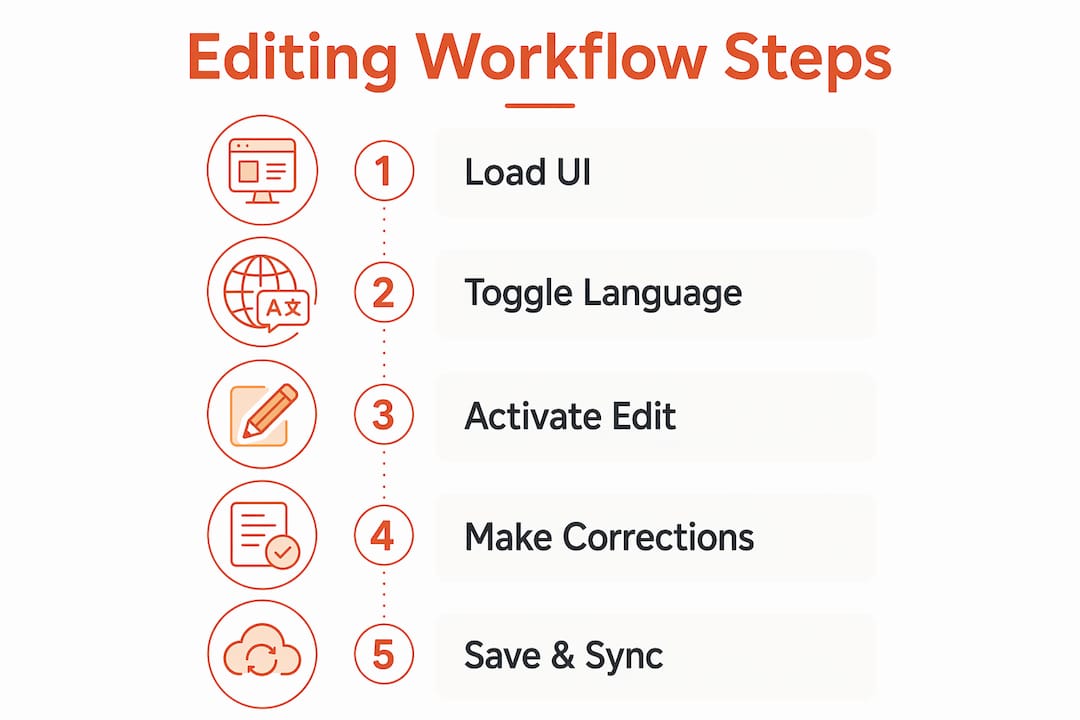
Editor activates edit mode. The edit mode flag switches on, usually via a toolbar toggle visible only in development or staging. This flag tells every EditableText component on the page to render a clickable affordance around translatable strings.
Editor clicks a UI string. Clicking a translatable element triggers the component to replace the static text with a focused input field. The EditableText component auto-focuses the input and pre-fills it with the current translation value, so the editor starts from what already exists rather than a blank field.
Editor types the new translation. The editor sees the string inside the actual UI layout. Button labels show their true character limits. Navigation items reveal whether the new text wraps. Error messages appear in the exact color and font weight the designer specified. This is the core in-context editing benefit: what you edit is what ships.
Editor saves or cancels. Pressing Enter or clicking away (blur) triggers a save. Pressing Escape cancels and restores the original string. Both interactions are handled by the EditableText component without requiring a separate save button.
API call fires. On save, the component sends a PUT request to the translation backend with the locale, translation key, and new value. The backend updates the data store and returns a confirmation response.
UI state refreshes immediately. The UI updates to reflect changes without a page reload. TranslationProvider receives the updated value and re-renders all components consuming that key. If the same string appears in three places on the page, all three update at once.
Editor moves to the next string. The loop repeats. A skilled localization professional can review and refine an entire screen in minutes rather than hours.
Pro Tip: Restrict the edit mode flag to non-production environments by checking an environment variable at render time. This single guard prevents accidental exposure of the editing UI to real users and keeps your localization workflow clean.
What are common challenges when implementing in-context editing?

Even a well-designed in-context editing process surfaces predictable friction points. Knowing them in advance saves you days of debugging.
Synchronization between frontend and backend state is the most frequent issue. If the PUT request succeeds but the frontend state does not update correctly, editors see stale text and assume their save failed. The fix is to update local state optimistically on save and roll back only if the API returns an error.
iframe and cross-origin security trips up teams that embed editing overlays in sandboxed frames. Without validated message origins, a translation overlay cannot confirm it is communicating with the correct host application. As one architecture analysis notes, message origin validation is critical to prevent brittle integrations where overlays cannot sync state or authentication correctly.
Missing translation fallbacks create blank UI elements that confuse editors and break layout. The correct behavior is to show the translation key itself when a translation is absent. Editors immediately spot untranslated strings, and the UI maintains structural integrity.
Over-aggressive context clearing is a subtler problem. When teams configure their system to clear translation context too broadly, they discard subtle but critical terminology decisions that took significant effort to establish.
Excessive context removal can lose important nuance. The right approach is to tune retention policies carefully, keeping accepted human edits as reusable reference points rather than discarding them after each session. Safe editing boundaries protect the knowledge your team has already built.
Performance and caching round out the common challenges. Without a caching layer, every page load triggers a fresh API fetch for all translation keys. This adds latency that makes the editing experience feel sluggish. Storing translations in localStorage with a versioned cache key solves this without sacrificing freshness.
Why use in-context editing for localization consistency and efficiency?
The in-context editing benefits extend well beyond convenience. They reshape how product teams and localization professionals collaborate across the entire content lifecycle.
Translation accuracy improves because context is visible. A translator working from a spreadsheet sees a string like “Save” with no surrounding information. That string could be a button label, a confirmation message, or a menu item. Each context demands a different word in German, Japanese, or Portuguese. In-context editing eliminates this ambiguity entirely because the translator sees the string inside the actual component.
Iteration speed increases measurably. The traditional review cycle involves exporting strings, sending them to a translator, importing the result, building the app, and then reviewing. The in-context editing process collapses this into a single session. Non-technical UX writers and product managers can refine translations directly without filing tickets or waiting for developer support.
Consistency compounds over time through shared state. The Language Twin architecture demonstrates this clearly: accepted human edits become reusable supervision for later segments and documents, supporting localization consistency rather than treating each edit as an isolated fix. This transforms post-editing from a one-off task into an ongoing consistency mechanism. Teams that implement shared versioned translation states stop rediscovering the same terminology decisions repeatedly, which is one of the most expensive hidden costs in localization at scale.
Here is how in-context editing compares to traditional string-based translation workflows:
Dimension | Traditional workflow | In-context editing |
|---|---|---|
Context visibility | None (spreadsheet rows) | Full UI layout visible |
Iteration speed | Days per cycle | Minutes per session |
Non-technical access | Requires developer support | Direct editor access |
Consistency mechanism | Manual style guides | Propagated accepted edits |
Error detection | Post-build review | Real-time during editing |
Pro Tip: Treat every accepted human edit as a reusable asset, not a one-time correction. Platforms that propagate edits forward as versioned overlays, like Gleef’s translation consistency tools, turn individual corrections into organization-wide terminology standards.
My honest take on in-context editing in real localization projects
I have watched product teams implement in-context editing with genuine enthusiasm, only to undermine it six months later by ignoring the shared state problem. They build the UI components correctly, wire up the API, and celebrate the first successful inline edit. Then they let each editor work in isolation, clearing context between sessions, and wonder why the same terminology debates resurface every sprint.
The technical setup is the easy part. The hard part is treating accepted edits as a shared, versioned asset that the whole team inherits. Without that discipline, you are running a sophisticated editing interface on top of a fragmented knowledge base. The Language Twin research puts it plainly: without centralized shared state, editors repeatedly uncover the same decisions, causing inconsistency and inefficiency that compounds with every new locale you add.
My recommendation is to design your retention policy before you write a single component. Decide which edits propagate automatically, which require human approval, and which are locale-specific overrides. Then build those rules into your architecture from day one. Retrofitting them later is painful and often incomplete.
I also push back on teams that want to automate everything. Automation handles volume; humans handle judgment. The contextual editing technique works best when it gives skilled localization professionals direct access to the UI, not when it tries to replace their judgment with rules. The goal is to remove friction from human expertise, not to substitute for it.
— Antoine
How Gleef powers your in-context editing workflow

Gleef is built specifically for product teams who need in-context editing without the overhead of building and maintaining custom components. The platform integrates directly with Figma, so designers and UX writers work inside the tools they already use. Its semantic translation memory and glossary features act as the shared versioned state layer that most custom implementations skip, propagating accepted edits forward automatically and enforcing terminology consistency across every locale.
For localization professionals managing multiple markets, Gleef’s API and edit propagation features mean a correction made in one session becomes a standard for future translations, not a forgotten fix. If you want to see how this works in practice, explore Gleef’s platform and discover how product teams are cutting localization cycles without sacrificing quality.
Key takeaways
The in-context editing process delivers its full value only when accepted human edits are stored as shared, versioned state and propagated forward across the entire localization project.
Point | Details |
|---|---|
Core definition | In-context editing means editing translations directly inside the live UI layout for immediate visual feedback. |
Technical foundation | You need a TMS with GET/PUT API access, TranslationProvider, EditableText, and a secured edit mode toggle. |
Step-by-step loop | Click, edit inline, save via PUT request, and watch the UI refresh without a page reload. |
Biggest risk | Over-aggressive context clearing discards accepted edits and forces teams to rediscover terminology decisions repeatedly. |
Consistency multiplier | Propagating accepted human edits as versioned overlays transforms isolated corrections into organization-wide standards. |
FAQ
What is in-context editing in localization?
In-context editing is the practice of editing translated strings directly within the live application UI, so editors see exactly how text fits the layout, font, and component before saving. It replaces spreadsheet-based translation with a real-time visual loop.
What technical components does in-context editing require?
The minimum setup includes a translation API with GET and PUT endpoints, a TranslationProvider component for state management, an EditableText component for inline editing, and an edit mode toggle restricted to non-production environments.
How does the in-context editing process handle missing translations?
When a translation key has no value, the system displays the key itself rather than blank text, helping editors identify untranslated strings without breaking the UI layout.
Why is shared translation state important for in-context editing?
Without shared versioned state, editors repeatedly rediscover the same terminology decisions across sessions and locales, creating inconsistency. Accepted human edits stored as reusable overlays prevent this by making every correction a lasting standard.
Can non-technical users participate in the in-context editing process?
Yes. The in-context editing process is designed to give UX writers, product managers, and localization professionals direct access to translation refinement without developer involvement, as long as the edit mode toggle and permissions are configured correctly.