
TL;DR:
In-context localization enables translators to see and review content within the actual product interface.
It reduces errors, speeds up releases, and improves user experience by integrating translation into development workflows.
Success relies on proper tool integration, cross-functional ownership, and continuous feedback loops.
Your product is ready to ship globally, but localization is still a bottleneck. Translators are working from exported string files, designers are guessing how text will fit in the UI, and your release date is slipping. Sound familiar? Traditional localization tools often slow down releases for global product teams, and the cost shows up in delayed launches and frustrated users. In-context localization flips this model entirely. Instead of translating strings in isolation, your team works directly within the product environment. This guide walks you through preparation, execution, and verification so you can build a workflow that actually ships.
Key Takeaways
Point | Details |
|---|---|
Reduce localization errors | In-context workflows help teams catch mistakes before release by showing translators the full product context. |
Accelerate time-to-market | Integrated tools and automation dramatically speed up the localization process for global launches. |
Empower cross-functional teams | Product managers, designers, and writers can collaborate seamlessly within a shared workflow. |
Measure and improve quality | Continuous feedback and QA ensure that localization keeps up with product updates and user expectations. |
What is in-context localization workflow?
In-context localization is the practice of translating and reviewing content while viewing it inside the actual product interface, whether that’s a web app, mobile screen, or design prototype. Translators see exactly how their words will appear to end users, which changes everything. They can spot text overflow, identify tone mismatches, and catch cultural missteps before they ever reach production.
Traditional string-based translation pulls content out of its environment. A translator receives a spreadsheet or a JSON file with hundreds of isolated strings, no visual context, no layout reference. The result is translations that are technically accurate but practically broken. Buttons get truncated, error messages feel robotic, and navigation labels confuse users instead of guiding them. In-context localization integrates translation directly within product environments, reducing errors and misaligned UX.
Key differences between in-context and traditional localization:
Factor | Traditional localization | In-context localization |
|---|---|---|
Translator’s view | Exported string list | Live product interface |
Error detection | Post-production | During translation |
Designer involvement | Minimal | Active collaboration |
Feedback loop | Slow, sequential | Real-time, parallel |
Release speed | Delayed | Accelerated |
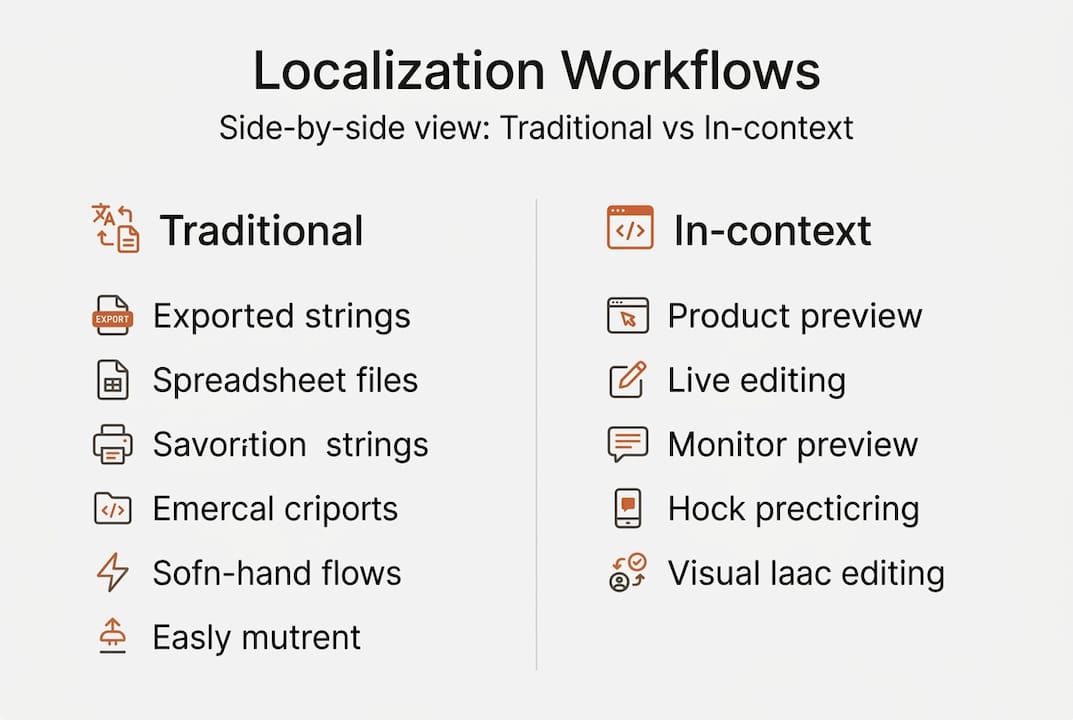
The benefits go beyond speed. When translators see the layout, they make smarter length decisions. When designers collaborate in the same environment, they catch visual regressions instantly. Product managers get accurate previews before sign-off. The entire team operates from a single source of truth.
Teams that gain the most from in-context localization:
Product managers who need confidence that translated releases match the original design intent
UX writers who want their voice preserved across every market
Designers who refuse to let their pixel-perfect vision crumble under bad translations
Developers who want to reduce localization-related bug reports
Product teams adopting in-context workflows reduce localization errors by up to 40%, and that number has real downstream impact on support costs and user retention. This is not a marginal efficiency gain. It is a structural improvement to how your product reaches the world.
Preparation: Setting up for in-context localization success
Before your first translator opens a screen, your infrastructure needs to be solid. The right setup prevents the most common failure mode: teams adopting a new approach but keeping old habits underneath it. Choosing platforms that integrate well is critical for successful localization, so treat your tool selection as a strategic decision, not a procurement checkbox.

Core requirements checklist for teams:
Tool | Purpose | Owner | Notes |
|---|---|---|---|
Translation management system (TMS) | Centralizes strings and workflows | PM or localization lead | Must support in-context preview |
Design tool integration (e.g., Figma) | Visual context for translators | Designer | Plugin or native support needed |
API or SDK | Connects codebase to TMS | Developer | Enables real-time sync |
Glossary and style guide | Enforces brand voice | UX writer | Non-negotiable for consistency |
QA preview environment | Validates translations in-product | QA or PM | Staging environment recommended |
Workflow ownership is a decision you need to make early. Who drives the localization process day to day? In many product teams, this responsibility falls into a gray area between the product manager and the developer. The strongest setups use a cross-functional owner, someone who understands both the product experience and the technical pipeline, supported by clear RACI (responsible, accountable, consulted, informed) assignments for each step.
For your initial rollout, resist the urge to localize everything at once. A structured localization workflow guide will tell you to start with one feature or one language pair, learn what breaks, and then scale. This approach surfaces integration gaps early, before they cascade across a full product release.
Best practices for setup:
Align on a single source of truth for all translation keys before onboarding translators
Define character limits and UI constraints for each translatable element upfront
Establish a review and approval chain so no translation ships without a second pair of eyes
Document your glossary in the TMS so every translator uses the same terminology from day one
Plan for common localization challenges by building fallback rules into your workflow
Pro Tip: Run a pilot project with one target language and one product section before scaling. This gives your team a low-stakes environment to refine roles, test integrations, and build confidence in the process.
Execution: Step-by-step in-context localization process
With your tools configured and your team aligned, execution becomes a repeatable process. The goal here is to keep translation, review, and QA happening in parallel, not in sequence. Here is how that looks in practice.
Step 1: Connect your tools. Integrate your design environment, codebase, and translation platform so strings flow automatically. When a developer updates a UI element, translators should see it in their queue without anyone sending a file. This connection eliminates the version drift that haunts traditional workflows, where translators work on content that developers have already changed.
Step 2: Enable in-context previews. Give translators and reviewers access to a live or staged version of the product. They should be able to toggle between languages and see exactly how their text renders on screen. This step is where in-context localization earns its name. Without real previews, you are still doing string-based translation with extra steps.
Step 3: Run collaborative translations and reviews. Translators work in the product interface, flagging issues directly on the element they are editing. Reviewers from your local markets can comment, approve, or request changes without leaving the platform. This parallel workflow, described in collaborative translation best practices, cuts review cycles dramatically.
Step 4: Automate QA checks. Set up automated rules to catch common issues: text overflow, missing variables, broken formatting, and untranslated strings. Automation in localization maximizes consistency and reduces manual effort, which means your QA team spends time on real problems, not repetitive checks. Stage your releases by market so issues in one region do not block others.
Step 5: Roll out and collect feedback. Launch to your target market and immediately open a feedback channel with local support teams and users. Real-world context surfaces issues that even excellent translators miss. Build a fast-response process so critical fixes ship within days, not sprints. Use streamlining localization strategies to keep this loop tight and efficient.
Pro Tip: AI-assisted tools that detect context automatically, reading surrounding UI elements to inform translation choices, are game-changers for large-scale rollouts. Use them to surface ambiguous strings before they reach human reviewers.
Verification and iteration: Measuring success and avoiding pitfalls
Shipping is not the finish line. Verification is where in-context localization proves its lasting value, because you are not just checking translations, you are checking the entire product experience in a new language.
Essential metrics to track after launch:
Translation quality score: Use automated scoring or reviewer ratings to track consistency over time
Time to market: Measure how long localization takes from content freeze to release per language
Post-launch error reports: Count localization-related tickets opened by users or support teams
UI regression rate: Track how often translation changes break layout or design
Glossary compliance: Check that approved terminology is used consistently across all markets
The most common mistake teams make after launch is treating verification as a one-time audit. Markets evolve, product copy changes, and user expectations shift. Your workflow needs a scheduled review cycle, not just a post-mortem. Product teams relying on in-context QA report faster cycles and fewer post-shipping bugs, but only when verification is built into the rhythm of the team, not bolted on at the end.
Gather feedback from local testers who use the product the way real users do. Support teams in each market are an underused resource. They hear about translation failures daily, from confusing error messages to culturally tone-deaf notifications. Create a direct line from support to your localization team.
“Teams that close the feedback loop between local users and their localization workflow see compounding improvements. Each release gets faster and more accurate than the last.”
Avoid the trap of key localization challenges like freezing your workflow after the first successful release. In-context localization is a living system. Treat it that way and it becomes a genuine competitive asset.
A new mindset: In-context localization as a competitive edge
Here is the uncomfortable truth most articles skip: tool selection is secondary. You can implement every platform on this list and still fail if your team treats localization as a final step before shipping. The real shift is cultural, not technical.
Traditional localization was reactive. Teams finished the product, then handed it off to translators. In-context workflows demand that localization becomes a design-time priority, baked into every sprint, every component, every content decision. Teams that embrace cross-functional localization from day one outperform competitors who localize late, not because their tools are better, but because their thinking is different.
When your UX writer considers character limits for German before the component is built, you avoid rework. When your designer tests the Arabic layout in the prototype stage, you avoid broken RTL (right-to-left) releases. This is what it means to make localization part of every product conversation, and it is the difference between teams that scale globally with confidence and teams that scramble every release cycle.
Streamline your workflow with Gleef
If your team is ready to move from reactive localization to a bulletproof in-context system, Gleef Studio is built for exactly that. Gleef brings AI-powered translations, semantic translation memory, and in-context editing directly into your product workflow, including native Figma integration so designers and UX writers never have to leave their environment.

The platform handles everything from glossary enforcement to staged preview simulations, giving product managers the confidence to ship translations without a last-minute review scramble. Explore Gleef and see how teams like yours are cutting localization time while raising translation quality across every market they serve. Your global launch does not have to wait.
Frequently asked questions
What makes in-context localization different from traditional localization?
Unlike traditional localization, in-context workflows allow translators to see and edit text within the actual product environment, which means errors and misaligned UX are caught during translation rather than after release. The result is fewer bugs, faster approvals, and better-fitting copy across every language.
Which teams benefit most from in-context localization?
Product managers, UX writers, designers, and developers in tech-focused organizations see the biggest gains. Product teams see significant improvement because in-context workflows align everyone around the same visual reference, eliminating the guesswork that string-based translation creates.
How can we measure success in our in-context localization workflow?
Track translation quality scores, time to release, and post-launch error rates as your core indicators. Teams using in-context QA report better release cycles and fewer bugs, especially when they also gather direct feedback from local users and support teams after each launch.
What tools are essential for in-context localization?
You need a translation management system with in-context preview support, APIs or SDKs for codebase integration, and real-time design tool connectivity. Choosing platforms that integrate well is critical because a disconnected tool stack reintroduces the version drift and manual handoffs that in-context localization is designed to eliminate.