
TL;DR:
Most product teams treat localization like painting a wall, applying equal effort to all segments, which wastes resources. Combining preview simulation with AI-powered quality estimation enables targeted, efficient workflows that catch issues early and prioritize high-risk content. This strategic approach accelerates global releases, reduces costs, and ensures quality by focusing human review where it matters most.
Most product teams approach localization like they’re painting a wall: cover everything with the same effort, same resources, same level of scrutiny. It’s a comfortable assumption that every translation segment deserves equal treatment. But that assumption quietly drains your budget, delays your releases, and delivers mediocre quality where precision matters most. The smarter path forward combines preview simulation with AI-driven quality estimation, allowing your team to route effort intelligently, catch real problems early, and ship globally with confidence. Here’s what that actually looks like in practice.
Key Takeaways
Point | Details |
|---|---|
Preview simulation cuts risk | Visualizing localized content early lets teams catch errors before launch and avoid costly fixes. |
Quality estimation sharpens workflows | Predictive tools focus review efforts on risky segments, saving time and resources. |
AI enables strategic localization | AI-driven routing selects when to use high-cost reviews, matching quality without waste. |
Targeted simulation beats brute force | Prioritizing segments by risk with preview simulation achieves better outcomes than simulating everything. |
Why preview simulation matters in localization
Localization has historically been treated as a final step, something you bolt onto the end of the development cycle after the “real work” is done. That approach creates an expensive bottleneck. Bugs surface late, layout breaks go unnoticed until QA, and review cycles stretch across weeks instead of days.
Preview simulation flips this dynamic entirely. It lets your team visualize how localized content looks, reads, and functions inside the actual product interface before you ever push to production. You’re not reviewing strings in a spreadsheet or a translation management system isolated from context. You’re seeing translated UI copy render in real buttons, real modals, real navigation menus. This shift from reviewing content in isolation to reviewing it in context is genuinely transformative.
Here’s what effective preview simulation enables for your localization workflow:
Early layout validation: Catch text overflow, truncation, and wrapping issues while there’s still time to fix them without a hotfix cycle.
Cross-locale visual comparison: Switch between English, Japanese, and German in a single session to spot inconsistency immediately.
Contextual accuracy checks: Reviewers can judge whether a translation is actually appropriate for its context, not just grammatically correct in isolation.
Reduced back-and-forth cycles: Designers, developers, and translators align faster when everyone sees the same visual ground truth.
Accelerated release timelines: Fewer late-stage surprises mean you can commit to tighter shipping windows with greater confidence.
But preview simulation alone isn’t enough. The real power emerges when you pair it with AI-powered quality estimation (QE). As predictive adaptive localization frameworks describe, QE is a probabilistic and predictive quality assessment method that works without needing a reference translation. It segments your content by expected quality and risk, so you can differentiate your workflows by confidence level rather than treating everything uniformly.
“Not all segments carry equal risk. The real leverage in localization comes from knowing which segments need your sharpest attention and which can move forward without it.”
This is the foundation of a quality-aware workflow. Instead of uniformly reviewing 10,000 translation segments with the same effort, you apply your most valuable resources, human experts, senior UX writers, brand reviewers, precisely where the predicted risk is highest. That’s not cutting corners. That’s working with clarity. You can deepen your understanding of this approach through our translation simulation guide.
How preview simulation works in developer pipelines
Building on the value of preview simulation, let’s look at how developers actually put this into practice inside their toolchains.
The most practical entry point is locale injection: setting environment locale identifiers that force your app’s UI to reload with a specific language’s translations. This sounds simple, but the workflow implications are significant. Developers can cycle through multiple locales without rebuilding the entire app or spinning up a full simulator loop for each language.
A concrete example illustrates this well. In SwiftUI development workflows, developers set environment locale identifiers directly in preview declarations. The preview reloads with different translations automatically, meaning you can render your English, French, Arabic, and Thai UI side by side in Xcode without running separate simulator instances for each. This approach cuts the feedback loop from minutes to seconds per locale.
Here’s a practical four-step approach to integrating preview simulation into your pipeline:
Configure locale identifiers early: Set up your build environment to accept locale injection as a standard parameter, not an afterthought.
Build preview targets for key locales: Identify your top five or ten target markets and create dedicated preview configurations for each.
Integrate preview checks into CI/CD: Automate locale rendering as part of your continuous integration pipeline so layout issues surface on every code push.
Link preview outputs to QE scores: Connect visual preview outputs with quality estimation data so reviewers can prioritize which locale previews need human attention.
The following table shows how preview simulation compares to traditional end-to-end simulation across key performance dimensions:
Dimension | Traditional simulation | Preview simulation with locale injection |
|---|---|---|
Setup time per locale | 15-30 minutes | 2-5 minutes |
Resource consumption | High (full simulator loop) | Low (preview-only rendering) |
Feedback loop speed | Slow (post-build) | Fast (pre-build, in-IDE) |
Integration with CI/CD | Manual or semi-automated | Fully automatable |
Coverage of edge cases | Inconsistent | Consistent with targeted configs |
The resource efficiency gains are real and compound over time. When you’re localizing for 20 or 30 languages, shaving 20 minutes of simulation overhead per locale per sprint adds up to hundreds of hours per year. For teams scaling their cross-functional localization with AI, that efficiency directly accelerates global deployment timelines.

AI-driven quality estimation: smarter workflows
Now, let’s connect preview simulation with smarter quality estimation workflows. AI-powered QE is arguably the most underutilized capability available to product teams today. Most teams know it exists. Very few have wired it into their actual workflows in a meaningful way.
Quality estimation works by predicting translation confidence at the segment level. Each segment receives a score, typically a value from 0 to 1 or a categorical label like “high confidence,” “uncertain,” or “high risk.” These scores drive routing decisions automatically. High-confidence segments can bypass human review entirely or receive only lightweight automated checks. Low-confidence, high-risk segments get escalated to human reviewers or premium AI models with deeper context awareness.
Here’s how that routing model looks in practice:
Segment confidence tier | Routing action | Review resource |
|---|---|---|
High (above 0.85) | Auto-approve or lightweight check | Automated QA pass |
Medium (0.60-0.85) | Targeted human spot-check | Junior reviewer or LLM |
Low (below 0.60) | Full expert review | Senior translator or premium model |
The performance data behind this approach is striking. QE-based deferral can match the performance of a larger, more expensive model while invoking that model for only 30% to 50% of examples. That means you can achieve the quality outcomes of a top-tier review process at a fraction of the cost, simply by routing smarter.
This isn’t about sacrificing quality. It’s about concentrating quality where it counts. A marketing headline going into a new market deserves your best reviewer. A repeated system confirmation message with a high QE score probably doesn’t.
Pro Tip: When setting up QE-based routing, calibrate your confidence thresholds using historical data from your own product’s translation feedback. Generic QE thresholds may not reflect your specific content types, brand voice requirements, or target audience expectations. A threshold that works for e-commerce copy may be completely wrong for medical device UI strings.
You can build stronger workflows by grounding them in solid translation quality standards and applying systematic translation process optimization techniques across your pipeline.
Practical strategies: risk-based routing and workflow optimization
With an understanding of AI-driven workflow optimization, let’s dive into actionable strategies and practical workflow tips you can apply immediately.
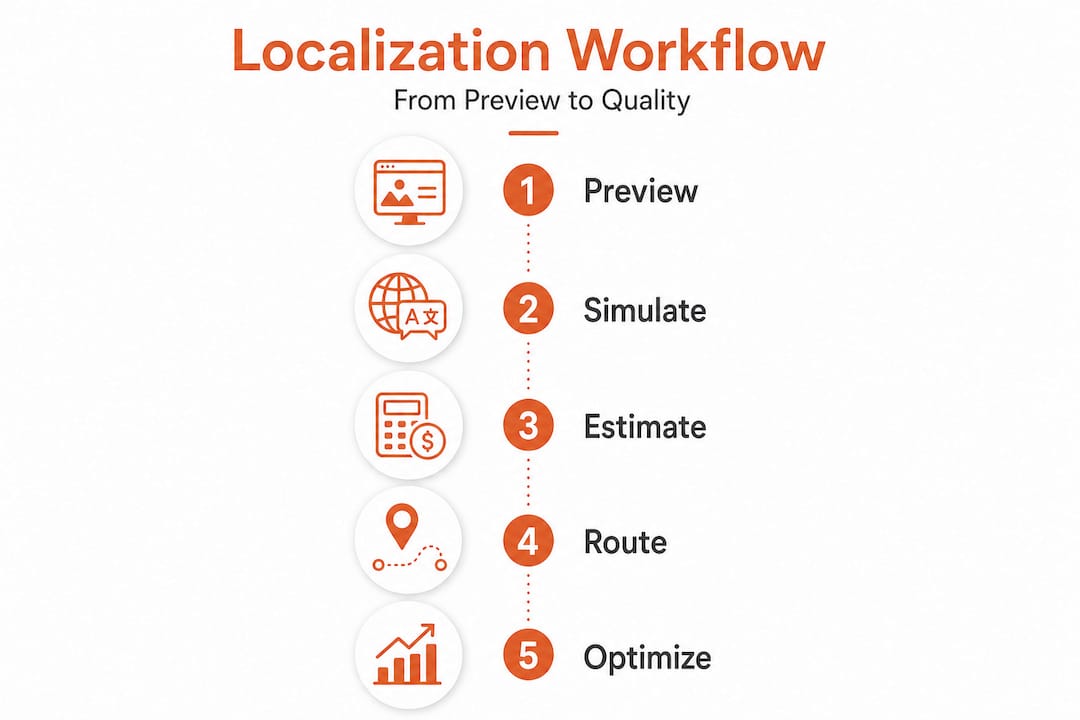
The core principle is straightforward: not every segment deserves equal scrutiny, and risk-based routing becomes dramatically more effective when tied to preview simulation and QE deferral rather than applied in isolation. Attempting to fully simulate every segment at maximum cost is not just expensive, it’s counterproductive because it creates reviewer fatigue and dilutes attention away from genuinely risky content.
Here are the most impactful practices we’ve seen work consistently for global product teams:
Classify content by risk category upfront: UI copy in critical flows (checkout, onboarding, error messages) carries higher business risk than static legal text. Assign risk weights before translation begins, not after.
Use QE scores as routing gates, not just reporting metrics: QE data is only valuable if it triggers decisions. Build actual routing rules that automatically move segments to the right reviewers based on score thresholds.
Prioritize preview simulation for high-traffic locales: Your top three markets by user volume deserve the most rigorous visual validation. Spend simulation resources proportionally.
Run pseudo-localization before real translation: Pseudo-localization, where real characters are replaced with extended or modified versions, catches layout and encoding issues before actual translations exist, saving costly rework cycles.
Monitor QE accuracy over time and retrain: QE models drift as your product vocabulary and UI patterns evolve. Schedule periodic recalibration to maintain routing precision.
The common mistake teams make is treating preview simulation as a one-time activity at the end of a release cycle. In reality, simulation should be a continuous, lightweight practice woven into every sprint. Run previews when strings change. Run them when UI components are updated. Run them when a new locale is added.
Pro Tip: Create a shared locale preview dashboard visible to your entire product team, not just developers. When designers, PMs, and UX writers can see live localized renders during their normal workflow, quality issues get caught earlier and cross-functional alignment improves significantly without extra meetings.
The benefits of getting this right extend beyond quality scores. Teams that implement AI-driven localization workflows report faster review cycles, lower translation costs, and measurably better user experiences in target markets. The practical reality is that AI in localization has moved well past the experimental phase. You can also explore semantic translation with AI to further elevate your content quality strategy.
Key takeaway: Risk-based routing combined with preview simulation doesn’t just save money. It fundamentally changes how your team thinks about quality, shifting the focus from uniform coverage to targeted excellence.
Reframing localization: why targeted simulation and AI matter more than brute force
Here’s an uncomfortable truth: most product teams are optimizing for the wrong metric. They measure localization success by coverage, how many segments were reviewed, how many languages were simulated, how many QA cycles were completed. What they should be measuring is impact per unit of effort.
Brute-force simulation is reassuring. It feels thorough. Running every segment through the same expensive review pipeline creates a sense of control and rigor. But it’s largely an illusion. Reviewer attention degrades across long queues. Fatigue introduces the very inconsistencies you were trying to prevent. And the segments that genuinely needed expert eyes get the same time as segments that were clearly fine from the start.
This is where AI localization strategy separates high-performing teams from the rest. Smart teams use QE and preview simulation not to do less, but to do the right things with focused intensity. They’re not skipping review. They’re concentrating it. The result is that critical content, brand-defining copy, safety-critical UI strings, high-stakes onboarding flows, gets reviewed with sharper attention and more appropriate expertise.
The traditional localization tools that most enterprises still rely on weren’t designed with this kind of risk-aware intelligence. They treat all segments as equal, all workflows as linear, and all reviews as interchangeable. That design philosophy made sense when AI-driven QE wasn’t available. Today, it’s a competitive disadvantage.
Our perspective: the teams that will win global markets in the next few years aren’t the ones with the biggest localization budgets. They’re the ones who use AI and preview simulation to make every dollar of localization effort count three times as much. Targeted simulation isn’t a shortcut. It’s a strategic upgrade.
Explore AI-powered localization solutions
For teams eager to embrace smarter localization, here are practical next steps. Gleef is built specifically for product teams who want to move beyond brute-force workflows and into the kind of targeted, AI-driven localization that actually scales globally.

Gleef’s platform brings preview simulation, AI-powered translations, semantic translation memory, and quality-aware workflows into a single environment that integrates directly with your existing tools, including Figma and your development pipeline. You don’t have to overhaul your entire stack to get started. The Gleef localization platform gives your team the visibility, control, and intelligence to localize faster without sacrificing the quality your brand depends on. Explore the platform today and see what smarter localization feels like in practice.
Frequently asked questions
What is preview simulation in localization?
Preview simulation lets teams visualize and test localized content inside a live software interface before launch, catching layout, accuracy, and contextual issues early. Teams can test localized software directly inside dev workflows using platform-provided preview mechanisms, dramatically shortening the feedback loop.
Why should teams use quality estimation (QE) in localization?
Quality estimation predicts translation confidence at the segment level so teams can focus expert review resources on risky content rather than everything uniformly. QE is a probabilistic assessment method that works without needing a reference translation, making it practical to apply continuously throughout your workflow.
How does AI-driven risk routing improve localization quality?
AI-driven risk routing defers only high-risk segments to expert review, preserving quality outcomes while reducing cost significantly. Research shows that QE-based deferral can match the performance of a larger model while invoking it for only a small fraction of total segments.
Can preview simulation replace full human review?
Preview simulation meaningfully reduces the need for exhaustive human review by surfacing real issues early and routing effort intelligently, but it doesn’t eliminate human judgment entirely. Risk-based deferral ensures that segments where human expertise genuinely matters still receive it, while routine segments move forward efficiently.