
TL;DR:
Automation significantly reduces localization costs and turnaround times for global product releases.
A hybrid approach combining AI and human review ensures quality, context, and brand tone are maintained.
Implementing automated workflows enhances visibility, consistency, and control over the entire localization process.
Traditional localization workflows are quietly killing your global release schedules. When translation memory reuse can cut costs by 40 to 60% and automated QA catches up to 80% of common errors, sticking with manual processes isn’t just inefficient. It’s a strategic liability. Product teams building digital products for global markets face constant pressure to ship fast, stay consistent, and protect brand voice across every language. This guide maps out how automation transforms language workflows, where human expertise must stay in the loop, and how you can turn localization from a release blocker into a genuine competitive advantage.
Key Takeaways
Point | Details |
|---|---|
Huge cost savings | Automation cuts localization costs by up to 60%, enabling bigger global reach with less budget. |
Boosted speed and consistency | Automated workflows accelerate deployment and deliver uniform quality across languages. |
Hybrid approach is crucial | Combining automation with human review protects brand voice and compliance—automation alone isn’t enough. |
Direct impact on global launches | Language workflow automation empowers faster international product rollouts and brand consistency. |
Strategic leverage for teams | Automation is more than efficiency; it gives product teams control to scale and safeguard their messaging. |
Challenges with traditional language workflows
Most product teams don’t realize how much their localization process is holding them back until a major release stalls. The traditional localization failures are well documented, yet teams keep hitting the same walls: missed deadlines, inconsistent terminology, and brand voice that evaporates the moment content crosses a language boundary.
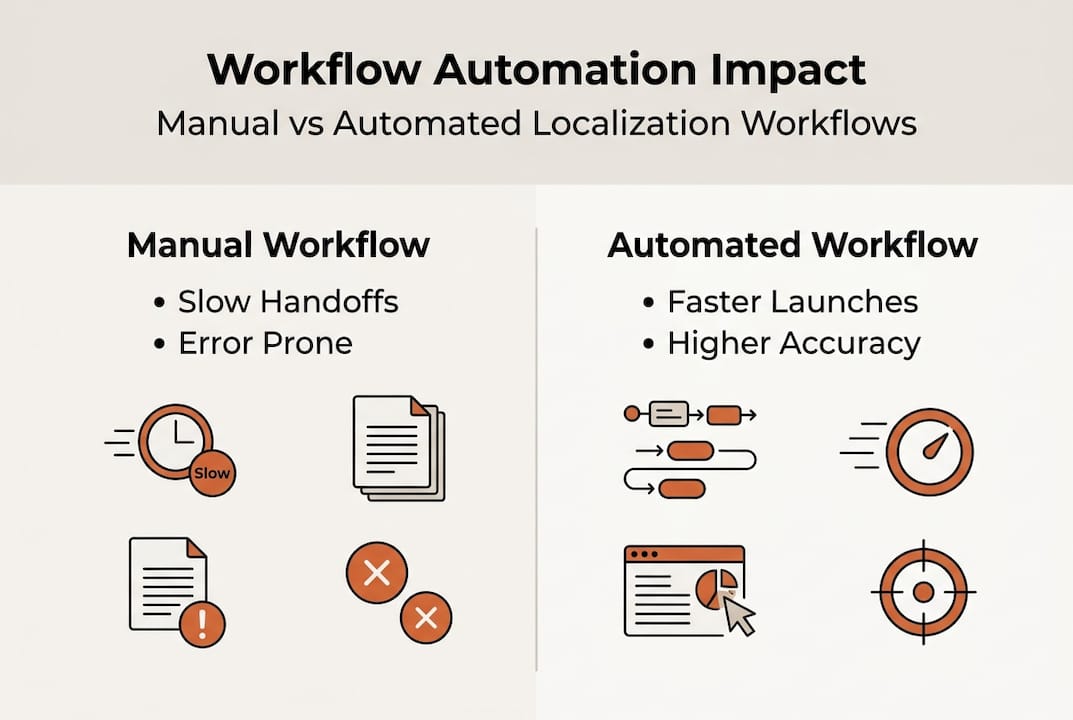
Manual workflows are built on fragile handoffs. A product manager exports strings, emails them to a translation vendor, waits days for a return file, and then watches a developer spend hours re-importing content and fixing broken formatting. Repeat that cycle across ten languages, and you’re looking at weeks of delay baked into every release. Every step adds risk: missed placeholders, incorrect character limits, terminology that drifts from your established glossary. These aren’t rare edge cases. They’re the default outcome of manual processes operating at scale.
Brand tone and cultural context are especially vulnerable. When translators work without live product context, without seeing how strings actually render in your UI, they make reasonable but wrong decisions. A button label that works in English might become a three-line paragraph in German, breaking your layout. A casual, confident tone in English can read as rude or overly formal in another language if the translator isn’t given explicit guidance. The pixel-perfect vision your design team labored over starts to crumble the moment localization happens in isolation.
Here are the most damaging pain points product teams consistently report:
Slow turnaround cycles that delay releases by days or weeks per language
Inconsistent terminology across product surfaces and marketing materials
Rework costs from QA cycles that catch issues too late in the process
Cultural missteps that require expensive post-launch corrections
Developer time lost to manual file handling, format issues, and re-imports
Fragmented tool environments forcing teams to context-switch between design, development, and translation platforms
The cost of rework is often underestimated. When a translation error reaches production, the fix requires coordination across product, development, localization, and QA. That’s not a translation problem. It’s an organizational drag that compounds with every market you serve.
“Pure AI fails on context, tone, culture, brand voice, and regulated content. AI-only localization requires a hybrid approach with human post-editing, escalation rules, and risk-based review to avoid rework and brand damage.”
This is critical context for any team solving localization challenges at scale. The answer isn’t pure automation or pure manual work. It’s a smarter combination of both, and the first step is understanding exactly what automation can do.
How automation transforms language workflows
Automation doesn’t just speed up what you’re already doing. It fundamentally changes how localization fits into your product development cycle. With the right setup, translation becomes a continuous, integrated process rather than a disruptive handoff at the end of a sprint.
Let’s look at the direct comparison between manual and automated workflows to make this concrete:
Workflow stage | Manual approach | Automated approach |
|---|---|---|
String extraction | Developer exports files manually | API or plugin triggers extraction automatically |
Translation | Vendor receives batch, delivers in days | Translation memory + AI generates drafts instantly |
QA review | Manual reviewer checks each string | Automated QA flags placeholders, limits, terminology |
Re-import | Developer re-imports and tests layout | Changes sync directly back to product |
Turnaround per language | 5 to 15 days | Hours to 1 to 2 days |
Cost per word (repeat content) | Full rate every time | 40 to 60% less through memory reuse |
The efficiency gains are real and measurable. Translation memory, which stores previously approved translations and reuses them when identical or similar strings appear again, is one of the highest-leverage tools in an automated system. For products with large, stable UI surfaces, memory reuse rates of 60 to 80% are achievable. That’s the majority of your strings getting handled instantly, at near-zero incremental cost.
Automated QA is equally transformative. Instead of relying on human reviewers to catch every placeholder error, broken variable, or string that exceeds a character limit, automated systems run deterministic checks across every string on every build. This is how you catch the bug where "{user_name}` was accidentally translated as a literal word in Portuguese, rather than discovering it after launch.
The brand consistency gains are just as important as the speed improvements. Boosting speed and consistency go hand in hand when you centralize your glossary and enforce terminology rules automatically. Every translator, whether AI or human, works from the same approved term list. Brand-specific words stay untranslated or use your preferred localization. Tone guidelines get encoded as rules rather than left to individual interpretation.
Here are the practical improvements product teams see when they automate their translation process optimization:
Faster release cycles with localization running in parallel to development, not after it
Fewer regression bugs from automated checks that run on every build
Lower vendor costs through memory reuse and reduced review rounds
Consistent terminology enforced systematically across all languages and surfaces
Reduced developer burden by eliminating manual file handling entirely
Pro Tip: Start by auditing your most repeated UI strings. Buttons, navigation labels, error messages, and status indicators are ideal candidates for translation memory. Getting these right and locked in early creates a high-reuse foundation that pays compounding dividends as your product grows.
Balancing automation and human expertise: hybrid approaches
Automation isn’t a silver bullet, and teams that treat it as one tend to learn that lesson expensively. The real superpower comes from knowing precisely where to let automation run free and where to call in human judgment.
AI translation and quality research consistently shows that AI performs exceptionally well on structured, repeatable content: UI labels, navigation, error messages, transactional notifications, and form fields. These strings are short, context-light, and pattern-driven. AI handles them fast and accurately.
But the picture changes for content that carries emotional weight, cultural specificity, or regulatory consequence. Marketing copy, onboarding narratives, legal disclaimers, and support conversations all require human judgment that current AI systems genuinely cannot replicate. AI in localization reality means recognizing these limits and building workflows around them.
Here’s a practical content classification framework you can use to structure your hybrid workflow:
Content type | Automation fit | Human review level |
|---|---|---|
UI labels and navigation | Excellent | Light spot-check |
Error messages | Excellent | Light spot-check |
Onboarding and marketing copy | Moderate | Full human edit |
Legal and compliance text | Low | Full human review required |
Support and conversational UI | Moderate | Human review recommended |
Help documentation | Good | Structural review |
The key to a functional hybrid model is building escalation rules directly into your workflow. Pure AI-only localization fails when teams don’t establish clear criteria for when content should be routed to a human editor. Without escalation rules, risky content gets approved automatically, and brand damage accumulates quietly.
Here’s a numbered escalation framework that works in practice:
Flag content by type at ingestion. Tag strings as UI, marketing, legal, or conversational when they enter your localization pipeline. This tag drives the review routing.
Set confidence thresholds for AI output. Most modern localization platforms can score translation confidence. Strings below a defined threshold get queued automatically for human review.
Require human sign-off for regulated markets. Any content destined for markets with specific compliance requirements, healthcare, finance, legal services, should have mandatory human review regardless of confidence score.
Build a post-edit feedback loop. When human editors correct AI output, those corrections feed back into the translation memory and improve future suggestions. This is how your system gets smarter over time.
Run periodic tone audits. Schedule quarterly reviews where a native speaker and brand expert checks a sample of live localized content against your voice guidelines. This catches drift before it becomes a brand risk.
Pro Tip: Don’t try to build your hybrid workflow perfectly on day one. Start with a simple two-tier system: full automation for UI strings and human review for everything else. Refine the thresholds and categories over the first few months based on actual error rates and editor feedback.
Teams that get this balance right stop seeing localization as a bottleneck. Instead, it becomes a reliable, scalable system that runs in the background and rarely demands emergency intervention.
Accelerating global deployment and brand success
These workflow improvements don’t exist in isolation. They directly determine how fast you can reach new markets and how confidently you can maintain brand integrity as you grow.

Consider what typically holds up a global product launch. It’s rarely the core development work. It’s the localization tail: waiting for translations, discovering layout-breaking strings, fixing placeholder errors, running a final QA pass, and getting sign-off from stakeholders who don’t have visibility into the translated product. Each of these delays is a process problem, not a content problem.
Automation attacks every one of those delays simultaneously. Continuous localization, where strings are extracted and translated as they’re written rather than batched at the end of a sprint, eliminates the translation tail entirely. Your product ships fully localized because localization ran in parallel the whole time.
Brand consistency at scale is where automation truly earns its place. Without systematic enforcement, brand voice erodes gradually across markets. A glossary entry that’s inconsistently applied in Spanish, a tone that shifts between formal and casual in Japanese, a product name that gets translated when it should remain unchanged in French. Individually, these feel minor. Collectively, they create a product experience that feels localized but not truly native, and users notice.
Here’s how automation protects brand consistency as you scale:
Centralized glossaries ensure brand terms, product names, and key phrases are applied consistently by every translation engine and human editor
Terminology enforcement rules automatically flag or block translations that deviate from approved term lists
In-context editing lets translators see exactly how their translations render in the actual UI, eliminating guesswork about layout and tone
Translation memory locks in approved brand voice for common strings so they’re never re-translated inconsistently
Automated length and character limit checks prevent layout breaks that damage professional appearance in target markets
The localization workflow automation data is clear: teams that automate QA processes catch 70 to 80% of technical errors before they reach production. For a product launching in eight languages simultaneously, that’s the difference between a clean release and a post-launch firefighting exercise.
For teams getting started, the practical sequence looks like this. First, streamline global localization by connecting your localization tooling directly to your development pipeline via API or plugin. Second, build your glossary before you automate, not after. Third, establish your translation quality standards in writing so automated rules and human reviewers are aligned on the same criteria. Fourth, run your first automated release with a shadow review, where humans check the output without blocking the release, to calibrate your confidence thresholds.
The teams that reach global markets fastest aren’t the ones with the biggest translation budgets. They’re the ones with the most efficient, repeatable processes.
What most teams overlook about automation in localization
Here’s the uncomfortable truth most localization guides skip: automation isn’t primarily about saving money or moving faster. It’s about gaining strategic control over something that used to be invisible until it broke.
When localization runs manually, it’s a black box. You send content in, you get content back, and you hope it’s right. Automation makes the entire process observable. You can see exactly which strings are reused, which ones got flagged by QA, where human editors are spending their time, and which content types are generating the most corrections. That visibility is where the real value lives.
Many teams underestimate how much escalation their hybrid workflow will demand in the early stages. The first few months after automating, you’ll likely find that more content needs human review than you expected. That’s not a failure. It’s your system telling you where your translation memory is thin and where your glossary has gaps. Empowering global product teams means treating those signals as data, not problems.
Small workflow adjustments early on prevent significant brand dilution later. The teams that get localization right long-term are the ones that treat it as a living system requiring ongoing calibration, not a problem to be solved once and forgotten.
Transform your localization workflow with innovative solutions
Ready to move your team beyond the manual localization cycle that’s slowing down your global releases? Gleef is built precisely for this challenge.

The Gleef Figma Plugin brings localization directly into your design environment, so translators work in context and designers see accurate previews without switching tools. The Gleef platform combines semantic translation memory, glossary enforcement, automated QA, and in-context editing into a single workflow built for product teams. Whether you’re launching into three markets or thirty, Gleef gives you the speed, consistency, and brand control to ship confidently. Stop letting localization be the last bottleneck before release.
Frequently asked questions
How much does automation reduce localization costs?
Automated workflows can cut localization costs by 40 to 60%, primarily through translation memory reuse that eliminates re-translating identical or near-identical strings across releases.
Is automation alone enough for quality localization?
No. Pure AI localization fails on context-sensitive content, brand tone, and regulated text, making a hybrid model with human post-editing and escalation rules essential for consistent quality.
How does automated QA handle software localization errors?
Automated QA systems reliably catch 70 to 80% of technical issues including placeholder misuse, exceeded character limits, and terminology inconsistencies before they reach production.
What’s a good starting point for teams new to automation?
Begin by automating your most repetitive UI strings using translation memory, then build escalation rules that route marketing copy, legal content, and conversational UI to human reviewers for approval.