
TL;DR:
Manual localization processes cause delays, errors, and increased costs, harming global market reach.
Implementing TMS and automation significantly reduces costs, accelerates releases, and improves consistency.
Designing for localization with early engineering cuts layout issues and preserves UX across languages.
Localization inefficiencies don’t just slow teams down — they quietly drain budgets, push back launch dates, and hand market share to competitors who move faster. Streamlining translation workflows dramatically reduces costs and accelerates time-to-market, yet most product teams still rely on fragmented, manual processes stitched together with spreadsheets and email threads. The price of that inertia is real. This guide walks you through the hidden costs of manual translation, the technologies that eliminate them, how hybrid AI workflows protect quality, and the design practices that keep your UX resilient across every language you ship.
Key Takeaways
Point | Details |
|---|---|
Manual processes are costly | Outdated workflows slow releases and risk losses up to 40% of global buyers. |
Automation boosts efficiency | TMS and AI-driven tools can cut localization costs by more than 90% and speed up time-to-market. |
Hybrid workflows win | Combining AI with expert oversight delivers consistency and cultural nuance at scale. |
Design for global UX | Anticipate text expansion and RTL needs early to avoid costly rework and broken layouts. |
Localization is a growth driver | Streamlined translation is central to winning in international markets, not just an operational detail. |
The hidden costs of manual translation processes
Manual translation looks manageable at first. A few strings sent to a vendor, a review round in a shared doc, a final pass before launch. But at scale, this approach breaks down fast — and the damage compounds quietly over time.
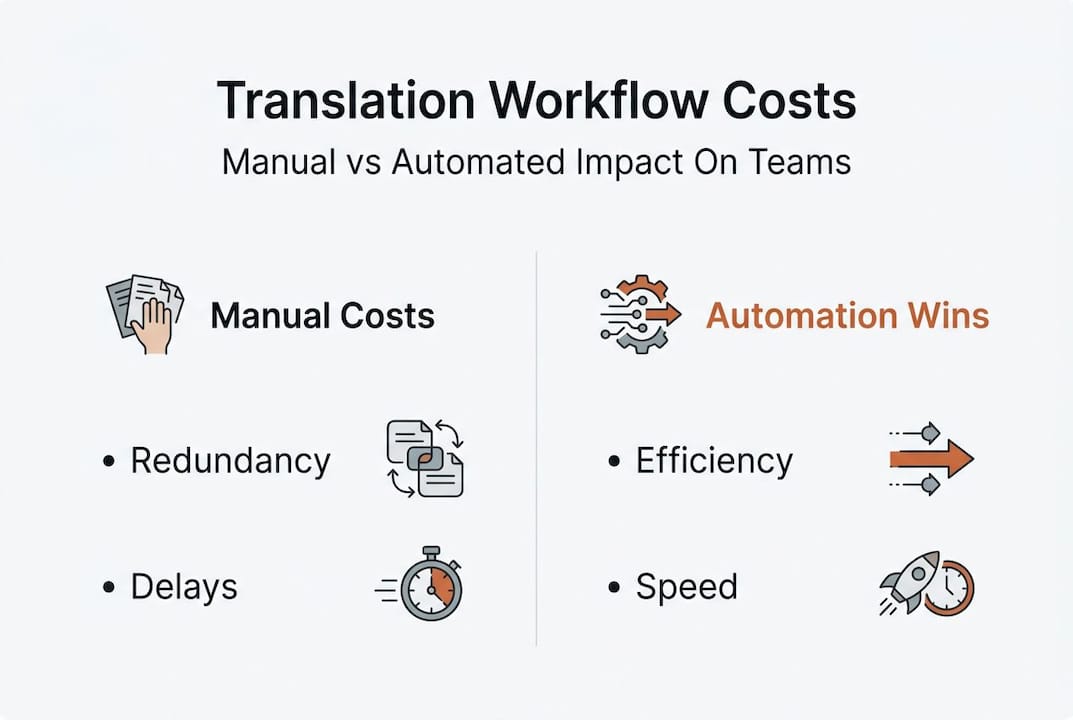
Manual processes delay launches, cause errors, and raise total cost of ownership. Every handoff introduces friction. Translators work without context, reviewers catch mistakes late, developers wait on files, and product managers scramble to align timelines. Hours disappear into coordination tasks that automation could handle in seconds.
The financial impact goes beyond billable translation hours. Consider what a delayed regional launch really costs: lost revenue, competitor advantage gained, and the rework bill that arrives when inconsistent terminology ships to users. Here’s a snapshot of where those costs hide:
Cost category | Manual workflow impact |
|---|---|
Redundant translation | Same strings translated multiple times across projects |
Late-stage error correction | Bugs caught post-launch require expensive hotfixes |
Delayed releases | Each localization bottleneck pushes the entire launch |
Brand inconsistency | Mismatched terminology erodes user trust globally |
Vendor coordination overhead | Project management labor often exceeds translation cost |
The UX consequences are just as serious. When your product speaks only English, you’re not just inconveniencing users — you’re losing them. 40% of consumers abandon products not localized in their language. That’s nearly half your potential market walking away before they ever see your best features.
Teams that have quantified the impact of software localization often find the business case overwhelming. The real risks of staying manual include:
Version drift: Translations fall out of sync with product updates
Context loss: Translators receive strings without UI screenshots or explanations
Terminology chaos: Different vendors use different words for the same concept
Review bottlenecks: Human QA queues create release-blocking dependencies
Scalability failure: What works for two languages collapses at ten
“Poor localization isn’t a translation problem. It’s a systems problem. Fix the workflow, and the quality follows.”
Recognizing these failure patterns is step one. The next move is replacing them with technology built for scale.
Automation and TMS: Accelerators for localization efficiency
A Translation Management System (TMS) is the operational backbone of any high-performing localization function. It centralizes your translation assets, automates file routing, and reuses previously approved content through translation memory — so your team stops paying to translate the same sentence twice.
TMS and automation cut costs by up to 97% and speed time-to-market significantly. That’s not a marginal improvement. That’s a structural shift in how product teams operate. Fortune 500 companies rely on TMS for the scalability and consistency that manual processes simply cannot deliver at enterprise volume.
Here’s how the workflows compare:
Metric | Manual workflow | TMS and automation |
|---|---|---|
Translation reuse | Near zero | 60-90% via translation memory |
Average turnaround | Days to weeks | Hours to minutes |
Error rate | High (context gaps) | Low (consistent TM and glossaries) |
Scalability | Breaks above 5 languages | Handles 50+ without added headcount |
Cost per word over time | Flat or increasing | Drops as TM grows |
Adopting a TMS doesn’t have to be a big-bang migration. The most effective teams do it incrementally:
Audit your current workflow — Map every handoff, identify where files sit idle, and measure turnaround times per language
Select a TMS that fits your stack — Look for native integrations with your CMS, Git repositories, and design tools
Start with your highest-volume content — Onboard your most repeated content types first to build translation memory fast
Expand incrementally — Add language pairs and content types as your team builds confidence with the system
Measure and iterate — Track cost-per-word, turnaround time, and error rates to quantify ROI at each stage
For a deeper breakdown of what to look for, the localization automation guide and localization platform features are solid starting points.
Pro Tip: Integrate your TMS with your Git repository or CMS on day one. Every commit that triggers an automatic translation job compounds your efficiency gains over time. Teams that do this early report eliminating entire coordination meetings from their sprint cycles.
Hybrid AI and human-in-the-loop: Quality without compromise
AI translation has moved far beyond rough drafts. But even the best neural machine translation model can produce output that’s technically accurate yet culturally flat. That’s where human-in-the-loop workflows change the equation.
A hybrid model uses AI to generate fast, consistent first drafts, then routes content to human linguists for review based on risk level. AI orchestration with human oversight cuts costs by 97% or more and reduces review needs by 90%. The math is compelling. But the strategic case is even stronger.
AI alone risks inconsistency debt — especially when output drifts from your approved terminology and tone. Human-only workflows solve that problem but reintroduce the speed and cost barriers you’re trying to escape. Hybrid workflows thread that needle.
Here’s how to build one for your team:
Define content tiers: Classify strings by visibility and risk (UI labels vs. legal copy vs. marketing headlines)
Route by tier: Send low-risk, repetitive content straight through AI with automated QA checks
Reserve human review for high-stakes content: Error messages, onboarding flows, and brand-critical copy deserve linguist attention
Feed approvals back into your TM: Every human correction should update your translation memory and glossary for future consistency
Monitor quality signals: Track user-reported issues by locale to catch systematic errors before they spread
For the full picture of how AI fits into modern localization stacks, explore AI in localization explained, AI translation benefits, cross-functional AI localization, and AI for design localization.
Pro Tip: Tier your QA process deliberately. Automated checks handle spelling, formatting, and glossary compliance. Human reviewers focus exclusively on high-visibility content where tone and cultural accuracy matter most. This split cuts your review queue without sacrificing the quality your users notice.
Design for localization: Edge cases and UX resilience
Your translation workflow can be perfect on paper and still produce broken UX at launch. Why? Because design decisions made in English don’t survive contact with German, Arabic, or Japanese without intentional engineering.
Text expansion is the most common culprit. German text expands by roughly 30%, right-to-left (RTL) languages require mirrored layouts, and character-based languages like Chinese can shrink strings dramatically — each creating a different kind of layout failure. Pseudo-localization, a technique where placeholder characters simulate translated text during development, helps you catch these breaks before any real translator touches the file.
The scenarios that catch teams off guard most often include:
Button overflow: Short English labels become two-line text blocks in Slavic or Semitic languages
RTL mirroring gaps: Icons, animations, and navigation flows designed left-to-right break in Arabic and Hebrew
Date and number formats: Hardcoded formats create confusion or errors in locales with different conventions
Font rendering failures: Characters from non-Latin scripts display as boxes when font families are not specified correctly
Truncation errors: Dynamic content gets clipped when containers have fixed widths not designed to flex
Plural form mismatches: English has two plural forms; Russian has four, and Arabic has six — unsupported logic creates grammatical errors at scale
The UI localization guide covers how to build UX that holds across all of these scenarios. And if you’re wondering why your current toolchain keeps surfacing these problems late, traditional localization tool issues explains the structural gaps.
Pro Tip: Bring a localization engineer into design reviews, not just sprint retrospectives. Catching a layout constraint at the wireframe stage costs nothing to fix. Catching it post-launch costs a redesign, a re-export, a re-translation, and probably a delayed release. Upstream investment pays outsized dividends here.
Our take: Streamlining is a design and business imperative — not a luxury
Here’s the uncomfortable truth most localization articles skip: teams that treat translation as a downstream task — something you bolt on after the product is built — are not just inefficient. They are making an active competitive choice to lose in international markets.
The best global product teams we see treat proactive UI localization with the same rigor they apply to their design systems or CI/CD pipelines. Localization is infrastructure. When it’s built in from the start, it accelerates every release cycle that follows. When it’s retrofitted, it creates drag on every single launch.
The teams winning in global markets in 2026 are not the ones with the biggest translation budgets. They are the ones who invested early in the right systems, built cross-functional habits around localization quality, and stopped treating language as an afterthought. That mindset shift — from checklist to competitive advantage — is what separates fast-moving global products from the ones perpetually stuck at the localization bottleneck.
Power your localization with Gleef and Figma
If you’re ready to put these principles into practice, the right tooling makes all the difference. Gleef is built specifically for product teams who want to eliminate the gap between design and localization — no more file exports, no more context-free strings, no more last-minute translation scrambles before launch.

With the Gleef Figma Plugin, your designers and UX writers manage translations directly inside Figma, where the context already lives. Semantic translation memory, glossary enforcement, and in-context editing mean your localized content is consistent, brand-aligned, and ready to ship faster than your current workflow allows. Explore everything Gleef’s localization solutions can do for your team and start turning localization into your product’s global superpower.
Frequently asked questions
What is a Translation Management System (TMS) and why use one?
A TMS automates routine translation tasks, centralizes assets, and enables consistent, scalable localization across teams by reusing approved translations through translation memory.
How much time and cost can automation really save?
Translation costs drop 60-97% with TMS and automation in place, and project cycles that once took days can shrink to hours or even minutes.
Why not use only AI or only human translators?
A hybrid approach delivers both speed and cultural nuance; AI orchestration reduces review needs by over 90% while human oversight prevents the inconsistency debt that pure AI output produces over time.
How can teams prevent design breakage during localization?
Pseudo-localization prevents layout breaks caused by text expansion and RTL requirements, catching issues during development rather than after your localized build ships to users.
What is the impact of not localizing content?
40% of buyers won’t purchase if content is not available in their language, meaning English-only products are actively forfeiting nearly half their addressable global market.